
StreamYard Review: A Browser Studio for Live Streams, Interviews, and Recordings
Disclosure: This post contains affiliate links. If you buy through them, we may earn a commission at no extra cost to you. How we make money.
This StreamYard review is for creators, coaches, and small teams who want to go live or record interviews from a browser, without installing a desktop studio. StreamYard is a browser-based studio for live streams, guest interviews, recordings, and short clips. I am comparing it with Restream and OBS using official product pages, not a live broadcast test, so you can judge fit with a clear head.
The reader’s problem: a live show should not need a control room
A typical creator week now includes a live talk, a guest interview, or a webinar-style session, plus a recording you can reuse. Desktop tools can do all of that, but they ask you to install software, route audio, and learn a mixer before you even invite a guest. Many people stall at that setup step.
A browser studio is a different shape. You open a tab, invite guests, and send the same show to more than one destination. This StreamYard review starts from that split: do you want a studio in the browser, and do official plan limits match the show you actually run?
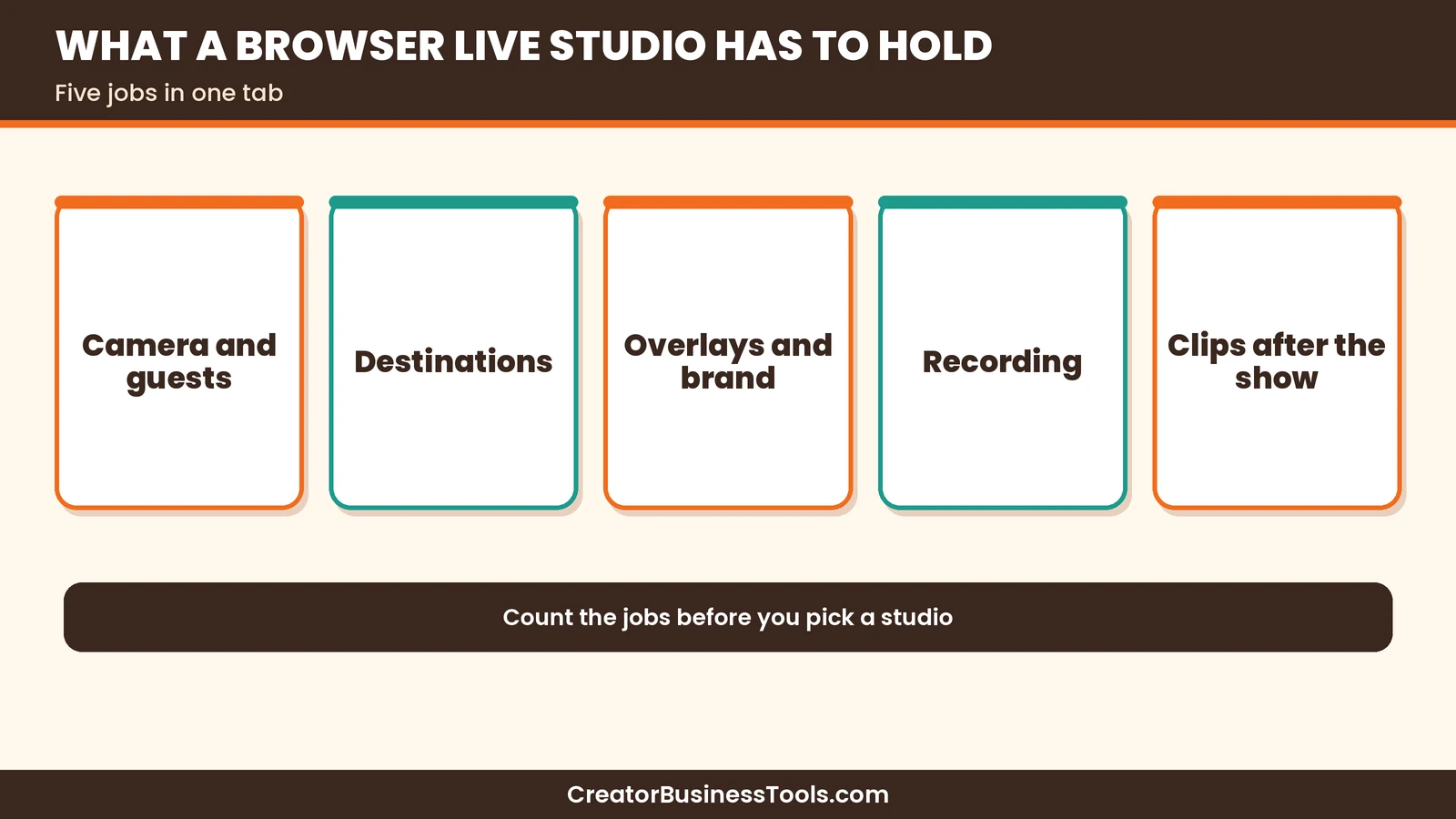
Three criteria for a live studio
Criterion one: the show itself
Look at on-screen guests, layouts, overlays, local or cloud recording, and whether a brand mark appears on the stream.
Criterion two: destinations and formats
Multistream limits, custom destinations, and whether you can send a horizontal and a vertical feed matter once you leave a single channel.
Criterion three: plan shape and team needs
Seats, storage, webinar-style rooms, and whether a plan is meant for an individual or an organization decide whether the rung still fits after the first show.
StreamYard at a glance
| Product | Best for | Key strength | Drawback | Price tier |
|---|---|---|---|---|
| StreamYard | Creators who want a browser studio for interviews and live shows | A clear individual ladder from a free plan to a high rung, with brand tools in the middle | The free plan includes the platform logo and streaming limits | Free, then budget to mid-range, plus a higher rung |
| Restream (alternative) | Creators who want multistreaming, including from a desktop encoder | A channel-count ladder and a studio, plus a path that works with tools such as OBS | Studio quality and extras step up by plan; clips and webinars can be add-ons | Free, then budget to mid-range, plus a high rung |
| OBS (alternative) | Creators who want a free desktop mixer and already like local control | A full local studio with no subscription rung | Setup is heavier than a browser tab | Free desktop software |
How StreamYard works
A studio in the browser
StreamYard is built so you can go live or record from a browser tab. Official materials describe guest interviews, branded streams, recordings, audience engagement tools, podcast-style sessions, webinar-style On-Air rooms on a higher rung, and clip tools for later.
The free plan includes core studio features, with the platform logo on streams, streaming limits, a modest local-recording allowance, a set number of on-screen participants, and one seat. It is a real starting desk, not an empty demo, but the logo and limits are part of the official shape.
Paid rungs for individuals
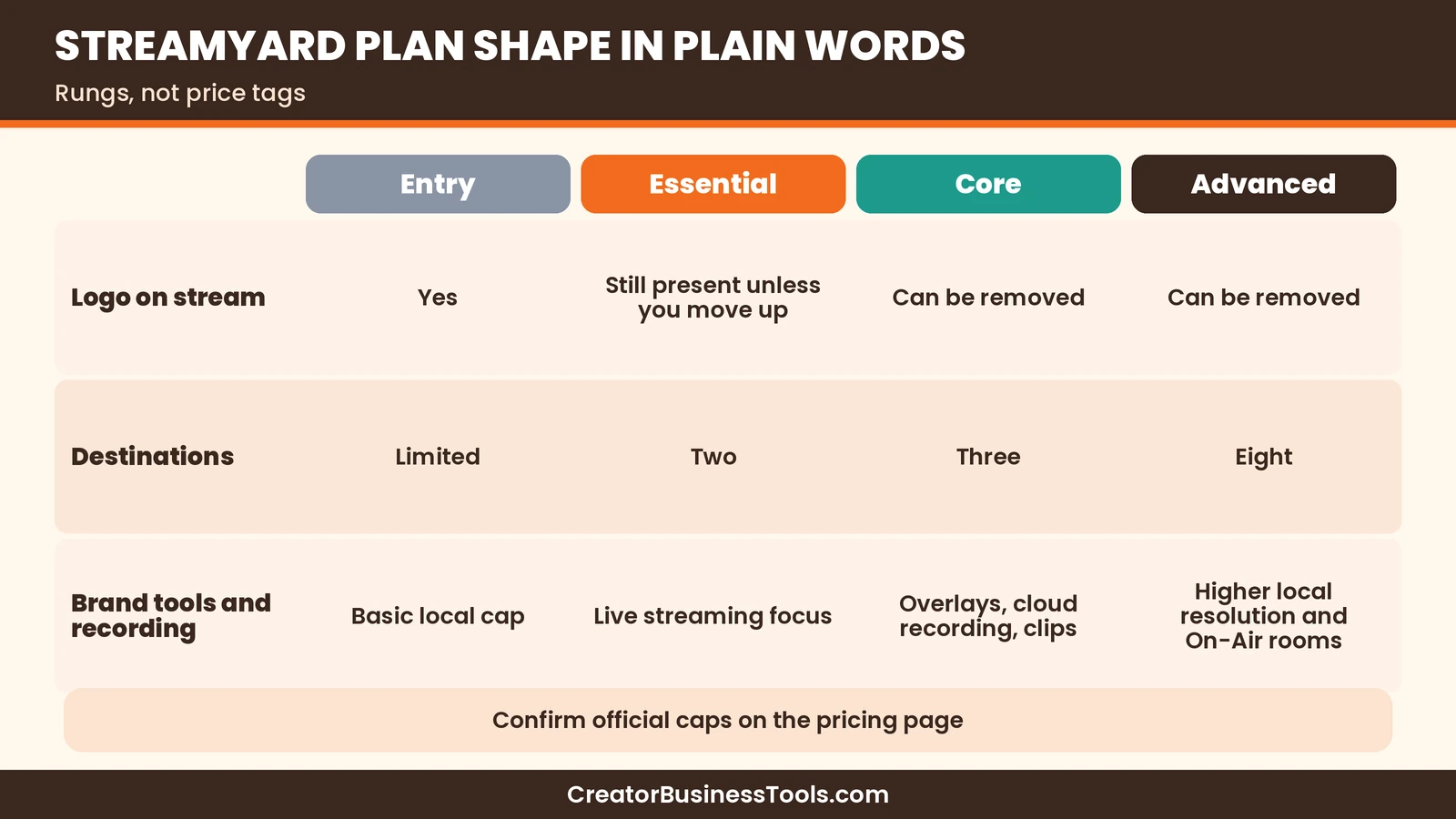
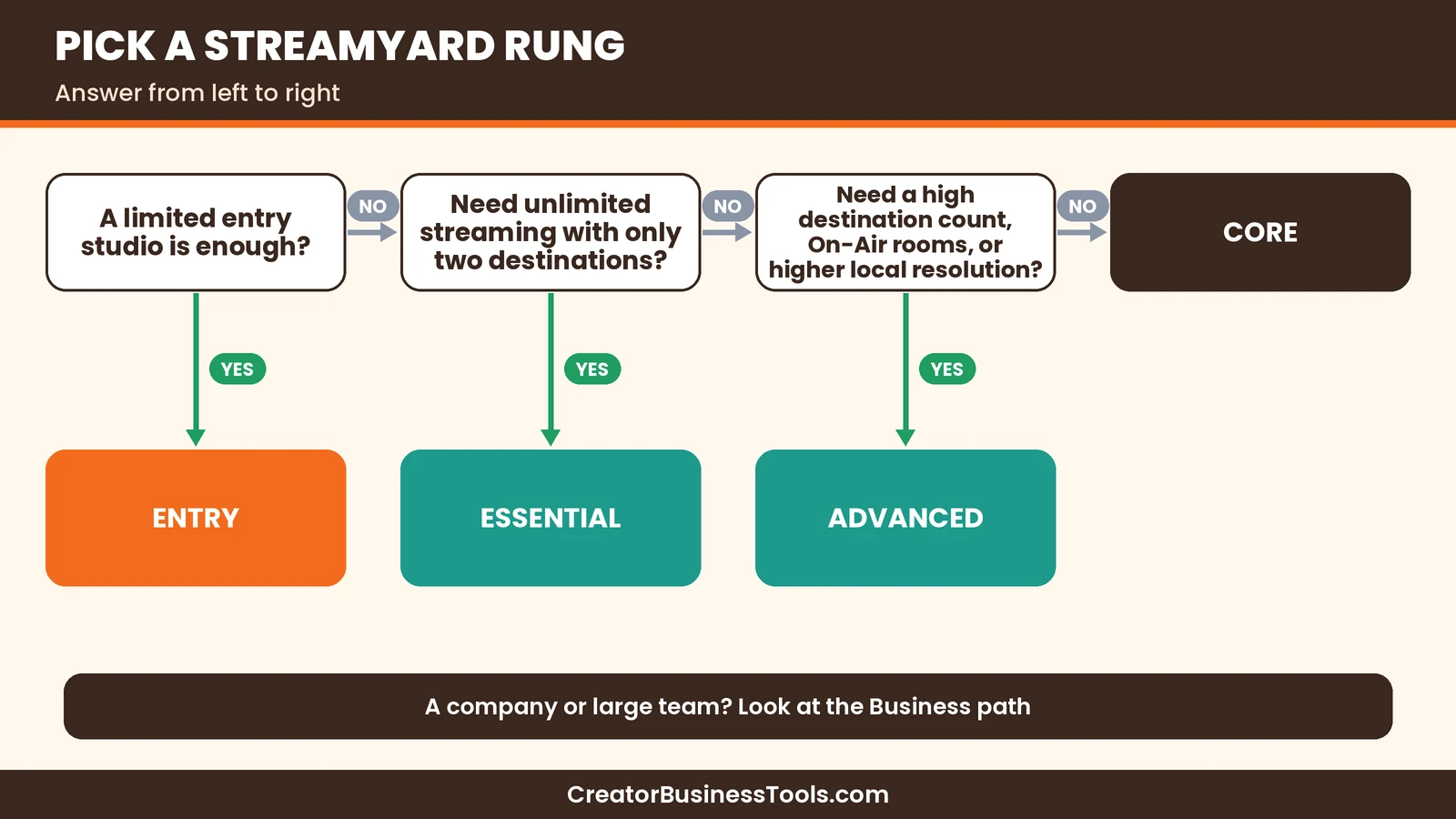
Official individual plans step up from Essential to Core to Advanced. Essential adds unlimited streaming, two destinations, and full HD. Core is where brand tools and a fuller studio appear: the platform logo can be removed, destinations rise, overlays and clips come in, more people can be on screen, pre-recorded sessions and cloud recording appear, and clip tools are listed. Advanced raises destinations again, adds a higher local-recording resolution, more backstage room, longer pre-recorded sessions, an On-Air webinar-style room with a listed viewer cap, custom fonts, and transcript downloads.
Official pages say Essential, Core, and Advanced are for individual use. A separate Business path exists for companies and larger teams; that path is a conversation, not a public self-serve price tag.
Pros of StreamYard
- A browser studio that can hold guests, destinations, and a recording in one place
- A free plan that lets you learn the desk before you pick a paid rung
- A middle rung that adds brand tools, more destinations, and clip features
- A high rung for larger destination counts and webinar-style rooms
- A clear split between individual plans and a Business path
Cons of StreamYard
- The free plan includes the platform logo and streaming limits
- Individual paid rungs are not the official path for a company email or a large team
- Business pricing is not a public self-serve ladder
- I did not run a live show for this review, so I will not score reliability
- If you only needed a local mixer, a desktop tool may feel more direct
Who StreamYard is best for
Interview and talk-show hosts
If your show is you plus guests in one room, a browser studio is a natural desk. Official guest and layout tools are the reason this product exists.
Creators who want one show on more than one channel
Paid rungs raise the destination count. If you only needed one channel, the free plan or the first paid rung may be enough. If you needed many destinations, look at the higher official caps.
Teams that later want an organization plan
If you are already working under a company domain, read the official plan-usage notes before you pick an individual rung. The Business path is the official option for that case.
Alternatives worth knowing
Restream
Restream is a multistreaming platform with a browser studio and a path that also accepts a desktop encoder such as OBS. Official plans are metered mainly by how many channels you can use at once, with studio quality and extras that rise as you move up. Clips and webinars are listed as add-ons. Choose it if channel count and encoder flexibility are the main jobs.
OBS
OBS is a free desktop application for mixing cameras, windows, and audio on your computer. It gives you deep local control, and it can send a feed into a multistreaming tool. It is a strong option if you already enjoy local setup. It is a heavier start if you only wanted to invite a guest and go live from a tab.
Best-use-case recommendations
| Situation | Pick | Why |
|---|---|---|
| Browser interviews and a simple live show | StreamYard | Official studio-first shape |
| Many channels, or a desktop encoder you already use | Restream | Official channel ladder and encoder path |
| A free local mixer you control yourself | OBS | Official free desktop studio |
| Brand tools, clips, and cloud recording | A mid StreamYard rung | Official Core feature set |
| A webinar-style room and more destinations | A high StreamYard rung | Official Advanced extras |
| A company or larger team | The StreamYard Business path, or Restream’s higher rungs | Official organization options |
StreamYard pricing structure, without the noise
Think in one free plan and three paid individual rungs, plus a separate Business conversation. The free plan is a limited studio with a logo. The first paid rung is a budget step for unlimited streaming and two destinations. The mid rung is the brand-and-recording desk. The high rung is for more destinations and On-Air rooms. Billing can be monthly or on a longer term; official pages also note that displayed amounts can vary, so read the official page when you buy.
I am not restating dollar amounts here.
A simple first-week plan
Day one: write the show in one sentence — interview, solo talk, or webinar-style session.
Day two: map destinations, guest count, and whether the logo can stay.
Day three: build one short studio: a title, one overlay or none, and a guest invite.
Day four: do a private recording and watch it back on a phone.
Day five: decide whether the free plan still fits, or whether a mid rung is the real desk.
Do not add five destinations in that first week. One finished show teaches you more than a crowded setup.
When StreamYard is not the right tool
Skip it if you only wanted a local mixer and already like OBS.
Skip it if a company plan is required and you have not read the official Business path.
Skip it if you only send a pre-recorded file to one channel and never needed a studio.
Skip it if you expected a public self-serve price for a large organization desk.
Mistakes I would avoid
- Picking a paid rung before you know how many destinations you actually use
- Assuming every rung removes the platform logo
- Inviting a company-wide team onto an individual plan without reading official usage notes
- Building five layouts before one show is finished
- Treating this review as a quality test; it is not
- Leaving guests without a clear entry path or a backstage moment
How I would staff a StreamYard week
Choose one review window. Check the next show, the guest list, and the recording from the last session. Export or clip only what you will actually reuse. Leave the rest of the week for the conversation, not the dashboard. If you are still living in settings every afternoon, the show is not yet simple enough.
Editing standards for a live studio
- The first screen should name the show, not only the host
- Guests should know how to join before you go live
- Overlays should support the talk, not hide the faces
- A recording should have a home after the session
- If you also post clips, they should point back to the same show
These standards travel with you if you later switch tools.
The path from invite to recording
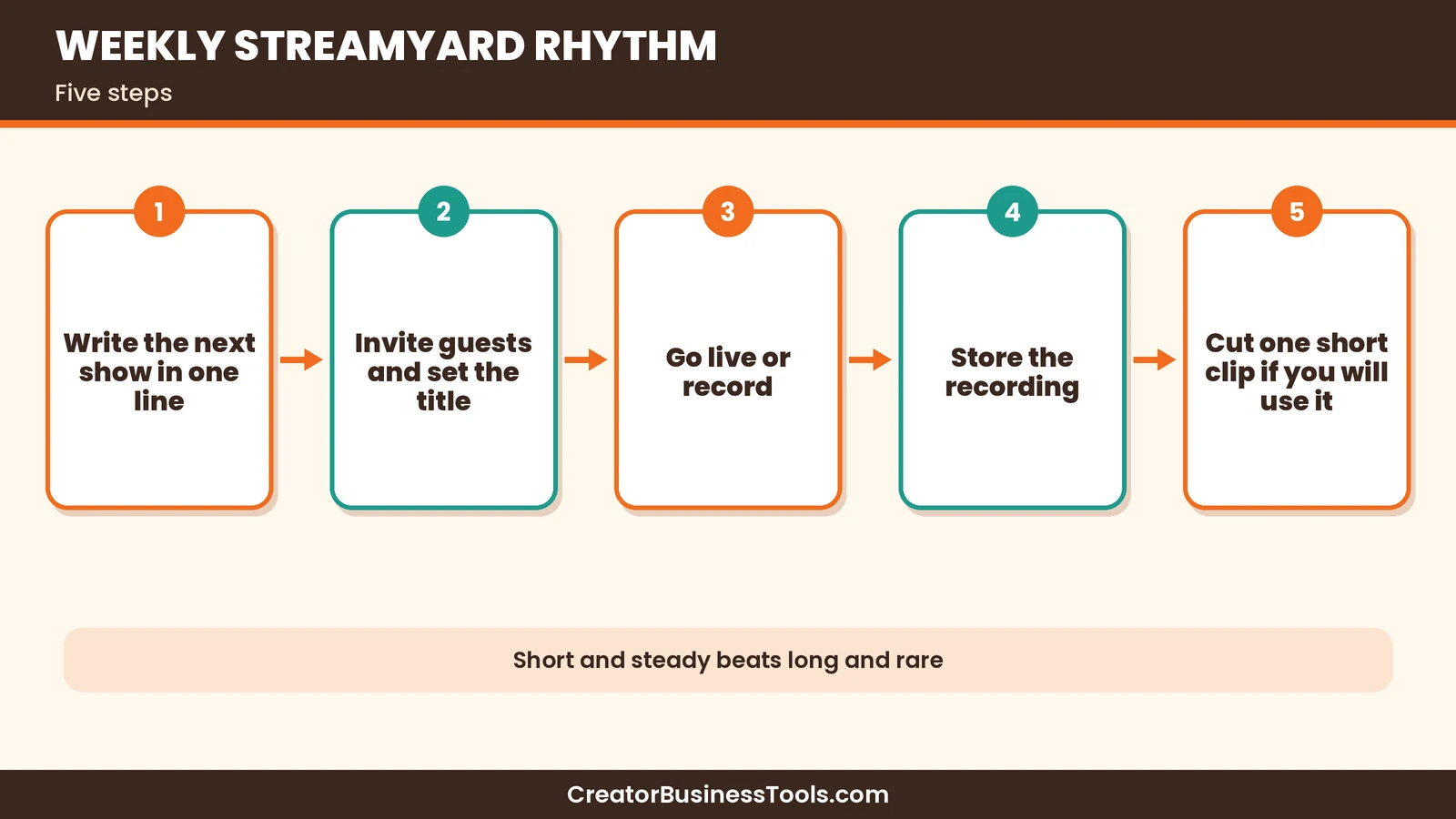
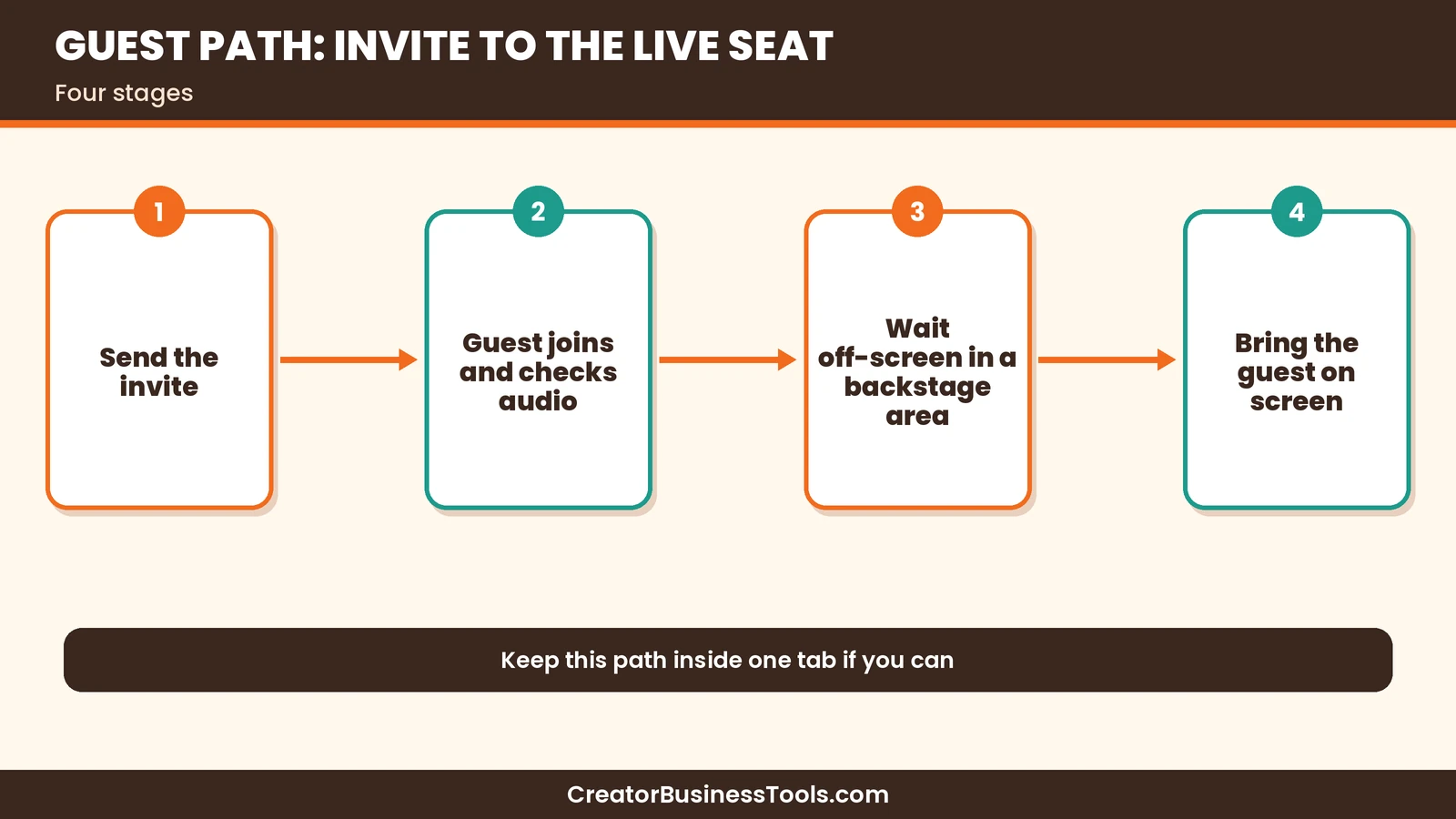
A good studio path is short: create the studio, send a guest link, check audio, go live or record, then download or store the file. StreamYard is built to hold that path in a browser. The path still fails if the title is unclear or the guest never received the link.
If you also stream from a desktop encoder, you are in a slightly different category. Restream official pages describe that encoder path more directly. This review stays with the browser-studio job.
Questions to confirm on official pages
- Destination caps and logo rules on the rung you expect
- Guest, backstage, and recording limits
- Whether the plan is for individual or organization use
- Storage and clip tools
- How the Business path is sold, if you need it
This StreamYard review is a map of those questions. Official pricing and help pages are the current answers.
My honest take
What I like in this StreamYard review is the honesty of the ladder. The free plan is useful and clearly capped. The mid rung is where brand tools and recordings become the story. The high rung is for bigger destination lists and On-Air rooms, not for every weekly chat.
The tradeoff is equally clear. You give up the deep local mixer of OBS, and you do not get Restream’s particular channel-and-encoder story in the same way. If your week is “invite, go live, record,” StreamYard is a serious candidate. If your week is “one feed, many platforms, plus OBS,” look at Restream. If your week is “I want the mixer on my machine,” look at OBS.
I did not test a live audience, so treat reliability and support quality as something you should judge on a small real show.
Guest flow, clips, and what to keep outside the studio
A live studio works well when a guest can join without a lesson. Official StreamYard tools are built around an invite, a backstage or greenroom-style wait, and a seat in the show. Keep that path short. Send the link, name the show, and tell the guest when to join.
Clips are useful only if you will actually post them. Official mid and high rungs list clip tools. I would still cut one short piece from the first finished show, not from five unfinished ideas.
What to keep in the studio
- The guest invite and the live layout
- The destination list for that show
- The recording and one clip, if you need it
What you can leave outside
- A long-form editor for a documentary cut
- A separate design tool for thumbnails
- A scheduling calendar for the public page
- A desktop encoder, if you are not using one
If you already love a desktop mixer, you do not have to abandon it. You can still use a browser studio for guest-heavy shows and keep the desktop tool for solo streams. The only rule is one clear path for the audience, not two overlapping shows.
I would also keep a short written note of official caps — destinations, on-screen guests, and storage — so you can see a ceiling coming. The plan ladder is useful only if you look at it before a launch, not after a cap gets in the way. A quiet check takes less time than rebuilding a show in a hurry. If a guest, a destination, or a recording need is already close to a cap, decide whether to move up a rung or to thin the show before you announce the next session.
FAQ
Is StreamYard good for beginners?
Yes, if you want a browser studio rather than a desktop mixer. Start by mapping guests and destinations to official caps.
Does StreamYard have a free plan?
Yes. Official pages include a free plan with core studio features, a platform logo on streams, and listed limits. Paid rungs add destinations, brand tools, and recording options.
How is StreamYard different from Restream?
StreamYard is studio-first in the browser. Restream is multistream-first, with a studio and an official path for desktop encoders. Pick based on whether the studio or the channel count is the spine.
Can I use StreamYard for a company team?
Official individual plans are described for individual use. A Business path exists for organizations. Confirm official usage notes before you invite a whole company.
Should I start on the free plan?
A factual free plan is a reasonable way to learn the desk. Move up when logo rules, destinations, or recording needs no longer fit.
What should I check before inviting my first guest?
Run a short private test with the guest link, confirm which destinations are connected, and check where the recording will be stored after the show. Official help pages describe browser and device requirements, so share those with guests ahead of time. A short rehearsal catches audio and camera issues before you go live with an audience.
Get the free live-studio checklist
Free checklist: Get our free Live-Studio Checklist — for mapping guests, destinations, brand tools, and recording before you pick a studio. Contact us to request a copy.
Conclusion: my StreamYard review verdict
This StreamYard review comes down to the desk you want to sit in. Choose StreamYard if a browser studio for interviews, live shows, and recordings matches your week, and pick the official rung that fits destinations and brand needs. Look at Restream if channel count and a desktop encoder are the spine. Look at OBS if you want a free local mixer. Build one short show, watch the recording, and let that first session tell you if StreamYard is your studio.