
StreamYard vs Restream: Which Browser Studio Fits Your Live Setup?
Disclosure: This post contains affiliate links. If you buy through them, we may earn a commission at no extra cost to you. How we make money.
This StreamYard vs Restream comparison is for creators who want to go live from a browser — or send one show to more than one channel — and need to decide which desk fits. StreamYard is a studio-first browser tool. Restream is a multistream-first platform with a studio and a path for desktop encoders. I am using official product pages, not a live audience test, so you can compare structure with a clear head.
The reader’s problem: two live desks, two different spines
When your show outgrows a single camera and a single channel, the next question is often “which live platform?” Both tools can hold a browser studio and more than one destination. The hard part is the spine. One product puts the studio, guests, and brand tools at the center. The other puts the channel count, and a path that also works with software such as OBS, at the center.
If you pick only on a feature checklist, you can still land on the wrong desk. This StreamYard vs Restream guide starts with the work you do every week, then maps that work to official limits.
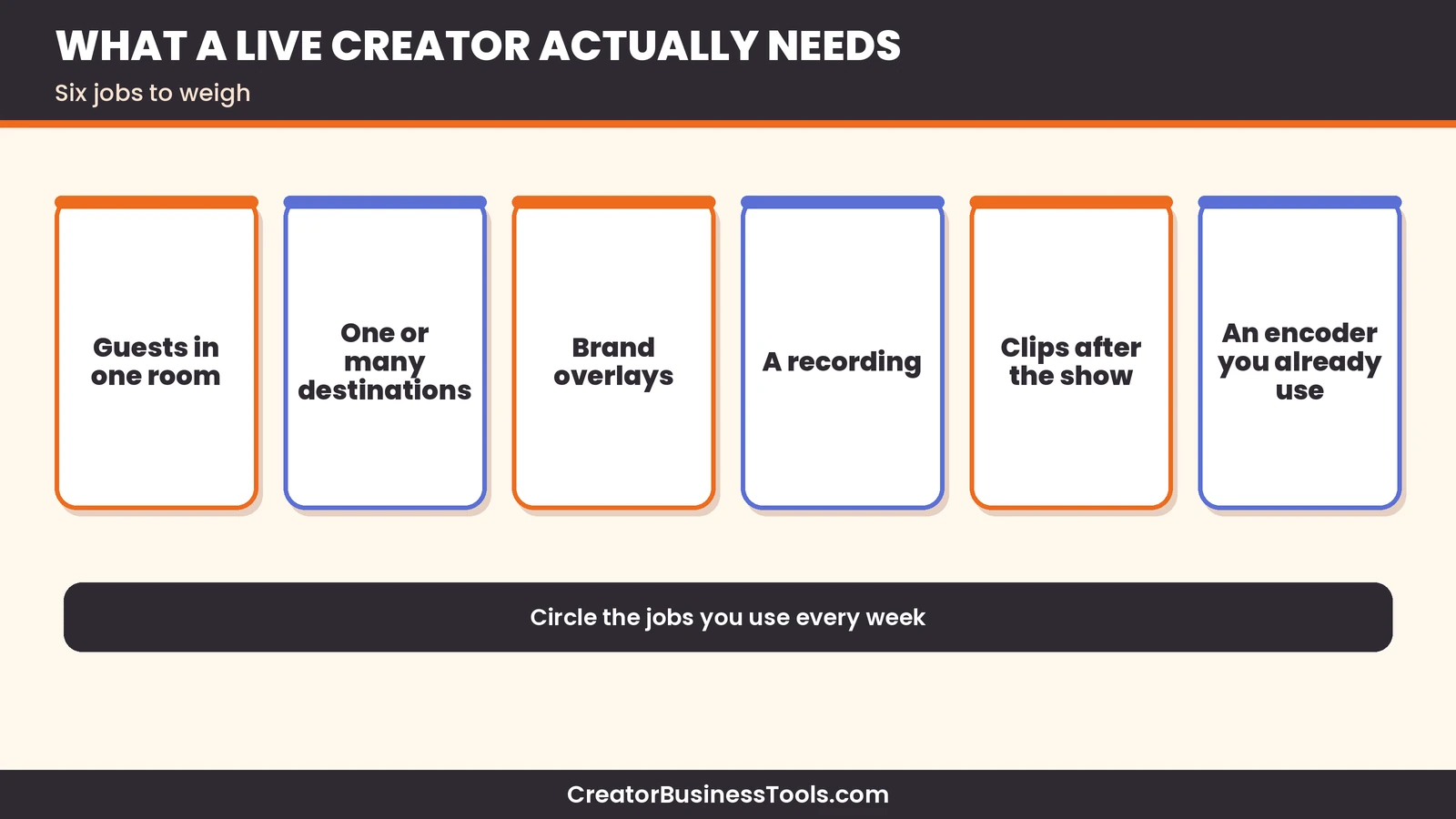
Three criteria for this comparison
Criterion one: the studio experience
Guests, layouts, overlays, recording, and whether a platform mark appears on the stream.
Criterion two: destinations and encoders
How many channels you can use at once, custom destinations, dual-format output, and whether a desktop encoder is an official path.
Criterion three: plan shape and extras
Free-plan caps, mid-rung brand tools, high-rung team seats, and whether clips or webinar rooms are part of the plan or an add-on.
StreamYard vs Restream at a glance
| Product | Best for | Key strength | Drawback | Price tier |
|---|---|---|---|---|
| StreamYard | Creators who want a browser studio for interviews and shows | A clear individual ladder with brand tools on the mid rung | Free plan includes a logo and streaming limits | Free, then budget to mid-range, plus a higher rung |
| Restream | Creators who want many channels, or to keep a desktop encoder | A channel-count ladder plus a studio and an encoder path | Studio quality and some extras step up by plan; clips and webinars can be add-ons | Free, then budget to mid-range, plus a high rung |
| OBS (brief alternative) | Creators who want a free local mixer | Deep control on your computer | Heavier setup than a browser tab | Free desktop software |
StreamYard: the studio-first desk
How it is built
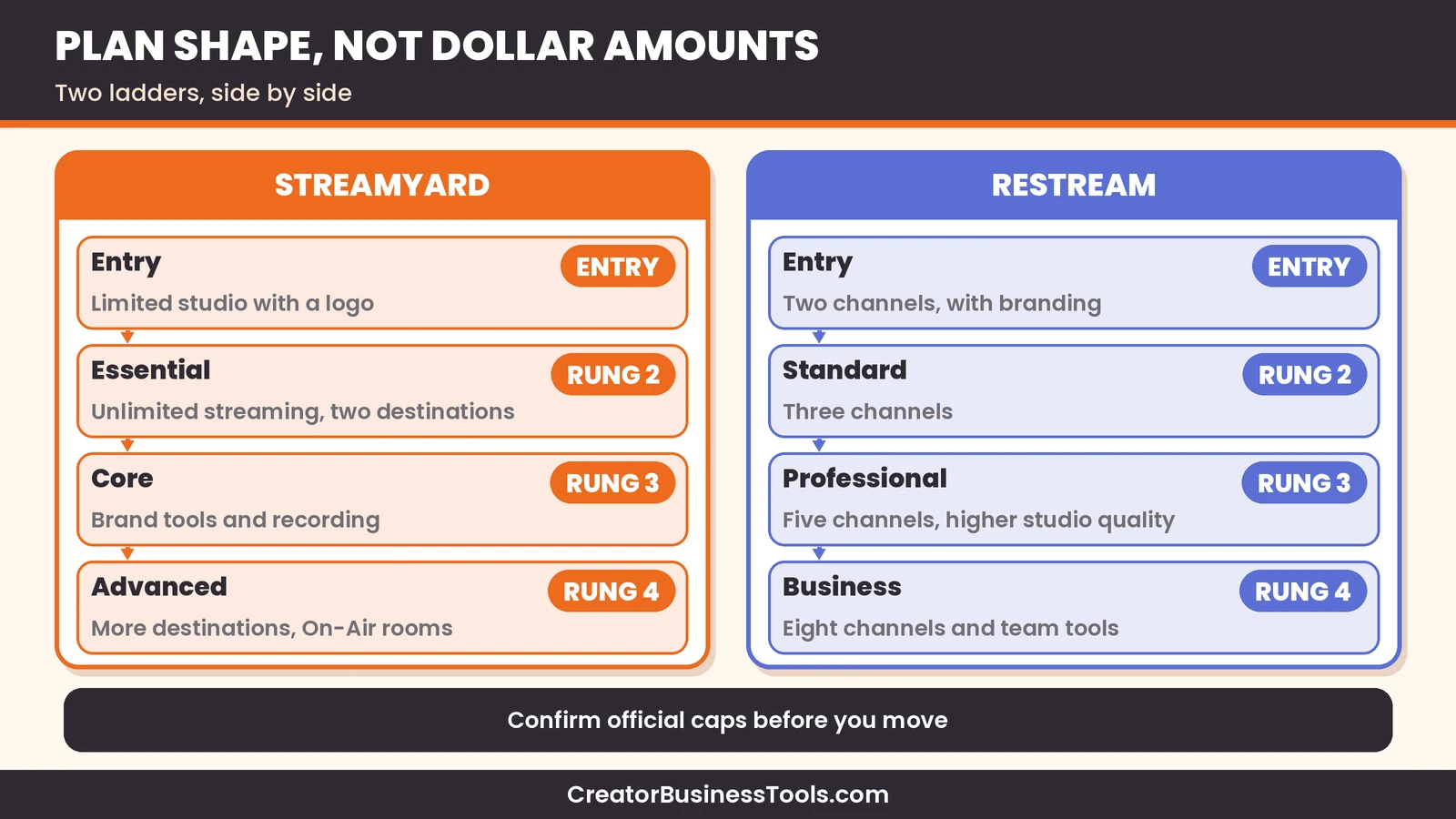
StreamYard presents itself as a browser studio for live streams, guest interviews, recordings, and clips. Official individual plans move from a free rung with a logo and limits, to Essential for unlimited streaming and two destinations, to Core for brand tools, more destinations, cloud recording, and clips, to Advanced for more destinations, a higher local-recording resolution, and an On-Air webinar-style room. Official pages say those paid rungs are for individual use. A Business path exists for organizations.
Pros of StreamYard
- A studio-first browser desk for guests and interviews
- A mid rung that adds brand tools, cloud recording, and clips
- A high rung for larger destination counts and On-Air rooms
- A free plan that is a real, if limited, studio
- A clear split between individual plans and a Business path
Cons of StreamYard
- The free plan includes the platform logo and streaming limits
- Individual rungs are not the official path for every company team
- Business pricing is not a public self-serve ladder
- I did not run a live show for this comparison
Restream: the multistream-first desk
How it is built
Restream is built to send one broadcast to many social channels. Official pages include a browser studio and an official path for desktop encoders such as OBS. The plan ladder is metered mainly by simultaneous channels: two on the free plan, then three, five, and eight on paid rungs, with a custom enterprise path. The free plan includes Restream branding. Paid rungs remove that mark and add guest channels, higher studio quality on mid and upper rungs, longer recordings, and, on the high rung, a website player, team seats, and a co-producer mode. Official pages list clips and webinars as add-ons.
Studio details also step up. Official comparison tables give the free studio a lower on-screen cap and HD, and raise on-screen count and full HD as you move up.
Pros of Restream
- A clear channel-count ladder
- A studio plus an official encoder path
- Dual-format streaming on a mid paid rung
- Team seats and a co-producer mode on a high rung
- A free plan for two channels
Cons of Restream
- The free plan includes platform branding and a lower studio cap
- Full HD in the studio is not the story of every rung
- Clips and webinars are listed as add-ons
- I did not run a live show for this comparison
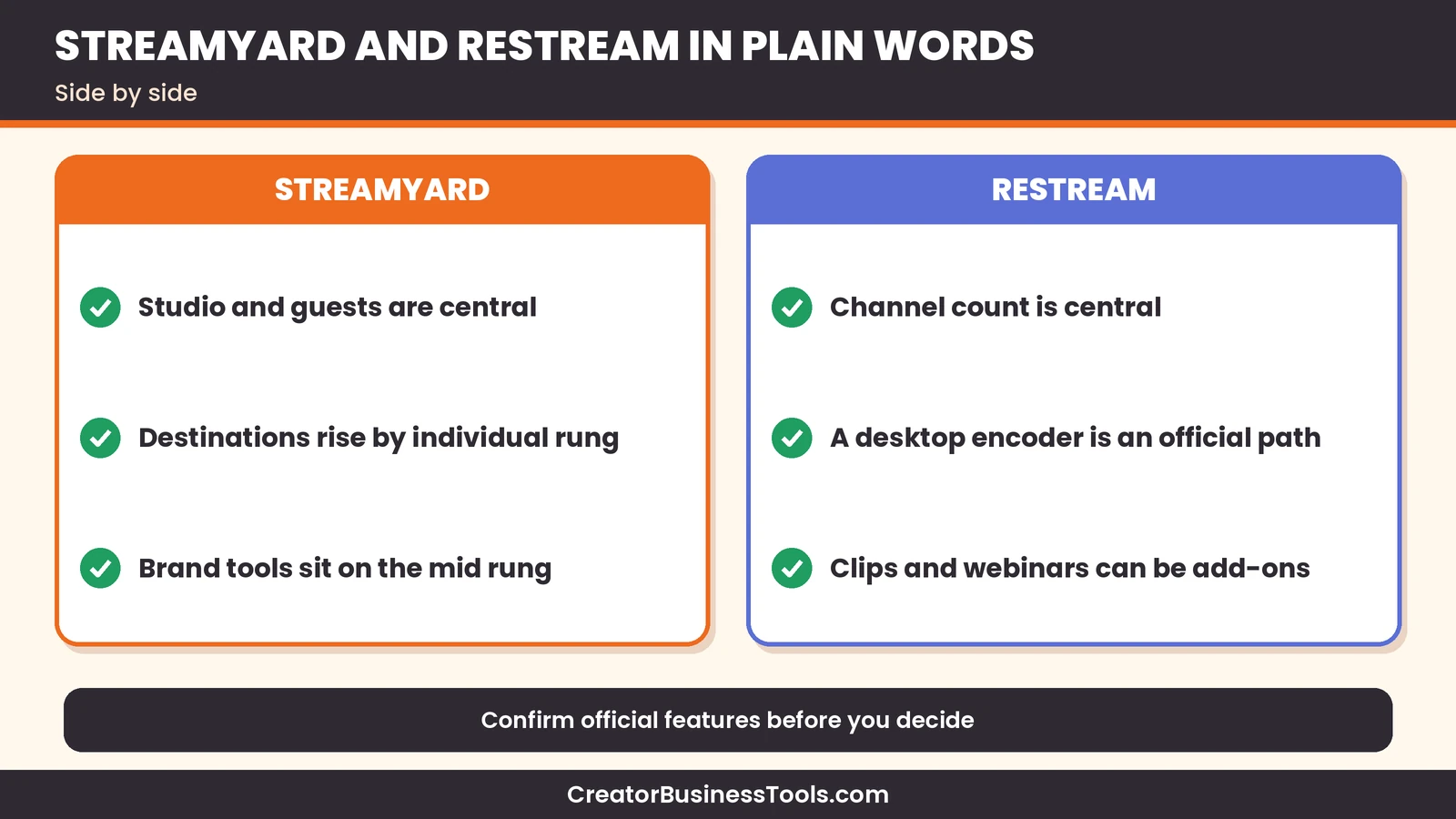
Where the two platforms differ
Studio versus channels
If your week is “invite guests and run a show,” StreamYard official materials put that studio at the center. If your week is “one feed, many platforms,” Restream official materials put the channel count at the center, with a studio attached.
Encoders
Restream official pages describe connecting tools such as OBS or Zoom. StreamYard is built around its own browser studio. If you already live in a desktop mixer, Restream is the more direct official match.
Brand, clips, and extras
StreamYard places brand tools, cloud recording, and clips on official mid and high individual rungs. Restream lists clips and webinars as add-ons, and raises studio quality by plan. Neither should be treated as a complete post-production desk.
Plan shape
Both offer a free plan with branding or a logo. StreamYard’s paid individual ladder is Essential, Core, and Advanced. Restream’s paid creator ladder is Standard, Professional, and Business, plus enterprise. Company-scale needs may point to StreamYard Business or Restream’s higher rungs.
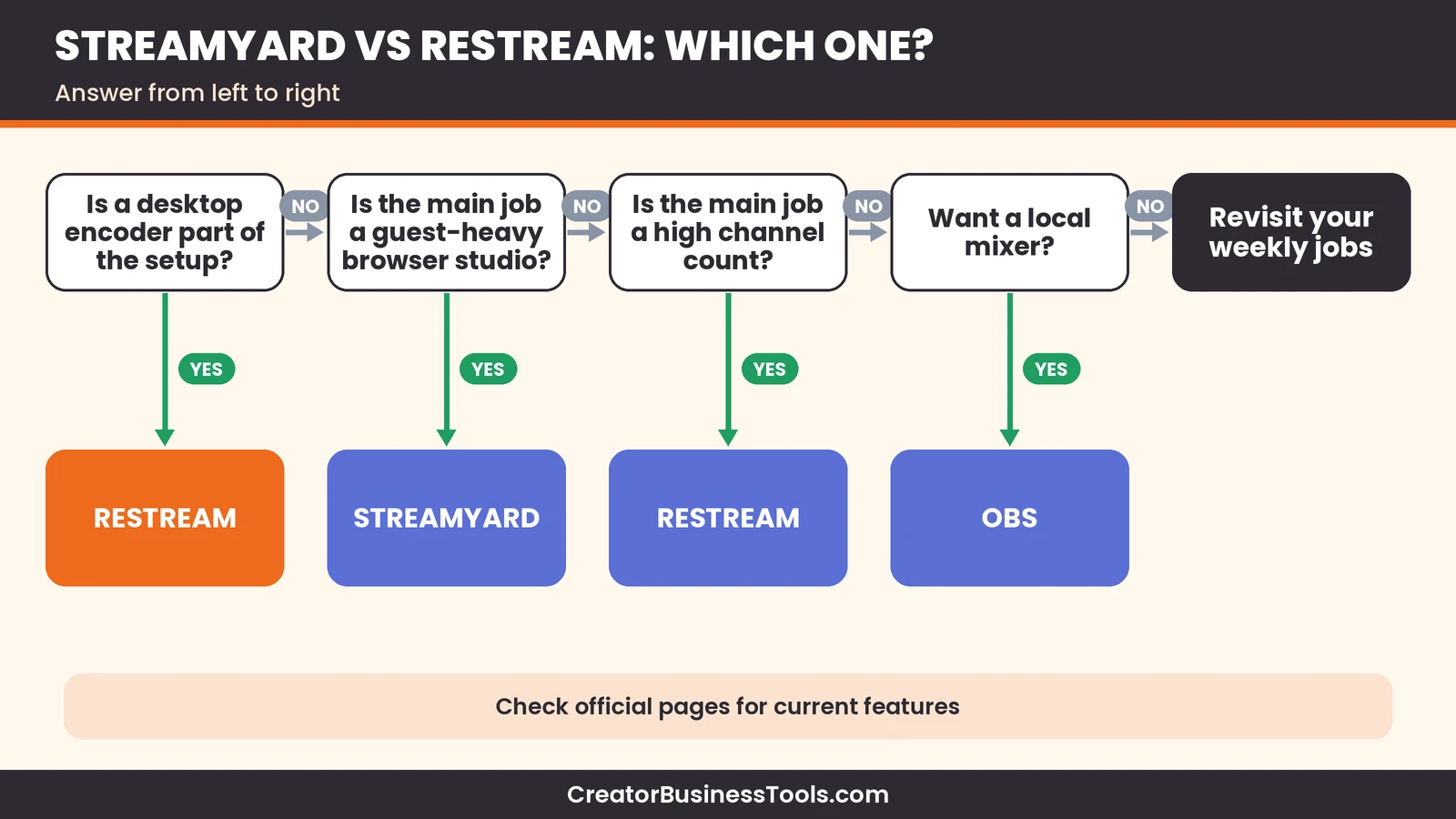
Brief alternative: OBS
OBS is a free desktop mixer. It is the right tool if you want local control and do not mind setup. It is also a common source for Restream’s encoder path. It is not a hosted browser studio.
Best-use-case recommendations
| Situation | Pick | Why |
|---|---|---|
| Guest interviews in a browser tab | StreamYard | Official studio-first shape |
| Many channels, or a desktop encoder | Restream | Official channel ladder and encoder path |
| A free local mixer | OBS | Official free desktop studio |
| Brand tools and clips inside the plan | A mid StreamYard rung | Official Core feature set |
| A website player and co-producer tools | A high Restream rung | Official Business extras |
| A company-scale desk | StreamYard Business or Restream’s higher rungs | Official organization options |
Pricing structure, without the noise
StreamYard uses one free plan and three paid individual rungs, plus a Business conversation. Restream uses one free plan and three public paid rungs, plus enterprise, with clips and webinars as add-ons. Both can be billed monthly or on a longer term. I am not restating dollar amounts here. Read official pages when you buy.
A simple decision week
Day one: list the weekly jobs — guests, channels, encoder, or clips.
Day two: map those jobs to official caps on both platforms.
Day three: draft one show on paper: title, guests, destinations.
Day four: walk official studio and encoder notes for both tools.
Day five: pick the desk that matches the jobs, not the longer brochure.
Do not migrate every old recording in that week. One show is enough.
When neither platform is the right tool
If you only needed a local mixer, OBS will usually be a lighter fit.
If you only post pre-recorded videos to one channel, you may not need a live studio at all.
If you already run a full show on one tool and the audience path works, a move is a project, not a casual tweak.
Mistakes I would avoid
- Choosing on channel count alone, if guests are the real job
- Choosing on studio polish alone, if you already depend on OBS
- Ignoring official logo or branding rules on free plans
- Adding clip add-ons before one finished show exists
- Treating this comparison as a live quality test; it is not
- Running two studios for the same audience at once
How I would staff the first month
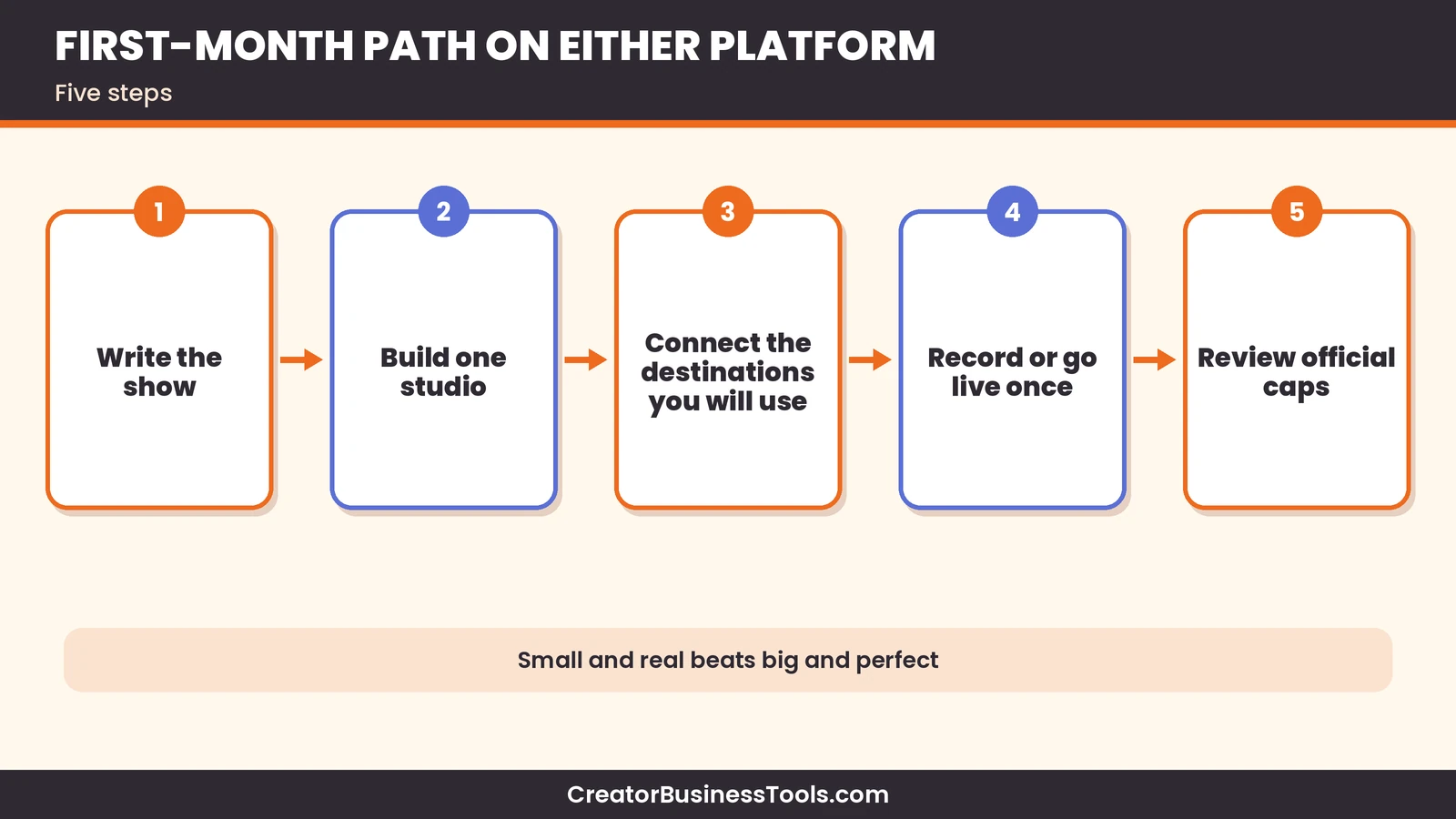
Pick one platform and one show format. Invite one guest or run one solo session, send it to the destinations you actually use, and store the recording. Review official caps at the end of the month. If you are already near a ceiling, plan the next rung or thin the setup. If you are still living in settings all day, the issue may be the show, not the software.
I would also keep a short written note of official caps — destinations or channels, on-screen guests, and storage — so you can see a ceiling coming. That note takes less time than rebuilding a show after a cap gets in the way.
The live path, side by side
On StreamYard, official materials present the invite, the studio, and the recording as one path. That is useful if a guest should join from a link.
On Restream, official materials present the channel list as the spine, with a studio or an encoder feeding it. That is useful if the same show must land in several places, including from software you already use.
Neither path works if the show itself is unclear. The platform can only carry a show you have already named.
Roles on the show, and who needs a seat
A live show often has more than one job. Someone is on camera. Someone may admit a guest. Someone may watch comments. Official plan pages for StreamYard and Restream describe seats and, on some rungs, a co-producer mode. Those details belong in the same notes as destination caps.
If you are a solo creator, a single seat may be enough. If a helper will join every show, confirm official seat rules before the first public session. A desk that fits your on-camera week can still be a poor fit if your helper cannot get in.
Keep the roles short. One person owns the studio. One person owns the guest invite. One person owns the recording home. If the same person holds all three jobs, write that down too, so you do not invent a team process you will not keep.
Destinations, formats, and a quiet inventory
Before you pick a desk, list the channels you already use, not the channels you might use later. Then read official destination or channel caps against that list.
A horizontal show and a vertical show are not the same job. If official pages describe dual-format or vertical tools, add that to the list only if you already have a place to publish the second format. Opening a second format on day one is a common way to stall the first show.
StreamYard tells that story through a studio and a destination count. Restream tells it through a channel count, and through an official encoder path if you already like a local mixer. Either path works when the inventory is honest. Neither path works when the inventory is a wish list.
A recording home you can find later
A live show is not finished when you leave the air. Official pages describe local recordings, cloud recordings, and clip tools at different points in each ladder. Pick one home for the file you want to keep, and write that home in the same note as your destination list.
Do not add a clip workflow until one full recording exists. Clips need a source. If the official tool for clips sits on a mid rung or an add-on, confirm that fact on the official page, then decide whether the first series even needs clips.
I would rather have one recording I can find than three tools I never open.
Audio checks, guest waits, and the path that actually matters
Most first-show trouble is not the brand of the studio. It is a late guest, a muted mic, or a link that was hard to find. The software you pick should make that path short. A clear invite, a short audio check, and a named show belong together.
Walk that path once in a private session. Use the same title style you will use in public. If a guest has to install extra software for a simple interview, ask whether a browser invite would have been enough.
This StreamYard vs Restream choice should serve that path, not the other way around.
Questions to confirm on official pages
- Destination or channel caps, and logo or branding rules
- On-screen guests, recording length, and storage
- Whether clips or webinar rooms are included or add-ons
- Encoder support, if you use a desktop mixer
- Individual versus organization plan rules
My honest take
The honest difference in this StreamYard vs Restream comparison is emphasis. StreamYard is the browser studio with a mid rung for brand tools. Restream is the multistream desk with an official encoder path.
I would pick StreamYard if my week is “guests in a tab.” I would pick Restream if my week is “one feed, many channels, maybe OBS.” I would pick OBS alone if I only needed a local mixer.
Because I did not test a live audience, judge reliability on a small real show.
If you work with an assistant, include seats and co-producer tools in the same official-cap check. A desk that fits your on-camera week can still be a poor fit if your helper cannot get in.
FAQ
Who wins for a new weekly interview show?
If you want a browser studio first, start with StreamYard and confirm official caps. If you want many channels, or to keep a desktop encoder, start with Restream.
Do both tools have a free plan?
Yes. Official StreamYard and Restream pages both include a free plan, with a logo or branding and listed limits.
Can I bring a desktop encoder?
Restream official pages describe an encoder path, including tools such as OBS. StreamYard is built around its own browser studio.
Which is better for a company team?
Confirm official organization paths. StreamYard has a Business conversation. Restream has higher rungs with seats and workspaces.
Should I switch if I already use one of them?
Only if a weekly job is missing. A move costs time and audience patience. Stay if the desk already covers the show, the destinations, and the recording.
Get the free live-studio checklist
Free checklist: Get our free Live-Studio Checklist — for comparing studio jobs, channel caps, and recordings before you pick a desk. Contact us to request a copy.
Conclusion: my StreamYard vs Restream verdict
This StreamYard vs Restream decision is about shape, not a trophy. Choose StreamYard if you want a browser studio for guests, brand tools, and recordings. Choose Restream if you want a channel-count ladder and an official path for a desktop encoder. If you only needed a local mixer, look at OBS. Map your weekly jobs, read the official caps, and let one short show tell you which desk feels like home.