
eRank for Print on Demand: Etsy Keyword and Trend Research for POD Sellers
Disclosure: This post contains affiliate links. If you buy through them, we may earn a commission at no extra cost to you. How we make money.
If you sell print-on-demand shirts, mugs, posters, or tote bags on Etsy, your designs compete with thousands of similar listings. Using eRank for print on demand research can help you find the phrases shoppers actually type, spot rising themes before they peak, and write titles and tags that match real searches. This guide explains which eRank tools matter most for POD sellers, a simple research workflow you can repeat for every new design, and which plan fits a growing POD catalog.
We built this guide from eRank’s official feature and pricing pages. We have not run a paid eRank account for this article, and every keyword in it is a hypothetical example, not a tested result.
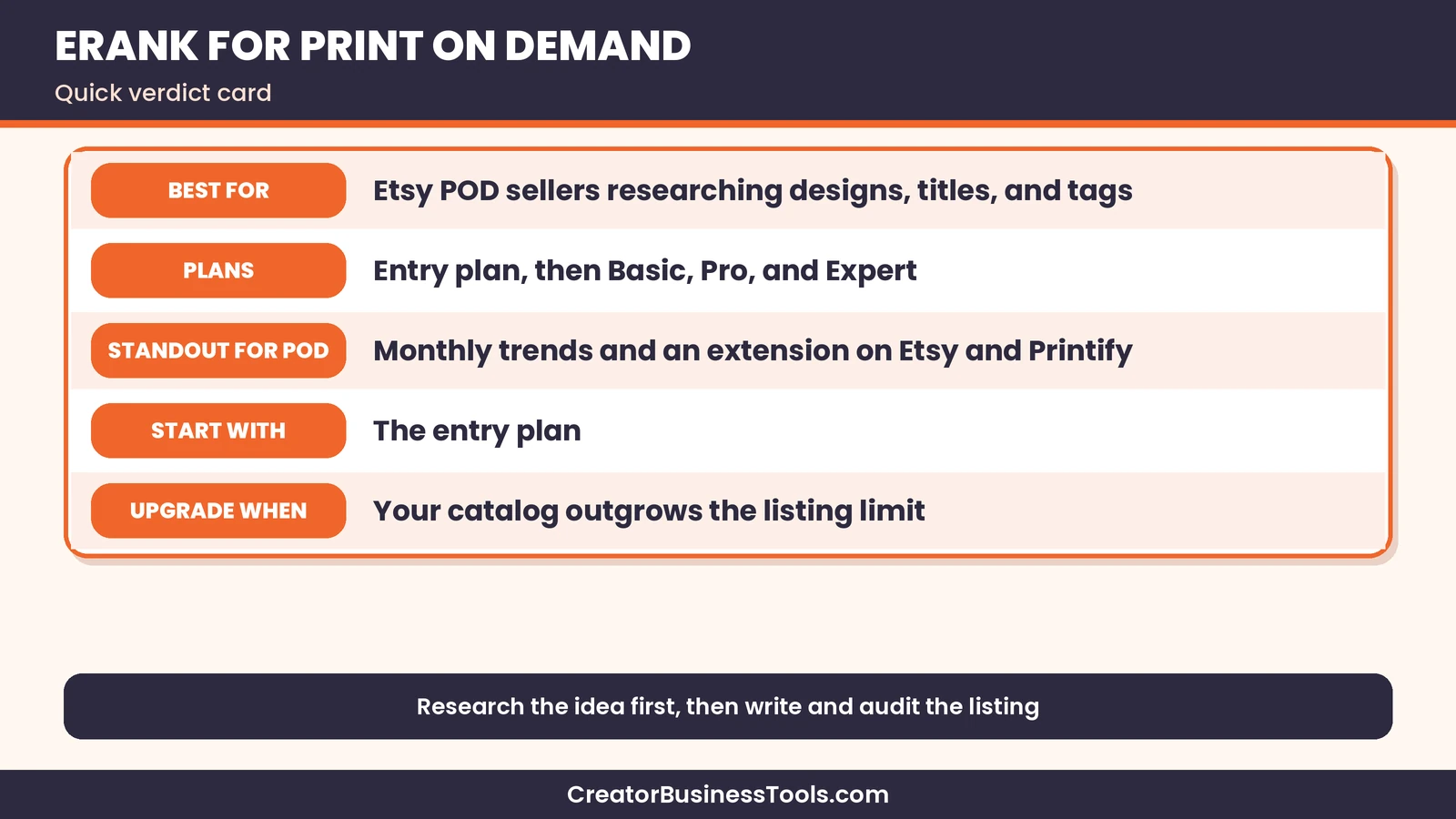
Quick verdict: eRank is a strong, budget-friendly research tool for Etsy POD sellers. Its keyword tool, trend reports (including a Print-on-Demand category in the monthly trends report), listing audits, and browser extension that works on Etsy and Printify cover most of the research a POD shop needs. Start on the Free plan to learn the workflow, then move to Pro once your catalog grows beyond a small test shop. If you want deeper sales estimates as your main research method, compare other Etsy tools too.
Quick picks
- Best way to start: eRank’s Free plan, to look up a few keywords a day and audit a small set of listings. See eRank’s plans
- Best for growing POD shops: eRank Pro, for a large connected catalog, more daily keyword lookups, and competitor monitoring at a budget price tier. See eRank’s plans
- Best for multi-shop POD sellers: eRank Expert, for many connected shops and the highest daily limits.
- Best for selling POD merch beyond Etsy: Sellfy, a creator store with print-on-demand products built in.
Why keyword research is different for print on demand
Print-on-demand listings share a few traits that make research matter more than usual.
- Many listings look alike. The same blank shirt or mug appears in thousands of shops. Your design and your words are what set you apart.
- Designs sit at the intersection of several ideas. A single design might combine a niche (cat lovers), a product type (sweatshirt), a recipient (gift for mom), and an occasion (birthday). Shoppers search for different mixes of those ideas.
- Themes move with seasons and trends. Holidays, events, and sayings rise and fall, so timing can matter as much as the design itself.
- One design becomes many listings. You may list the same artwork on a shirt, a hoodie, a mug, and a tote. Each product type attracts slightly different searches.
Good keyword research helps you decide which designs to make, which products to put them on, and which phrases to use in titles and tags.
eRank for print on demand: the tools that matter
eRank has a wide toolset. These are the parts POD sellers are most likely to use.
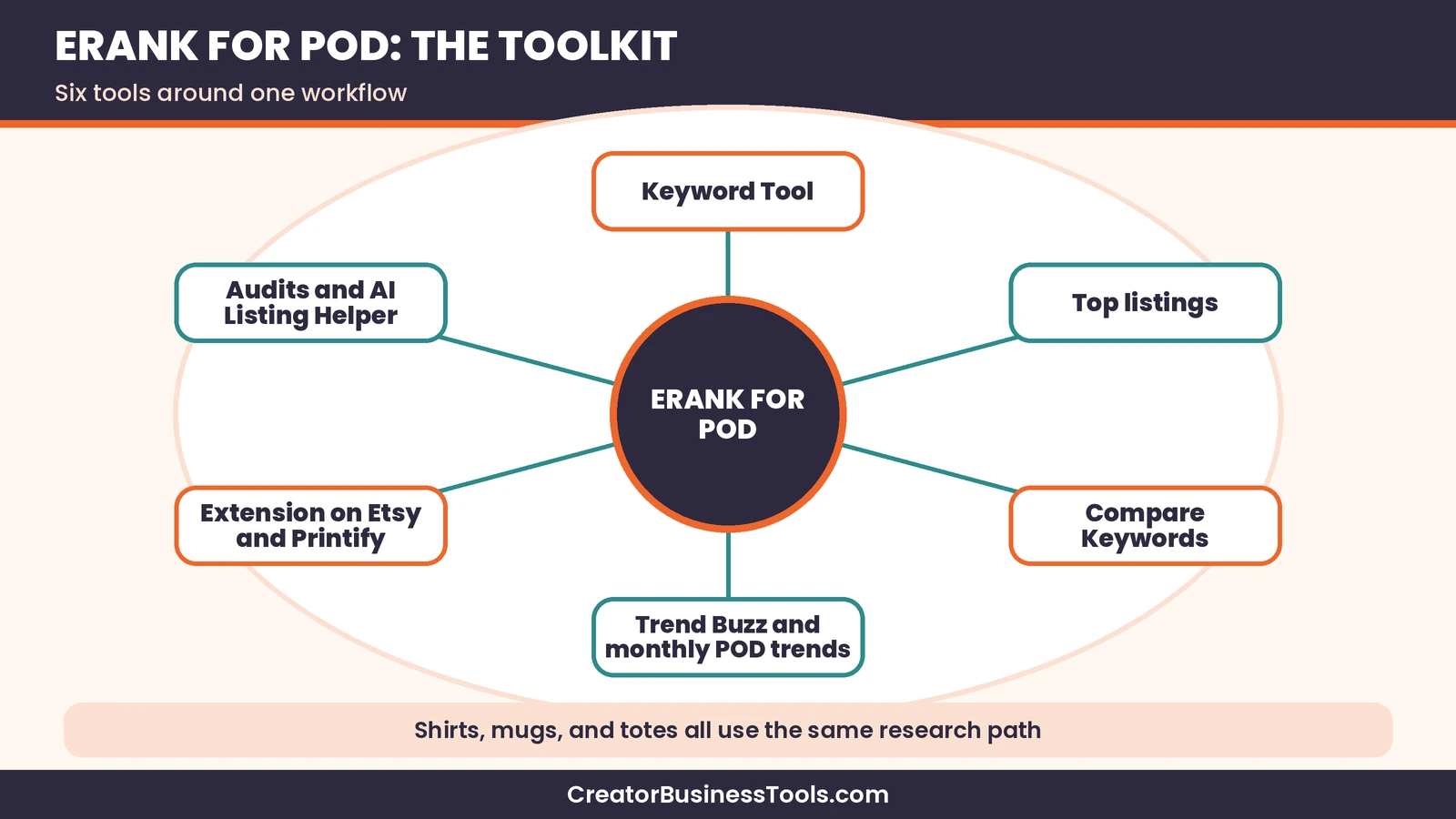
Keyword Tool and keyword ideas
The Keyword Tool shows trend data for a keyword across more than a dozen marketplaces, including Etsy, Amazon, and eBay. eRank says its keyword research draws on 15 months of historical search data, so you can see whether a phrase is steady, seasonal, or fading. Paid plans add keyword ideas, which suggest related phrases you might not have thought of.
For POD, this is where you test combinations such as niche plus product type, for example a hypothetical “retro hiking sweatshirt” against “vintage hiking shirt.”
Top listings for a keyword
eRank’s keyword research page says you can see the Top 100 listings for any keyword, with estimated sales, average price, views, favorites, and processing times. For POD sellers, this is a quick way to see what styles and price points already sell for a phrase, without copying anyone’s design.
Compare Keywords
Compare Keywords lets you put up to four phrases side by side, using data on competition, search volume, and click-through rate. It’s useful when you’re choosing between close variations for a title, such as “dog mom mug” and “dog lover mug.”
Trend Buzz and the monthly trends report
Trend Buzz shows trending keywords on Etsy across countries, plus what’s popular on platforms such as Redbubble, Amazon, and eBay, and stores such as Target and Lowe’s. The monthly trends report breaks down emerging keywords by month across categories, and eRank lists Print-on-Demand as one of those categories. For POD sellers, this is one of the most directly relevant features.
eRank browser extension on Etsy and Printify
eRank’s Chrome extension gathers keyword insights and competitor data directly on Etsy, Printify, Shopify, Amazon, and more. On Etsy, it shows keyword stats, shop sales estimates, listing analysis, and trends from the last 30 days and the past 15 months. If you build products in Printify, the extension means you can check research without switching tabs as often. eRank’s page confirms it works on Printify, but it doesn’t spell out every data point shown there, so test it on your own workflow.
Listing audits and change tracking
Listing audits review your titles, attributes, tags, and descriptions against Etsy best practices. Track Changes keeps daily snapshots of views, favorites, and purchases, so you can see whether an edit helped. For a POD shop with many similar listings, audits are a fast way to find missing tags or weak titles in bulk.
AI Listing Helper
The AI Listing Helper suggests titles, descriptions, and tags based on the Top 100 listings for a keyword, with data on competition and search volume. Treat its output as a draft. Read every suggestion, remove anything that doesn’t describe your product accurately, and keep your own voice.
A simple eRank research workflow for each new POD design
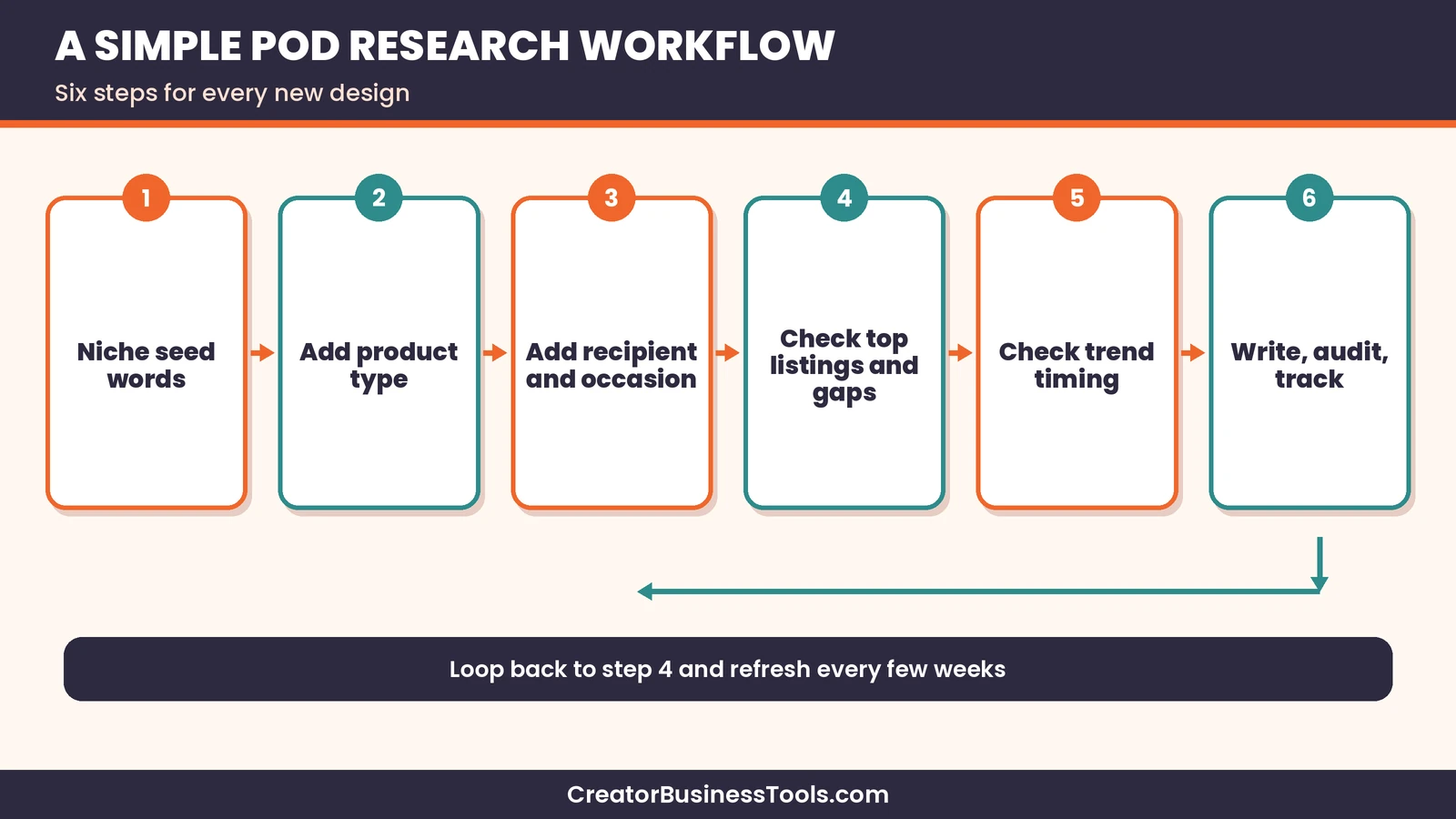
Use this six-step routine whenever you plan a new design or product line. The keywords below are hypothetical examples.
Step 1: Start with a niche, not a product
Pick an audience you understand, such as gardeners, nurses, book lovers, or new dads. Write down five to ten seed words for that niche. Search each one in the Keyword Tool and note which have steady interest across the past year of data.
Step 2: Add product-type words
Combine your best seed words with the products you can print, such as shirt, sweatshirt, mug, tote bag, or poster. Shoppers often search with the product type included, so “gardening sweatshirt” may behave very differently from “gardening gift.”
Step 3: Layer in recipients and occasions
Add who it’s for and when they’d buy it: “gift for grandma,” “teacher appreciation,” “birthday,” or “retirement.” These phrases often signal buying intent and can be less crowded than broad niche words.
Step 4: Check the competition and top listings
Look at the Top 100 listings for your strongest phrases. Note the styles, price points, and product types that appear most. You’re looking for gaps, such as a popular phrase where most listings are mugs but few are sweatshirts.
Step 5: Check the trend line
Use the trend data and the monthly trends report to see when interest rises. A seasonal phrase is worth listing well before its peak, so your listing has time to be found.
Step 6: Write the listing, then audit it
Use your strongest phrase near the start of the title, fill your tags with close variations, and describe the product clearly. Run a listing audit afterward and fix what it flags. Revisit the listing after a few weeks with Track Changes to see what moved.
eRank plans for POD sellers
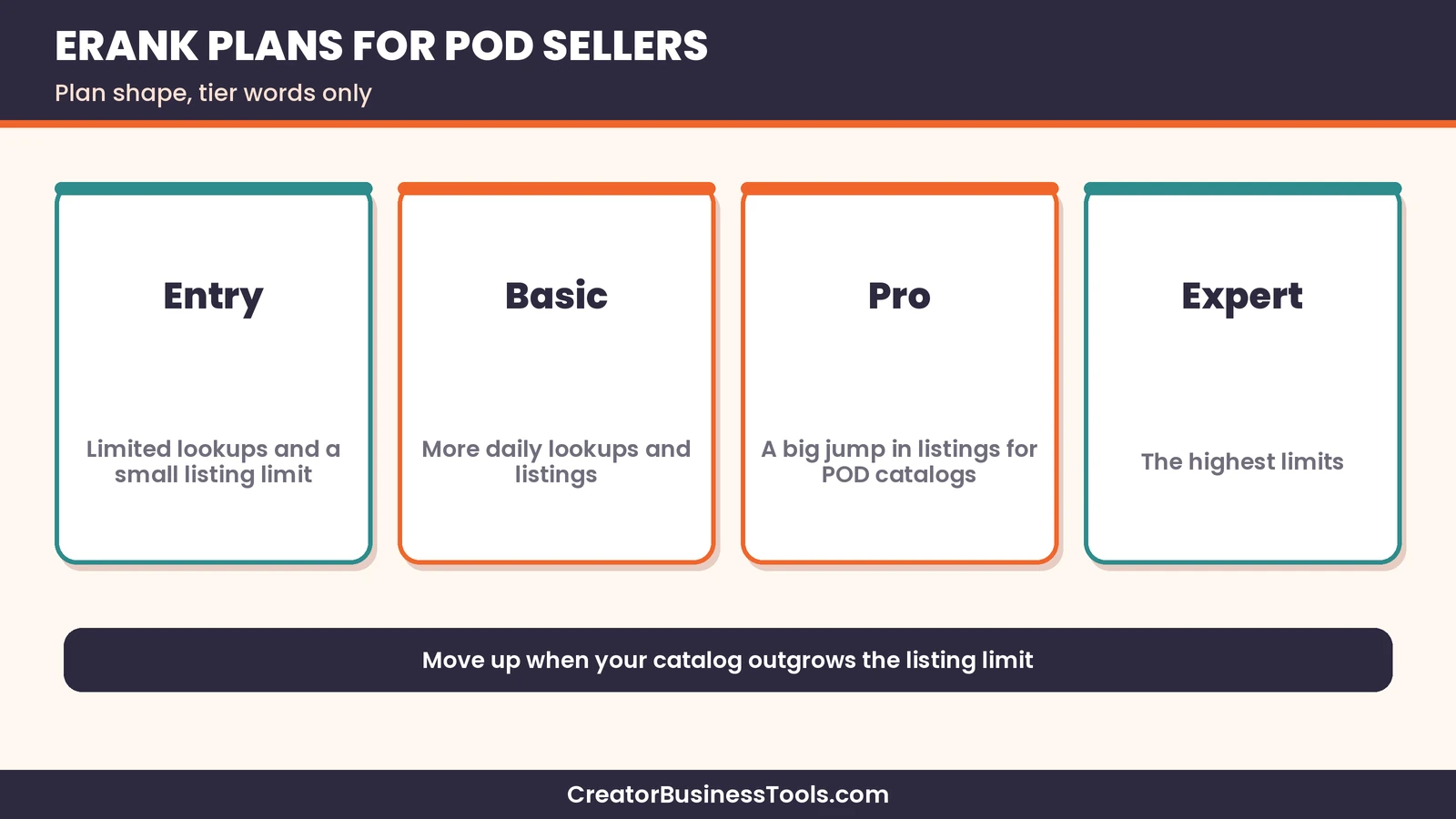
eRank offers four plans: Free, Basic, Pro, and Expert. Each plan can be billed monthly or yearly, and you can upgrade, downgrade, or cancel at any time. If you cancel, you keep your paid features until the end of the billing period, and then your account moves to the Free plan.
| Plan | Price tier | Daily keyword lookups | Connected listings | Connected shops | Best for |
| Free | Free | 5 | Up to 50 | 1 | Learning the workflow with a small test shop |
| Basic | Budget | 100 | Up to 200 | Up to 5 | A small POD shop that researches a few designs a week |
| Pro | Budget | 200 | Up to 4,000 | Up to 10 | Growing POD catalogs with many variations |
| Expert | Mid-range | 500 | Up to 5,000 | Up to 100 | Multi-shop sellers and teams |
Why the listing limit matters for POD
POD shops tend to grow listings fast, because one design can become several product listings. The Free plan tracks up to 50 listings and Basic up to 200, while Pro jumps to 4,000. If you plan to publish the same design across several product types, the connected-listing limit may be the first limit you hit.
When to stay on Free
The Free plan has no time limit and doesn’t require a credit card. It’s enough to learn the workflow, research a handful of keywords each day, and audit a small catalog. Many new POD sellers can stay on Free until they’re listing new designs every week.
For a full breakdown of every limit, see our eRank review.
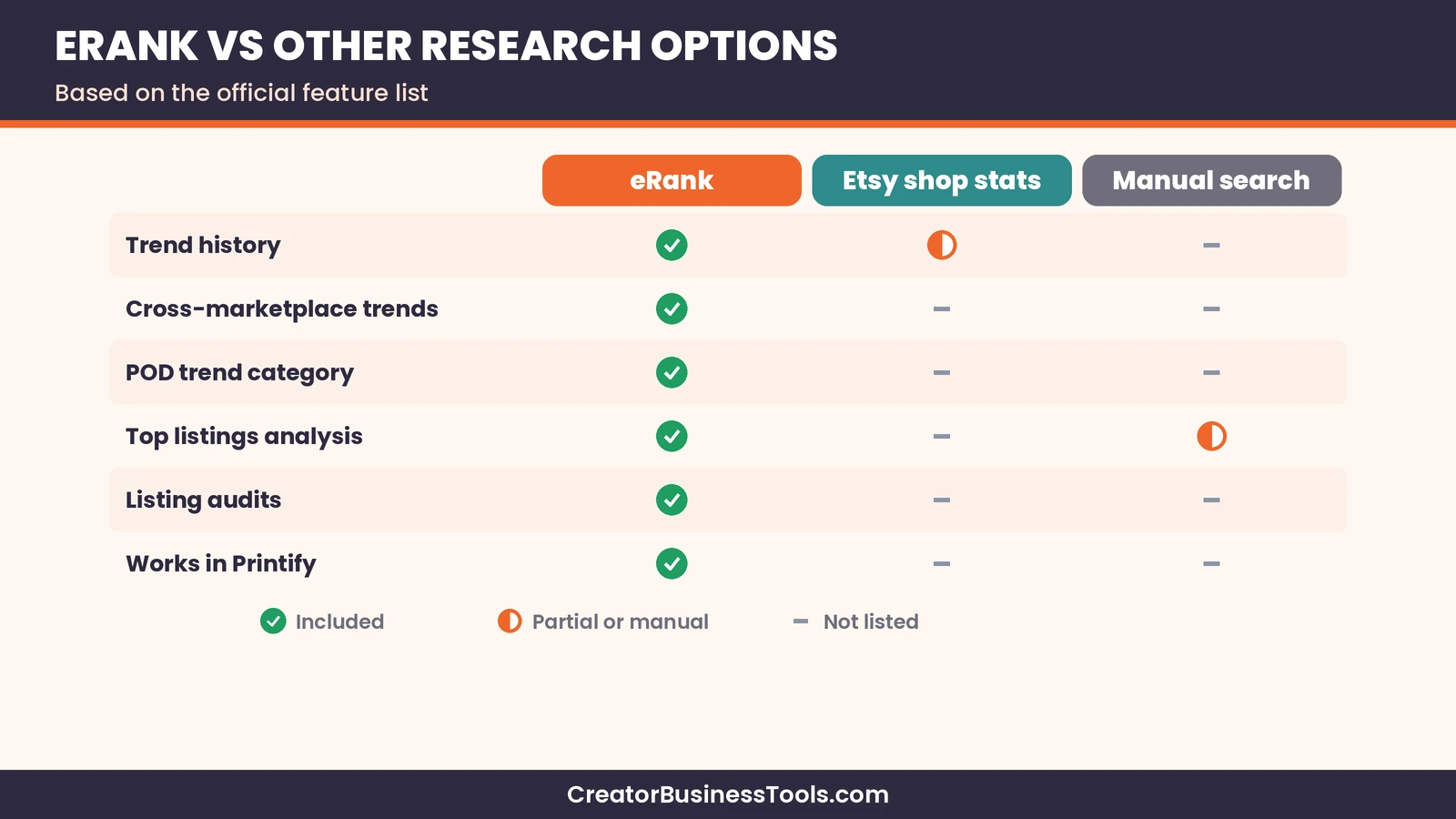
eRank vs other research options for POD
eRank isn’t the only way to research POD keywords. Here’s how it compares with a few common alternatives at a high level. We compare Etsy tools in more depth in our Best Etsy SEO Tools guide, our Alura vs eRank vs EverBee comparison, and our eRank vs Sale Samurai comparison.
| Feature | eRank | Etsy's own shop stats | Manual Etsy search |
| Keyword trend history | ✓ 15 months | Your own shop's searches only | — |
| Trends across marketplaces | ✓ Etsy, Amazon, eBay, and more | — | — |
| POD trend category | ✓ In the monthly trends report | — | — |
| Top listings analysis | ✓ Top 100 per keyword | — | Manual browsing |
| Listing audits | ✓ | — | — |
| Works inside Printify | ✓ Via extension | — | — |
| Price tier | Free to mid-range | Free | Free |
eRank: pros and cons
- Pros: broad keyword and trend data, a POD category in the monthly trends report, an extension that works on Etsy and Printify, listing audits, and budget-friendly paid rungs.
- Cons: lots of features to learn, daily lookup limits on lower plans, and data that is estimated rather than taken from inside other shops.
Etsy’s own shop stats: pros and cons
- Pros: free, built into Shop Manager, and based on your own shop’s search traffic.
- Cons: it only shows searches that already found your shop, so it can’t tell you about phrases you haven’t ranked for yet.
eRank’s site notes that it uses the Etsy API but is not endorsed or certified by Etsy. That’s normal for third-party tools, and it’s a good reminder to treat every estimate as a guide rather than a promise of sales.
Planning seasonal POD designs with eRank
Seasonal designs can be a large share of POD sales, and timing matters. Here’s a simple way to plan.
- Build a yearly calendar. List the holidays and events your niche cares about, such as Mother’s Day, back-to-school, Halloween, or graduation season.
- Check past trend lines. Use the trend history to see when searches for each occasion start rising, not just when they peak.
- List early. Aim to publish seasonal listings well before searches climb, so they have time to gather views and favorites.
- Watch the monthly trends report. New sayings and themes often appear here before they become crowded.
- Retire or refresh. After the season, decide which listings to keep, update, or pause for next time.
POD keyword mistakes to avoid
- Using trademarked names or characters. Brand names, team names, and character names can create intellectual property problems. Check Etsy’s intellectual property policy and your print provider’s rules before you design or tag anything.
- Targeting only broad words. “Funny shirt” is crowded. Specific combinations usually have a clearer audience.
- Copying top listings too closely. Use top listings to learn what shoppers want, not to copy designs or wording.
- Ignoring product-type words. Shoppers often include “shirt,” “mug,” or “hoodie” in their search.
- Repeating the same tags everywhere. If one design appears on five products, vary the tags for each product type.
- Setting and forgetting. Revisit your best listings every few weeks and adjust titles and tags based on what you learn.
Selling POD merch beyond Etsy
Etsy is a strong place to be found, but some POD sellers also want a store they control, especially if they already have an audience on social media or YouTube. Our Shopify vs Etsy guide explains the trade-offs of running your own store.
Sellfy is one option built for creators. Its official pages say every plan supports print-on-demand products, with more than 120 POD products to choose from, and Sellfy doesn’t charge its own transaction fees (payment processor fees still apply). Plans are a budget-to-mid-range monthly subscription. If your audience lives outside Etsy, a Sellfy store can sit alongside your Etsy shop.
FAQ
Is eRank good for print on demand?
For many Etsy POD sellers, yes. Its keyword tool, trend data, monthly trends report with a Print-on-Demand category, listing audits, and Printify-compatible extension cover the main research tasks most POD shops need.
Is the free eRank plan enough for a POD shop?
It can be at the start. The Free plan includes five keyword lookups a day, one shop with up to 50 listings, and daily listing audits. Once your catalog grows past that, Basic or Pro makes more sense.
Which eRank plan is best for POD sellers?
Pro is a common fit for growing POD shops, because it tracks up to 4,000 listings and includes more daily lookups. Basic suits smaller shops, and Expert suits sellers running many shops.
Does eRank work with Printify?
eRank says its Chrome extension works on Printify, as well as Etsy, Shopify, and Amazon. Install it and check which data appears in your own Printify workflow.
Can eRank help me find trending POD designs?
It can help you find trending keywords and themes. Trend Buzz shows trending searches across marketplaces, and the monthly trends report includes a Print-on-Demand category. You still need to create original designs.
Does eRank show other shops’ sales?
eRank shows estimated sales for shops and listings. These are estimates, so use them to compare options rather than as exact figures.
Should I use the AI Listing Helper for POD listings?
It can speed up drafts for titles, descriptions, and tags. Always edit the output so it accurately describes your product, and avoid any trademarked terms it might suggest.
Is eRank better than EverBee or Alura for POD?
It depends on what you value. eRank is strong on keywords, trends, and audits at budget price tiers. See our Alura vs eRank vs EverBee comparison for a full side-by-side.
Can I cancel eRank anytime?
Yes. eRank’s FAQ says you can cancel, upgrade, or downgrade at any time. You keep your plan features until the end of the billing period, and then your account moves to the Free plan.
Bottom line
For Etsy print-on-demand sellers, eRank covers the research that matters most: which phrases shoppers type, when themes rise, what top listings look like, and whether your own listings follow Etsy best practices. Its monthly trends report includes a Print-on-Demand category, and the extension works on both Etsy and Printify.
Start on the Free plan, build the six-step workflow into every new design, and upgrade to Pro once your catalog outgrows the free listing limit. Keep your designs original, avoid trademarked terms, and treat every estimate as a guide.
Free planner: Want a simple way to plan your next design? Get our free POD Keyword Planner, a one-page sheet for niche seed words, product types, recipients, occasions, and tags. Contact us to request a copy.