
AWeber Review: Is It the Right Email Tool for Your First List?
Disclosure: This post contains affiliate links. If you buy through them, we may earn a commission at no extra cost to you. How we make money.
An email list is the one audience you actually own. Social reach rises and falls, but a subscriber who joined your list can hear from you whenever you hit send.
The hard part is picking a tool. This AWeber review looks at what one of the longest-running email platforms offers beginners, how its pricing works, and how it compares with Kit and MailerLite. It’s based on AWeber’s official pricing and product pages, not on sponsored claims.
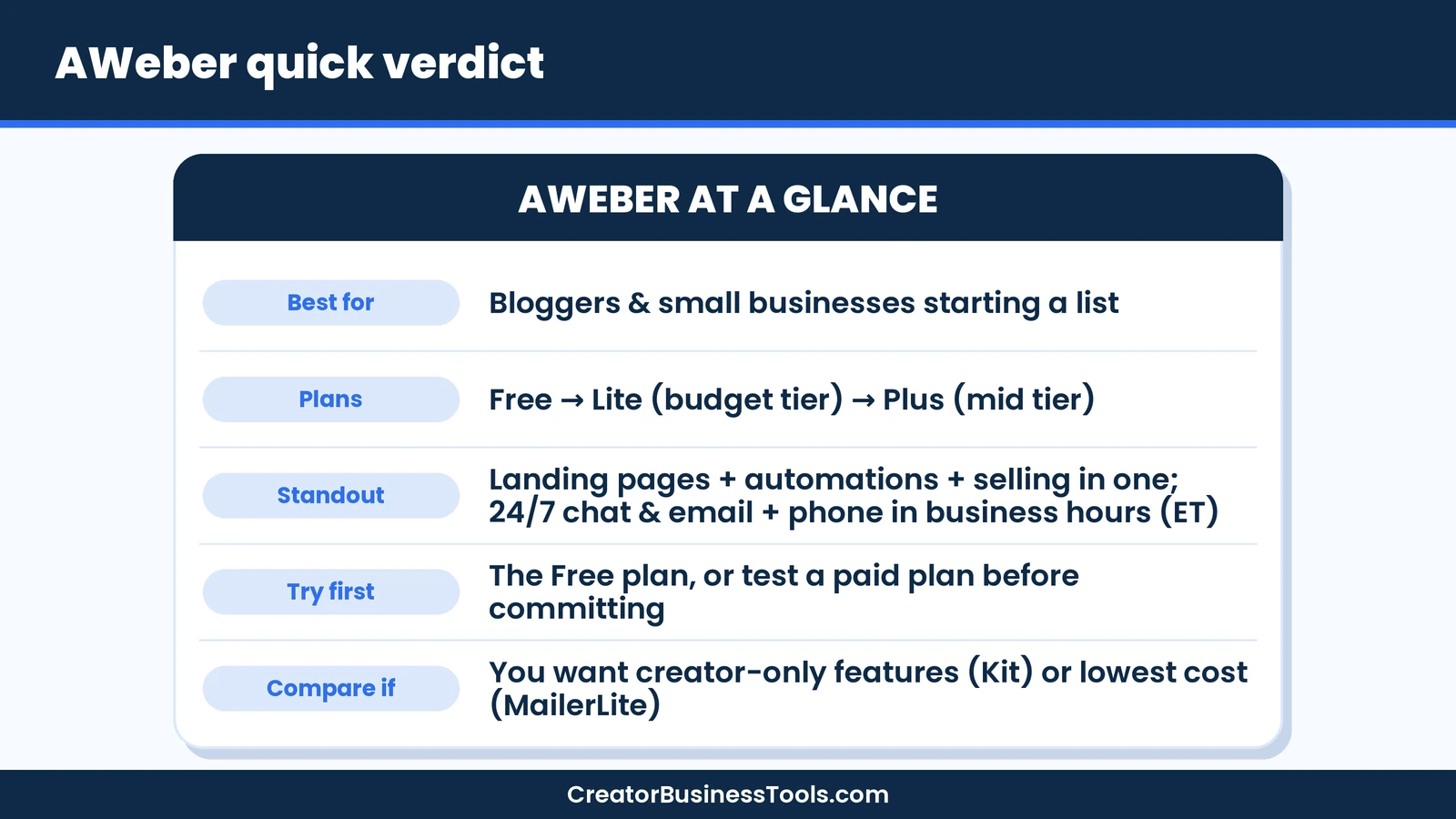
Quick verdict: AWeber is a solid choice for bloggers and small businesses who want an easy, all-in-one email tool with landing pages, automations, and simple selling built in, plus 24/7 live chat and email support and phone support during business hours (ET). Its paid plans start in a low price tier, and it also offers a free plan for small lists. If you want the most generous free plan or creator-specific features, compare Kit; if budget is everything, compare MailerLite.
Quick picks
- Best for beginners who want help: AWeber Lite, with 24/7 live chat and email support, phone support during business hours (ET), and free migration. See AWeber’s plans
- Best for growing lists and multiple funnels: AWeber Plus, with unlimited lists, landing pages, and automations.
- Best free plan for creators: Kit. See our GetResponse vs Kit vs MailerLite comparison.
- Best for the tightest budget: MailerLite.
AWeber at a glance
| Item | What AWeber offers |
|---|---|
| Founded | 1998 |
| Plans | Free, Lite, Plus (plus a done-for-you setup service) |
| Price tier | Free, then $ (Lite) and $$ (Plus) for a small list |
| Pricing model | By subscriber count, monthly or annual billing |
| Free trial | A free trial of the paid plan (Lite or Plus) |
| Core tools | Email, landing pages, automations, sign-up forms, ecommerce pages, web push |
| Integrations | 750+ tools, including WordPress, Shopify, PayPal, and Zapier |
| Support | 24/7 live chat and email, plus phone support during business hours (ET) |
What is AWeber?
AWeber is an email marketing platform for small businesses, creators, and entrepreneurs. It has been around since 1998, which makes it one of the oldest names in the category.
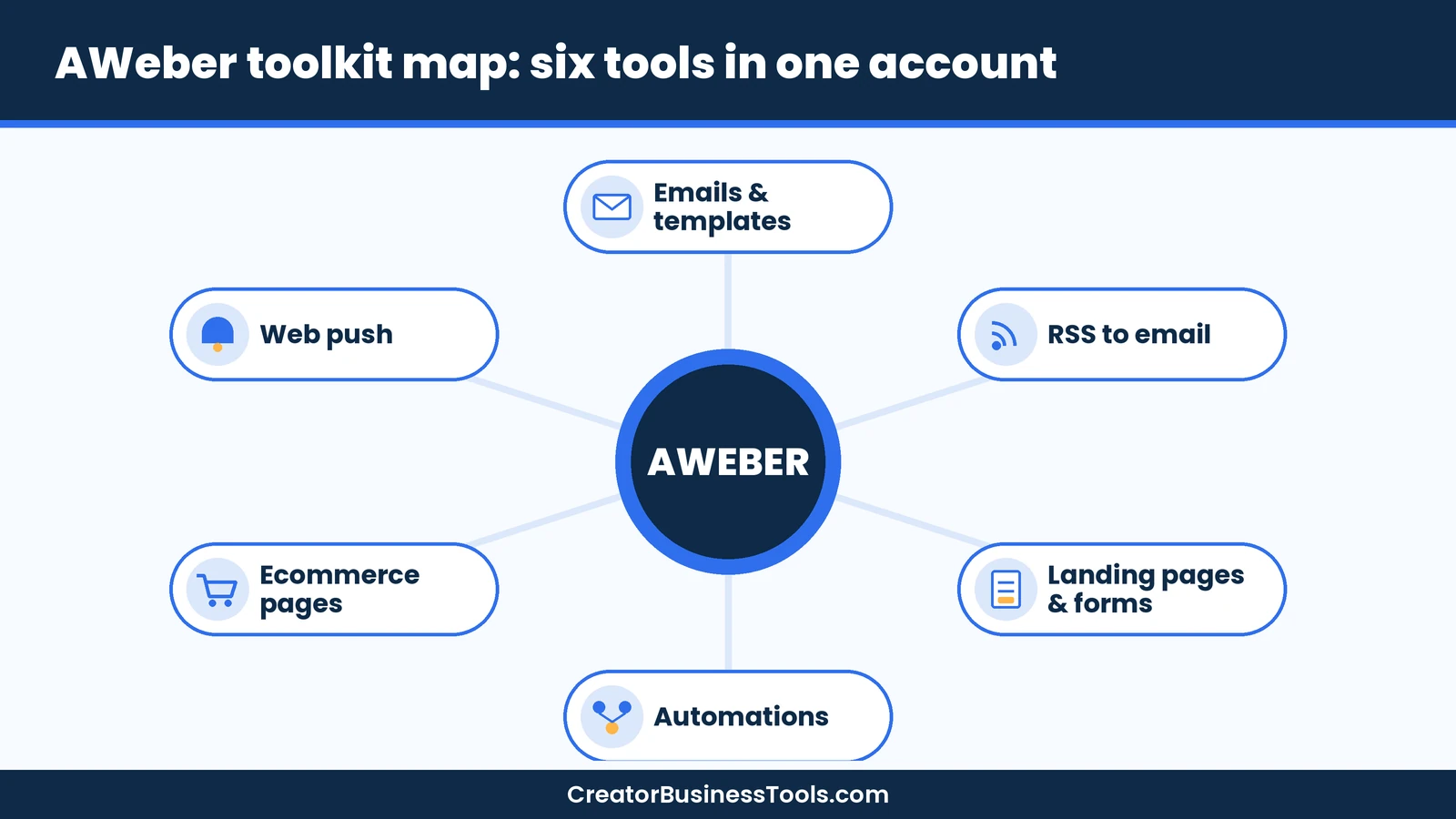
Today it bundles more than email. You get a landing page builder, sign-up forms, email automations, ecommerce pages for selling products and subscriptions, and web push notifications in one account.
That all-in-one setup suits beginners. Instead of stitching together four tools, you can build a sign-up page, deliver a freebie, and send a welcome series from the same dashboard.
AWeber features that matter for a first list
Email newsletters and templates
AWeber includes a drag-and-drop email builder, email templates, and a library of professional images. You can also write HTML emails if you prefer full control.
The pricing page lists an AI Subject Line Assistant, and the homepage mentions AI writing tools, so you’re not starting from a blank page.
RSS to email for bloggers
Bloggers can turn new posts into emails automatically with RSS to email. Publish a post, and AWeber can send it to your list without you building a new campaign each time.
Landing pages and sign-up forms
AWeber’s landing page builder comes with templates for different goals, plus sign-up forms you can add to your website. A WordPress plugin makes that easier on WordPress sites.
Lite includes a limited number of landing pages, while Plus includes unlimited landing pages.
Email automations
Automations send emails for you based on what subscribers do, such as joining your list or clicking a link. The pricing page lists behavioral automation and email split testing.
Lite includes a few automations, while Plus includes unlimited automations, which matters once you run several funnels.
Selling through email
AWeber Ecommerce lets you sell products and services, including subscriptions and payment plans, with purchase tagging and sales tracking. The homepage says you can collect payment in 100+ currencies through Stripe, and AWeber charges a fee on each transaction.
Web push notifications
You can collect web push subscribers and send browser notifications, a handy extra channel for announcing new posts.
AWeber pricing explained
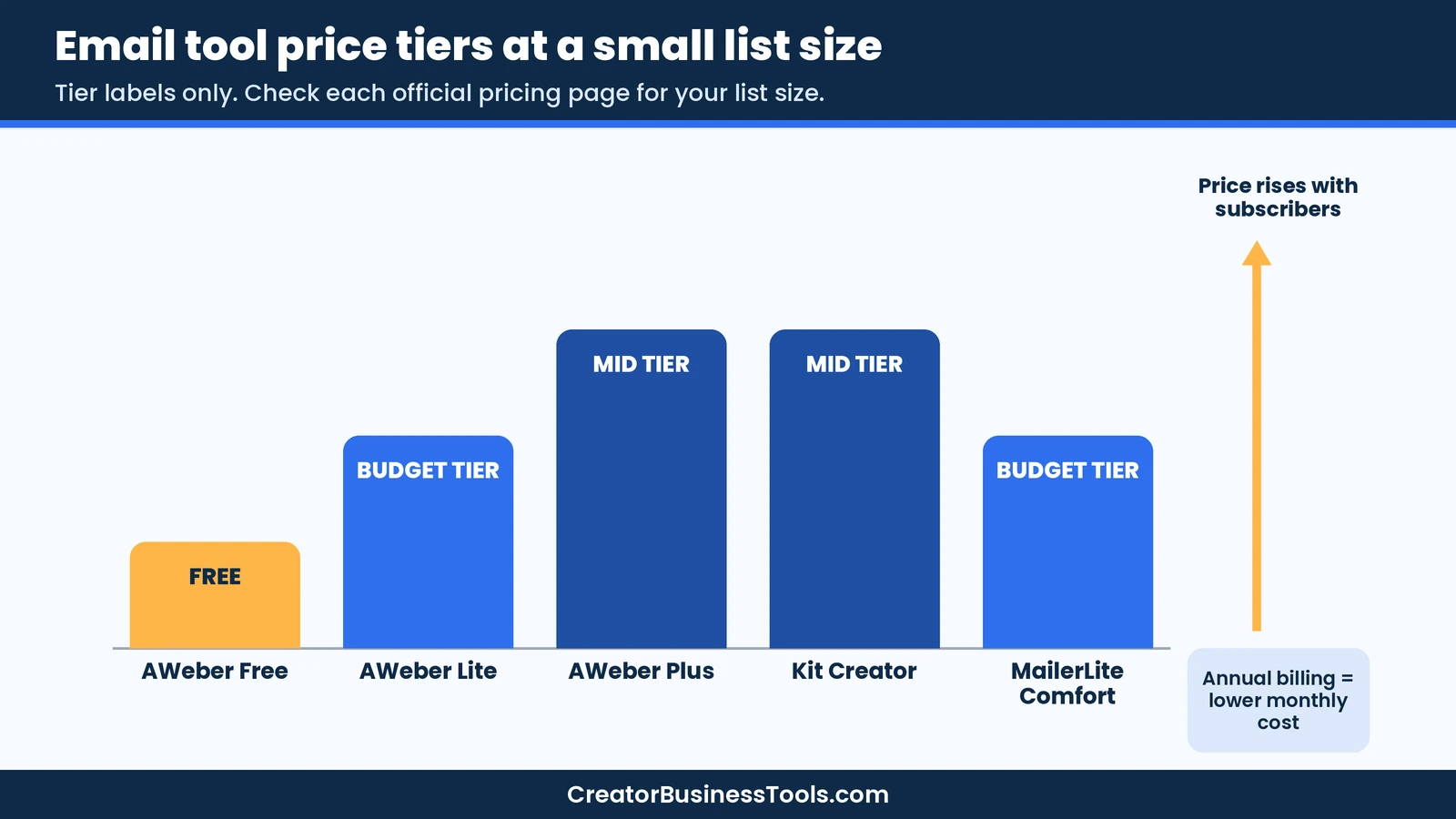
AWeber prices its paid plans by subscriber count. You can pay monthly or annually, and annual billing lowers the effective monthly price.
| Plan | Price tier (small list) | Key limits | Best for |
|---|---|---|---|
| Free | Free | Small subscriber cap, monthly send cap, 1 landing page, 1 automation, AWeber branding | Testing the waters |
| Lite | $ | 1 list, 3 landing pages, 3 automations, 3 users, 1 custom segment | Single-funnel bloggers |
| Plus | $$ | Unlimited lists, landing pages, automations, segments, and users | Growing businesses with several offers |
How the price scales
- Subscriber count drives price. Both paid plans step up as your list grows.
- Sending limits follow your list. Lite allows sending up to 10 times your subscriber maximum each month; Plus allows 12 times.
- Transaction fees differ. Plus has a lower ecommerce transaction fee than Lite.
- Branding: both paid plans let you remove AWeber branding.
- Large lists: for 100,000+ subscribers, AWeber asks you to contact sales.
Free plan vs free trial
AWeber offers both, and they’re different:
- Free plan: permanent, with a subscriber cap, a monthly email cap, one landing page, and one automation. Free emails carry AWeber branding, and no credit card is required.
- Free trial of the paid plan: lets you use Lite or Plus at no charge for a limited time. When the trial ends, your paid subscription starts automatically.
If you want to test automations and landing pages properly, the trial shows the full paid feature set. If you just want to start collecting emails, the free plan is enough.
AWeber vs Kit vs MailerLite
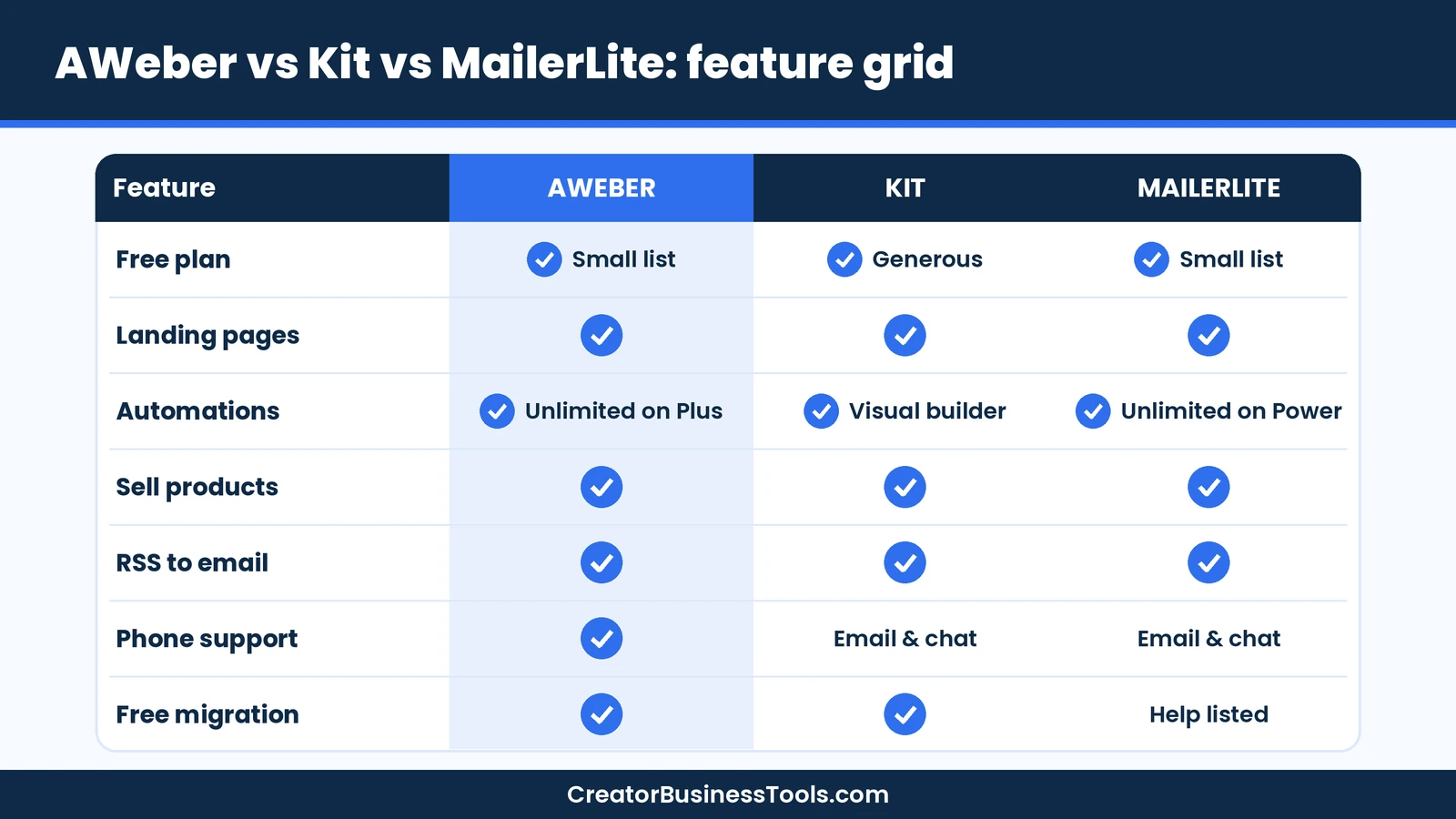
These three are the tools beginners compare most. We cover Kit and MailerLite in depth in our GetResponse vs Kit vs MailerLite guide, so here’s the short version.
| Feature | AWeber | Kit | MailerLite |
|---|---|---|---|
| Free plan | ✓ Small list | ✓ Generous | ✓ Small list |
| Entry paid tier | $ | $$ | $ |
| Landing pages | ✓ | ✓ | ✓ |
| Automations | ✓ (unlimited on Plus) | ✓ Visual builder | ✓ (unlimited on Power) |
| Sell digital products | ✓ | ✓ | ✓ |
| RSS to email | ✓ | ✓ | ✓ |
| Phone support | ✓ Business hours (ET) | Email and chat | Email and chat (plan-based) |
| Free migration | ✓ | ✓ | Migration help listed |
When AWeber wins
AWeber stands out for support and simplicity. It offers 24/7 live chat and email support, plus phone support during business hours (ET), and it moves your account for free if you’re switching. For a beginner who wants a person to call, that’s a real advantage.
When Kit wins
Kit is built for creators, with a generous free plan, a visual automation builder, paid newsletters, and a newsletter referral system on its higher plan. If your newsletter is the product, Kit is worth a close look.
When MailerLite wins
MailerLite keeps entry costs low. Its paid plans start in a low price tier, and every paid plan includes the full feature set. For a tiny list on a tight budget, it’s hard to beat.
For course-specific needs, see our guide to the best email marketing for course creators.
AWeber review: pros and cons
| Pros | Cons |
|---|---|
| Free plan plus a free trial of the paid plans | Lite limits lists, landing pages, and automations |
| 24/7 live chat and email support, plus phone support during business hours (ET) | Price climbs as your list grows |
| Landing pages, automations, and selling in one tool | Free plan emails carry AWeber branding |
| RSS to email for bloggers | Ecommerce has a per-transaction fee |
| Free migration from another platform | Fewer creator-specific extras than Kit |
| 750+ integrations | Trial converts to paid automatically if you don’t cancel |
Keep in mind: Lite’s single list and three automations are fine for one funnel, but you’ll likely need Plus once you run several offers.
Best for: bloggers, coaches, and small shops starting their first list who value easy setup and live support.
Not ideal for: newsletter-first creators who want the biggest free plan, or anyone who needs the absolute lowest price.
Before you sign up
- Prices depend on your subscriber count and billing period. Check AWeber’s pricing page for your list size.
- The free trial of the paid plan turns into a paid subscription automatically when it ends. Set a reminder if you’re only testing.
- Lite includes one email list and a few automations and landing pages. Map out your funnels first.
- Selling through AWeber carries a transaction fee, which is lower on Plus.
- Only add subscribers who opted in. Buying lists hurts deliverability and breaks most email rules.
How to start an email list in 5 steps
Whichever tool you choose, the first steps are the same. Here’s a simple path using features AWeber lists on its pricing page.
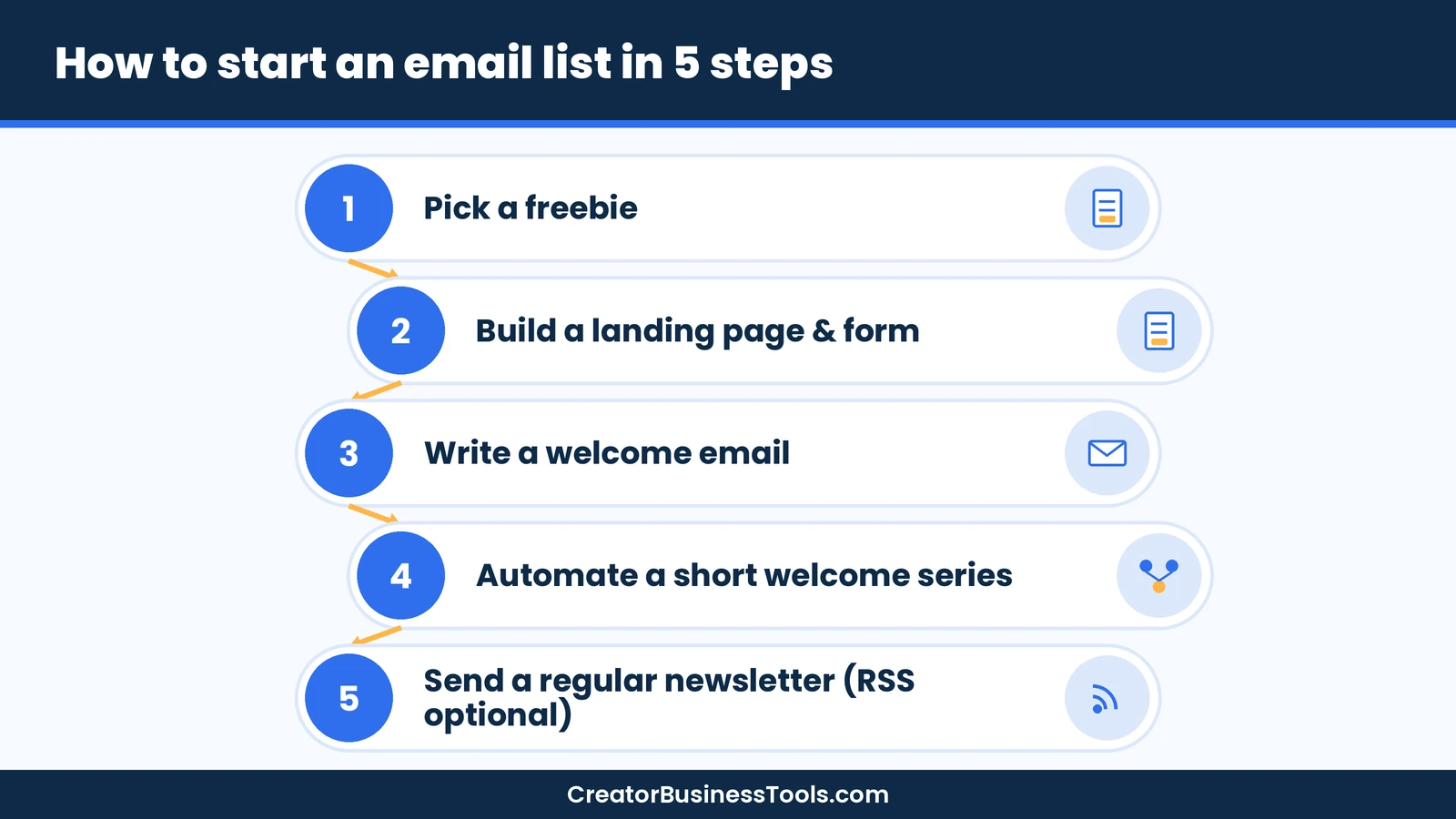
- Pick a freebie. Offer something small and useful, such as a checklist, template, or mini-guide related to your blog or shop.
- Build a landing page and sign-up form. Use a landing page template and add a form to your most-visited posts.
- Write a welcome email. Deliver the freebie, introduce yourself, and tell subscribers what to expect.
- Automate a short welcome series. Three to five emails that share your best content and, later, your offer.
- Send a regular newsletter. Weekly or every other week works for most beginners. Bloggers can use RSS to email to keep it simple.
Welcome series starter plan
| Send | Goal | |
|---|---|---|
| 1. Welcome + freebie | Right away | Deliver what you promised |
| 2. Your story | Day 2 | Build trust |
| 3. Best content | Day 4 | Show value |
| 4. Quick win | Day 6 | Help them get a result |
| 5. Soft offer | Day 8 | Introduce a product or service |
List-building checklist
- ☐ Freebie created and saved as a downloadable file
- ☐ Landing page live with a clear headline
- ☐ Sign-up form on your top blog posts
- ☐ Welcome email tested on your own address
- ☐ Welcome series automated
- ☐ Newsletter schedule written in your calendar
Who should use AWeber?
AWeber fits best when these are true:
- ✅ You’re starting a list from scratch and want one tool for pages, forms, and emails.
- ✅ You’d like to call or chat with support when you’re stuck.
- ✅ You blog regularly and like the idea of RSS to email.
- ✅ You may sell a simple product or subscription through email later.
| Reader | Suggested plan | Why |
|---|---|---|
| New blogger, just starting | Free plan or Lite trial | Start collecting emails at no cost |
| Blogger with one freebie and one welcome series | Lite | Enough landing pages and automations for one funnel |
| Coach or shop with several offers | Plus | Unlimited lists, landing pages, and automations |
| Newsletter-first creator | Compare Kit | Creator-focused newsletter features |
| Designer or visual creator | See our creatives guide | Design-focused options compared |
Visual creators can compare design-friendly tools in our guide to the best email marketing for creatives.
How to choose an email marketing tool
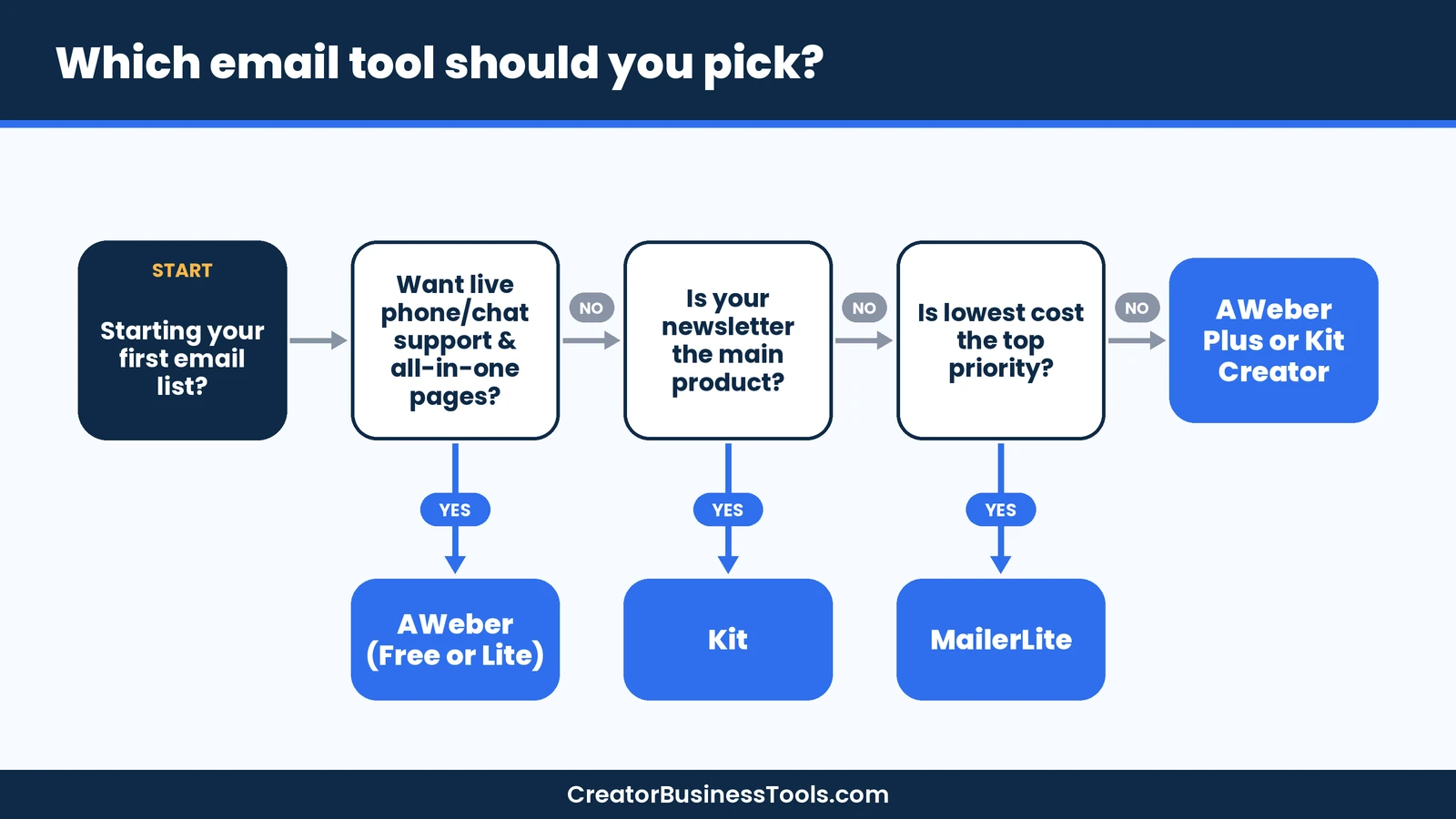
- Estimate your list size in six months. All three tools price by subscribers.
- Count your funnels. One freebie and one series fits Lite; several offers point to Plus.
- Decide how you’ll get help. If phone support matters, AWeber stands out.
- Check selling needs. Compare transaction fees if you plan to sell through email.
- Test before paying. Use a free plan or trial and build one real welcome series.
Moving to AWeber from another email tool
If you already have a small list somewhere else, switching is simpler than it sounds. AWeber says it migrates accounts for free, which takes much of the technical work off your plate.
- Export your subscribers with their opt-in details, so you only move people who agreed to hear from you.
- List what needs rebuilding: forms, landing pages, automations, and tags.
- Ask AWeber’s team about migration before you rebuild anything yourself.
- Swap the forms on your site once the new ones are live.
- Send a test campaign to yourself and a few friends before emailing the whole list.
Simple ways to grow your first 100 subscribers
Your tool matters less than giving people a reason to join. These tactics work with AWeber, Kit, or MailerLite.
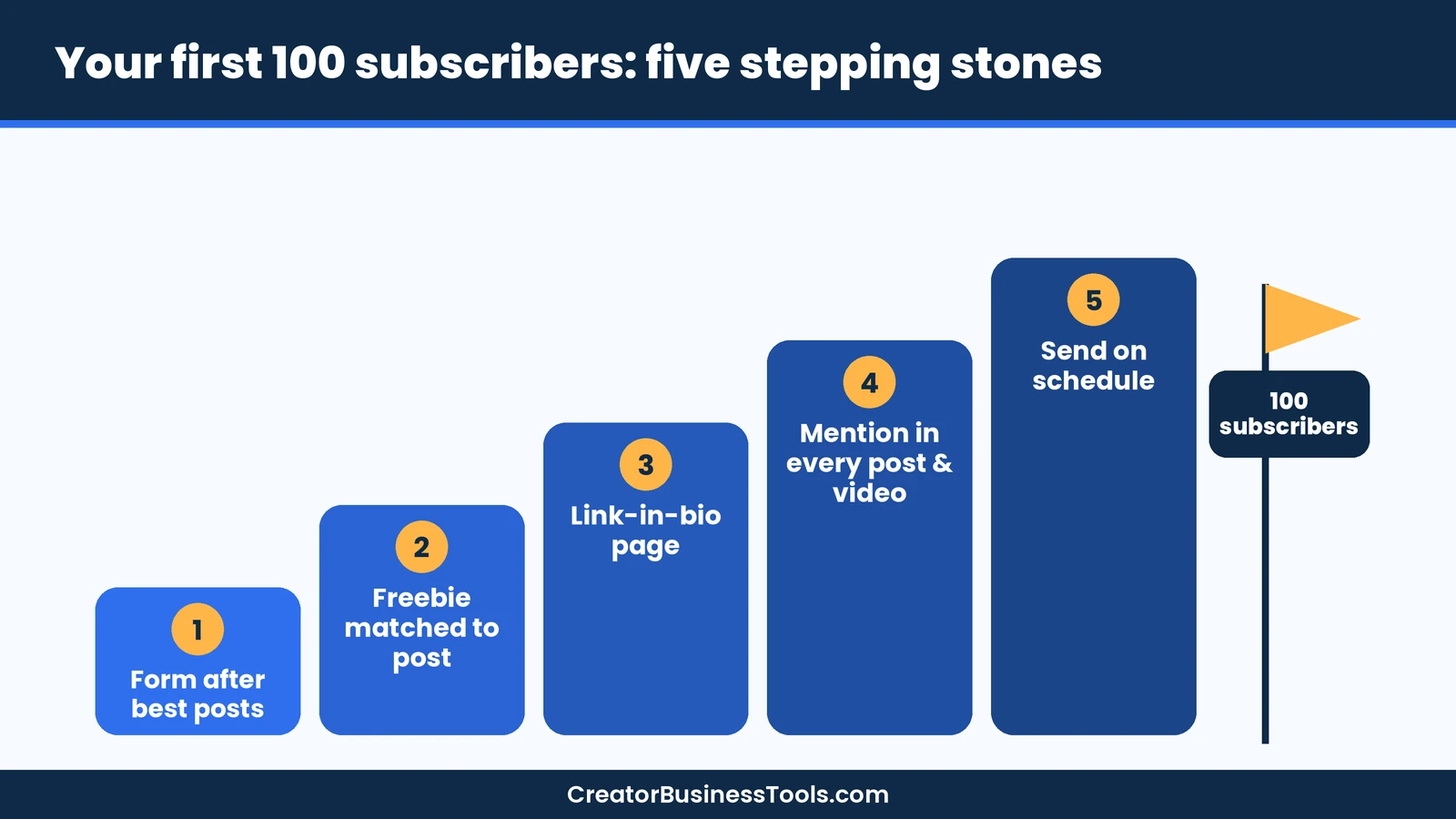
- Put a form at the end of your best posts. Readers who finish an article are the most likely to subscribe.
- Match the freebie to the post. A recipe blog can offer a printable meal plan; a design blog can offer a template.
- Add a link-in-bio page. AWeber lists link-in-bio pages, giving social followers a direct path to your sign-up page.
- Mention your newsletter everywhere. One clear sentence at the end of each post or video is enough.
- Keep your promise. Send on the schedule you advertise, so new subscribers stay engaged and remember who you are.
Email deliverability basics for a new list
Getting into the inbox matters more than any feature. These habits help with any email tool, including AWeber.
| Habit | Why it helps |
|---|---|
| Only email people who opted in | Complaints and bounces drop when every subscriber asked to hear from you |
| Send from your own domain | A branded address looks trustworthy and is easier to authenticate |
| Set up domain authentication (SPF, DKIM, DMARC) | Mailbox providers use these records to confirm the email really comes from you |
| Send on a steady schedule | Sudden bursts after long silences can look suspicious to mailbox providers |
| Remove inactive subscribers now and then | Engaged lists tend to land in the inbox more often |
| Write clear, honest subject lines | Specific subjects earn opens without looking like spam |
If the technical side is new to you, ask your email tool’s support team how to authenticate your sending domain. AWeber lists 24/7 live chat and email support, plus phone support during business hours (ET), so beginners can get help with setup questions like this.
What to send once your list is live
A newsletter doesn’t need to be long. A simple format you can repeat every week or two is easier to stick with:
- One main story. A new post, a lesson learned, or a behind-the-scenes update.
- One useful link. A tool, resource, or older post your readers would value.
- One question. Invite replies, because replies tell you what readers want next.
- One gentle offer, occasionally. Mention a product or service only when it fits the email.
Bloggers who publish often can let RSS to email handle routine post updates and save personal newsletters for bigger news.
Common beginner mistakes
- Waiting too long to start. A small list you can talk to beats a big audience you can’t reach.
- Skipping the welcome email. It’s usually your most-opened message.
- Overbuilding automations on day one. Start with one welcome series.
- Forgetting the trial date. Decide before the trial ends whether you’ll stay.
- Hiding the sign-up form. Put it where readers finish your best posts.
FAQ
Is AWeber free?
Yes. AWeber’s homepage describes a free plan with no time limit for a small list, with one landing page and one automation. Free emails include AWeber branding. Paid plans remove it.
Does AWeber have a free trial?
Yes. AWeber offers a free trial of the paid plan, Lite or Plus. When it ends, the paid subscription starts automatically.
What’s the difference between AWeber Lite and Plus?
Lite includes one email list, three landing pages, three automations, and three users. Plus makes lists, landing pages, automations, segments, and users unlimited, and adds priority support and advanced reporting.
Is AWeber good for beginners?
Yes. Its all-in-one tools, templates, free migration, and 24/7 chat and email support make it a friendly first email platform.
AWeber vs Kit: which is better?
AWeber is simpler and offers phone support. Kit is more creator-focused, with a generous free plan and newsletter-growth features. Choose by what matters more to you.
AWeber vs MailerLite: which is cheaper?
Both have free plans and low entry tiers. Compare at your own list size on each pricing page, since both scale by subscribers.
Can I sell products with AWeber?
Yes. AWeber Ecommerce supports products, subscriptions, and payment plans, with a transaction fee per sale.
Does AWeber work with WordPress?
Yes. AWeber offers a WordPress plugin and integrates with 750+ tools.
Does AWeber offer phone support?
Yes. AWeber offers phone support during business hours (Eastern Time), including on its free plan, plus 24/7 live chat and email support.
Can AWeber send my blog posts automatically?
Yes. RSS to email can turn new posts into emails, so you don’t need to build a new campaign each time you publish.
Will AWeber move my list for me?
AWeber says it offers free migration from another platform. Contact its team before you rebuild anything.
Bottom line
AWeber is a dependable, beginner-friendly email platform. Its free plan and a free trial of the paid plan make it easy to try, Lite covers a single funnel at a low price tier, and Plus removes the limits once you grow. Phone support, alongside 24/7 live chat and email, is a genuine differentiator.
If you want the most generous free plan or newsletter-first features, compare Kit. If you need the lowest cost, look at MailerLite. But if you want one simple tool and a real person to help, AWeber is a strong place to start your first list.
Free checklist: Want a head start? Get our free Email List Starter Checklist, a one-page plan for your freebie, landing page, and five-email welcome series. Contact us to request a copy.
Pricing and features from official vendor pages, last checked October 18, 2026.