
SE Ranking Review: An Affordable All-in-One SEO Tool for Bloggers
Disclosure: This post contains affiliate links. If you buy through them, we may earn a commission at no extra cost to you. How we make money.
If you’ve priced out SEO tools for a small blog, you’ve probably felt the sticker shock. The big names are powerful, but their plans are built for marketing teams.
SE Ranking is often suggested as the more affordable all-in-one option. This SE Ranking review explains what it does, how its two current plans work, and how it compares with Semrush.
It’s based on SE Ranking’s official pricing and product pages, not on sponsored claims or hands-on benchmarks.
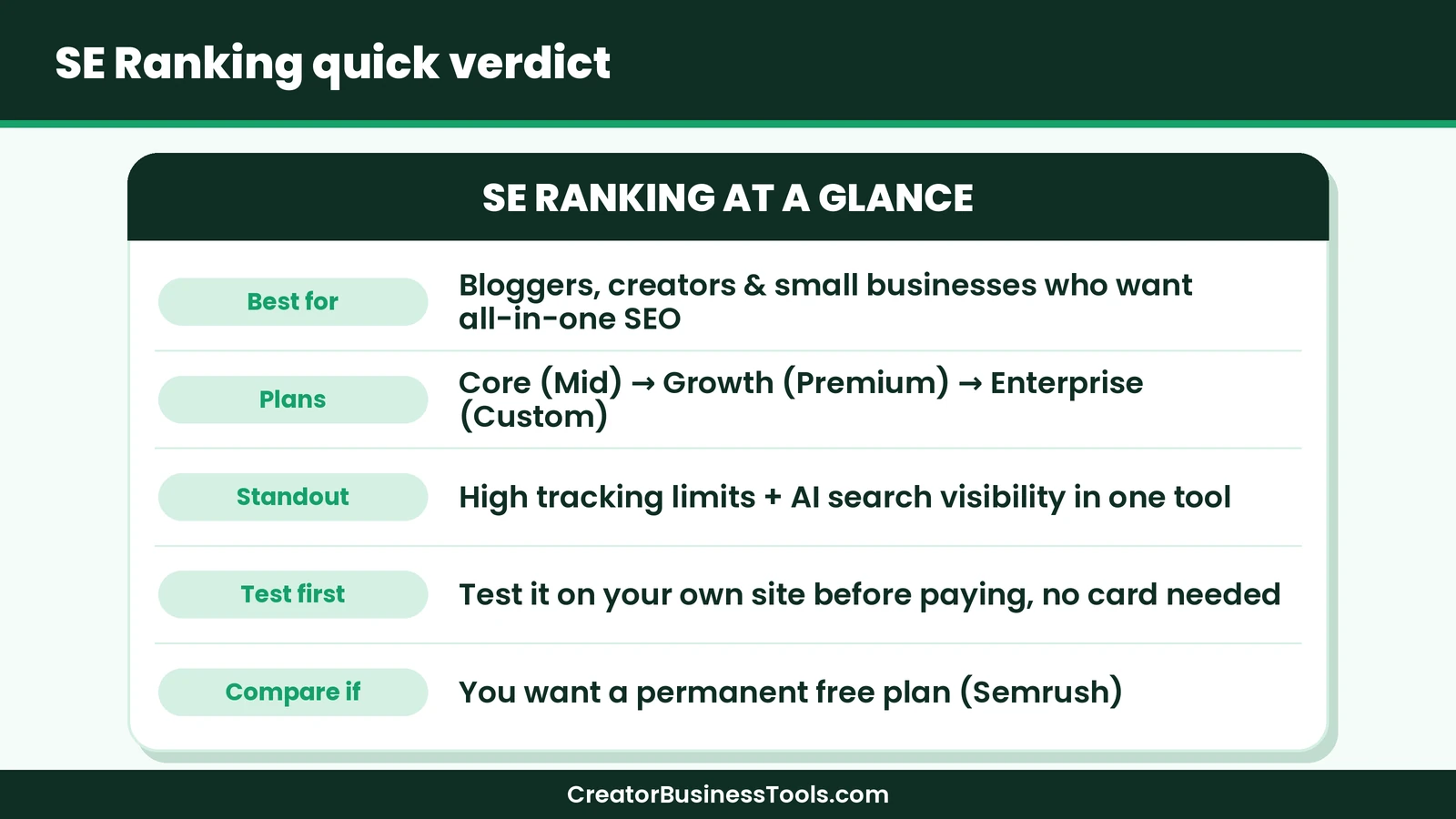
Quick verdict: SE Ranking is a strong value pick for bloggers, creators, and small businesses who want rank tracking, keyword research, competitor research, backlink data, and site audits in one tool. Its Core plan sits in the same broad price tier as Semrush’s entry plan but includes more tracked keywords and projects, and it adds AI search visibility tracking. Choose Semrush if you want a permanent free plan or its larger ecosystem.
Quick picks
- Best value all-in-one SEO tool for a small business: SE Ranking Core. See SE Ranking’s plans
- Best for agencies and multi-site teams: SE Ranking Growth, with more projects, seats, and full historical data.
- Best if you want a free plan first: Semrush Free. See our Semrush review.
- Best for AI search visibility on a budget: SE Ranking Core, which includes daily AI prompt tracking.
SE Ranking at a glance
| Item | What SE Ranking offers |
|---|---|
| What it is | All-in-one SEO and AI search (GEO) visibility platform |
| Current plans | Core, Growth, and custom Enterprise |
| Price tier | $$ (Core) and $$$ (Growth) |
| Billing | Monthly or annual; annual is billed upfront at a lower monthly rate |
| Free trial | Yes, fully functional with starter limits, no credit card |
| Core tools | Rank tracking, keyword and competitor research, backlinks, site audit, AI visibility |
| Integrations | Google Analytics 4, Google Search Console, Data Studio, Matomo, plus API and MCP |
| Support | Help Center, Academy, chat and email on all plans |
What is SE Ranking?
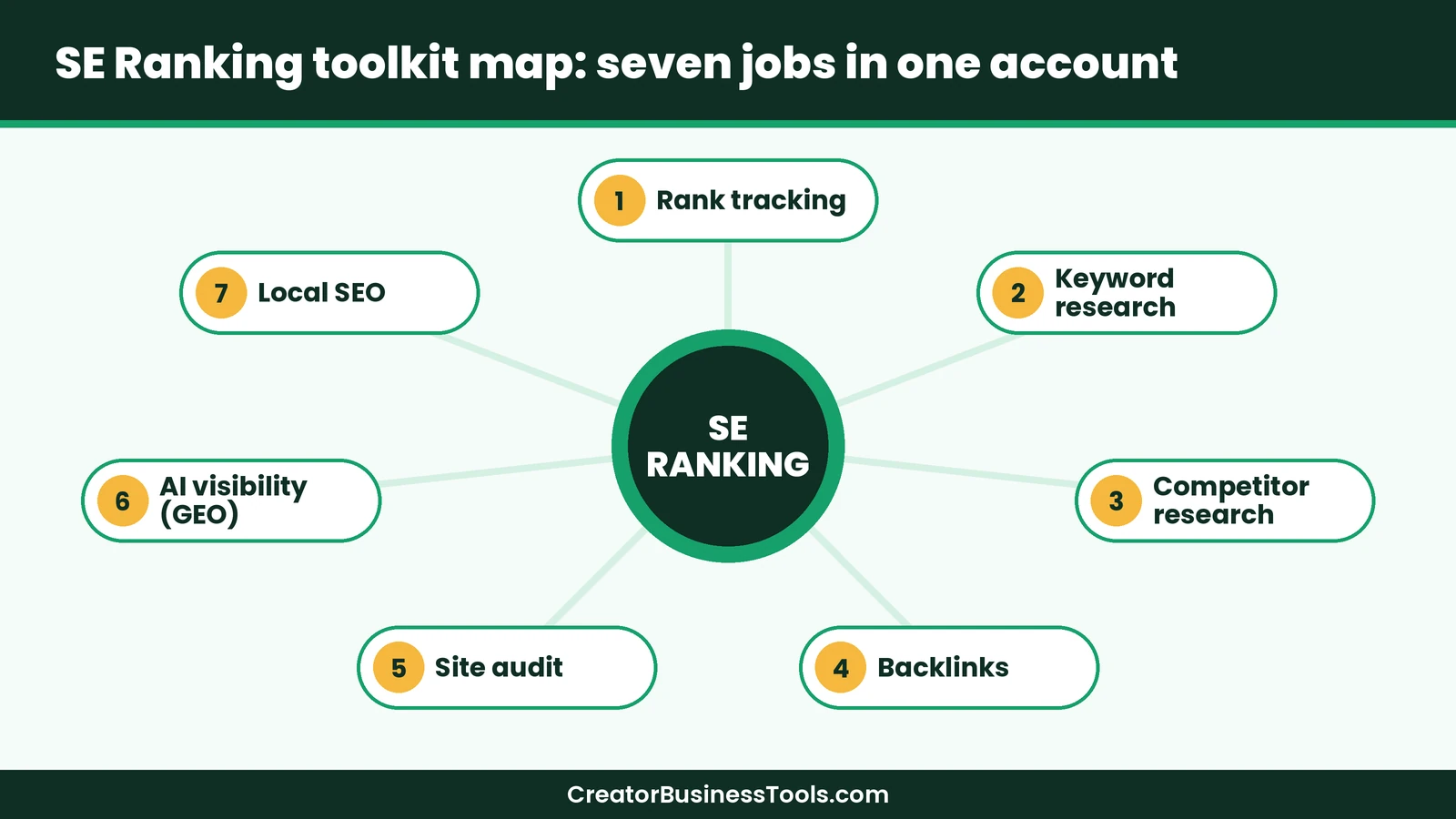
SE Ranking is an SEO platform that bundles the core jobs of search marketing into one account. You can track rankings, research keywords and competitors, check backlinks, and audit your site.
In recent updates it also added GEO, or generative engine optimization, tools. These track how your brand shows up in AI answers.
SE Ranking says its AI visibility tools cover ChatGPT, Gemini, Perplexity, Google’s AI Overviews, and AI Mode.
That mix makes it a practical fit for small teams. Instead of paying for a rank tracker, a keyword tool, and an audit tool separately, you get them in one place.
SE Ranking features that matter for a small site
Rank tracking
Rank tracking is where SE Ranking started, and it’s still central. Core tracks up to 2,000 keywords daily across 10 projects.
For a blog, that’s plenty. You can track every post’s main keyword plus important variations.
Keyword and competitor research
Once keywords are picked, turn those keywords into a content brief with Frase.
SE Ranking lists unlimited keyword, competitor, and backlink research on both plans. That means you aren’t rationing searches.
Use it to find topics your readers search for, see which pages bring competitors traffic, and spot gaps in your content.
Backlink research and monitoring
You can research a site’s backlink profile and monitor your own links. It helps you see who links to similar content and whether you’re losing links over time.
Website audit
The audit scans your site for technical and on-page issues. Core covers up to 250,000 pages a month, far more than a typical blog needs.
Use it to catch broken links, missing titles, slow pages, and indexing problems.
AI search visibility (GEO)
Core tracks up to 100 AI prompts a day, and Growth tracks 250. You can see whether AI answers mention your brand and which sources they cite.
For most small sites, this is a forward-looking extra rather than the main reason to subscribe.
Local SEO
Both plans include local tools, such as local and map rank tracking and listing management across 100+ directories. That’s useful for coaches, studios, and shops that serve a local area.
Reporting and integrations
The Report Builder creates client-ready or personal reports. SE Ranking connects with Google Analytics 4, Google Search Console, Data Studio, and Matomo.
Both plans include API credits and MCP access, which lets AI assistants pull SE Ranking data.
SE Ranking pricing explained
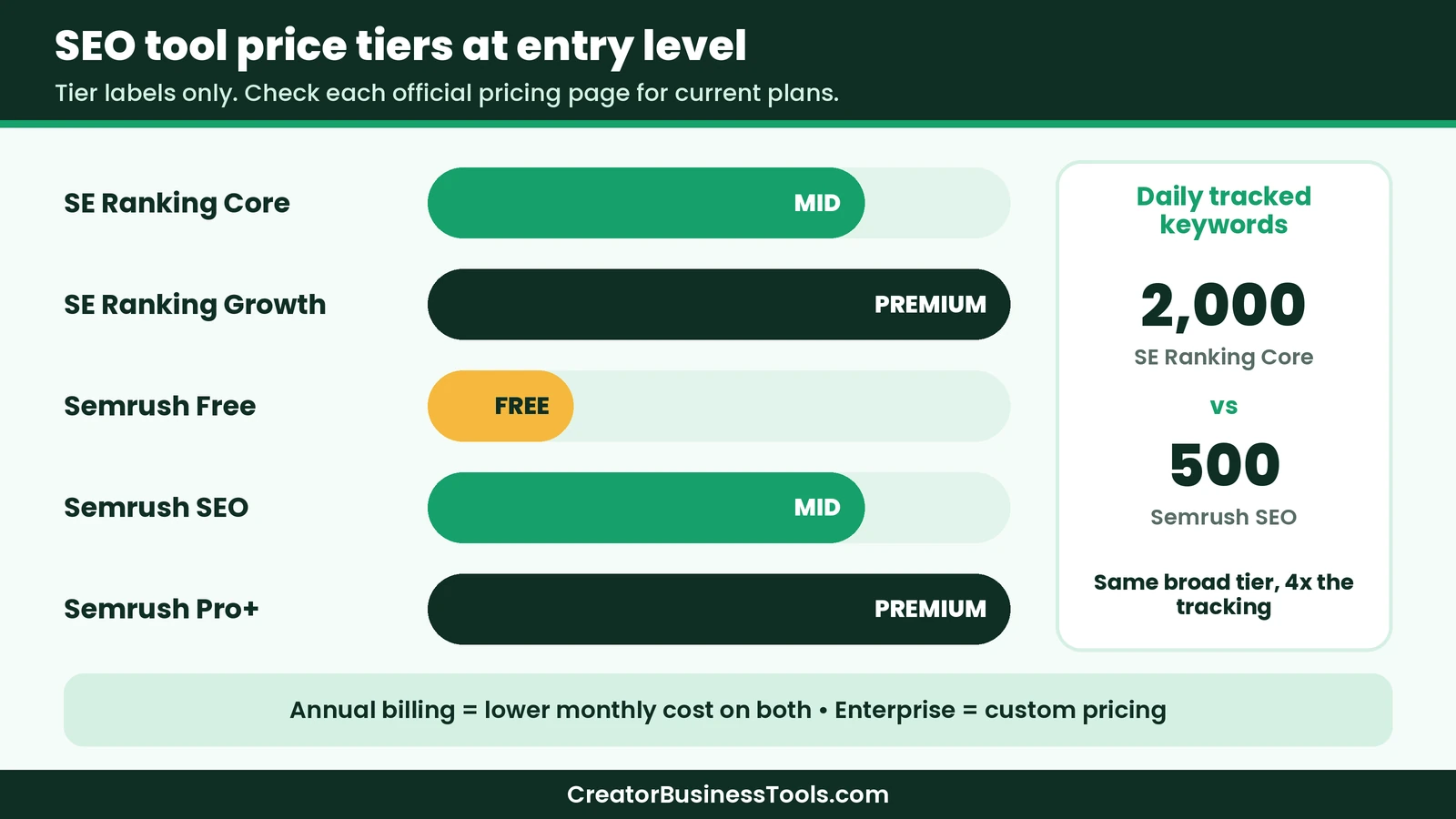
SE Ranking now has two self-serve plans, Core and Growth, plus custom Enterprise pricing. You can pay monthly or annually, and annual billing lowers the effective monthly price.
| Plan | Price tier | Key limits | Best for |
|---|---|---|---|
| Core | $$ | 10 projects, 1 seat, 2,000 daily keywords, 100 daily AI prompts, 6 months of historical data | Bloggers, creators, and small businesses |
| Growth | $$$ | 30 projects, 3 seats, 5,000 daily keywords, 250 daily AI prompts, all-time historical data | Agencies and multi-client teams |
| Enterprise | Custom | Custom limits, full API, advanced integrations | Large teams |
How the price scales
- Annual billing costs less. It’s billed upfront in exchange for the lower monthly rate.
- Extras are à la carte. You can add manager seats, keywords, and local locations on top of a plan.
- Agencies can add a pack. The Agency Pack adds white-label reporting, client seats, and a lead generator, and it’s available on annual billing only.
- You can switch plans. SE Ranking says you can upgrade or downgrade anytime from billing settings.
- Seats matter. Only one active session is allowed per login, so teams should add seats or use guest links.
Free trial vs free plan
SE Ranking offers a free trial of the paid plan rather than a permanent free plan. The trial is fully functional but comes with starter limits on projects, tracked keywords, and AI prompts.
No credit card is required to start, according to SE Ranking’s pricing page. That makes it easy to test the interface on your own site before paying.
SE Ranking vs Semrush
Semrush is the tool most people compare SE Ranking with. We cover Semrush in depth in our Semrush review, so here’s the short version.
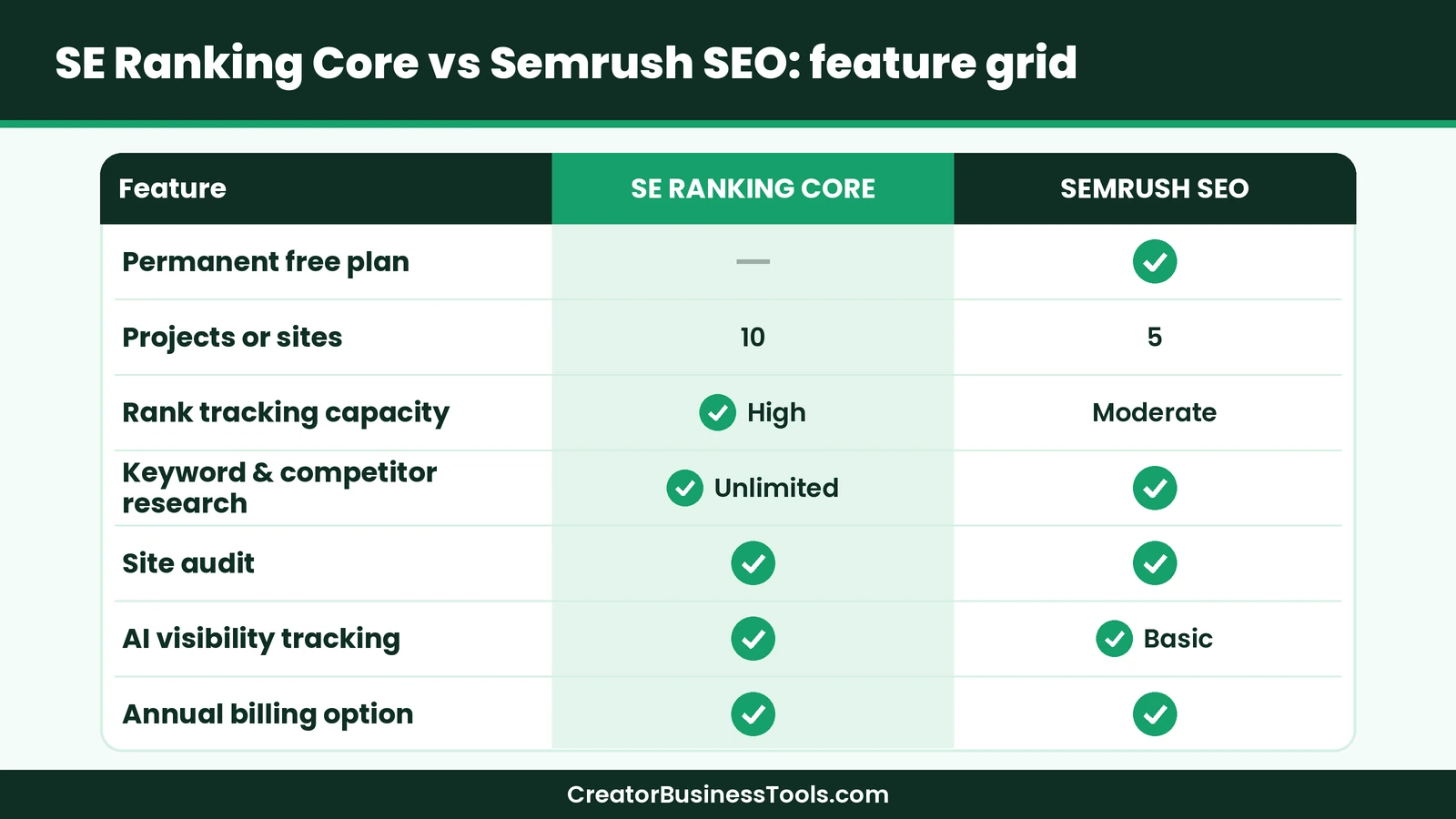
| Feature | SE Ranking Core | Semrush SEO plan |
|---|---|---|
| Price tier | $$ | $$ |
| Permanent free plan | No (free trial) | Yes |
| Projects or monitored sites | 10 | 5 |
| Daily tracked keywords | 2,000 | 500 |
| Keyword and competitor research | Unlimited | Included |
| Site audit | 250,000 pages a month | Included |
| AI search visibility | 100 daily prompts | Basic AI search tracking, more on Starter |
| Historical data | 6 months (all-time on Growth) | Included on Pro+ and up |
| Annual discount | Yes | Yes |
When SE Ranking wins
SE Ranking stands out for capacity per dollar. At the same broad price tier, Core tracks four times as many keywords and twice as many projects as Semrush’s SEO plan.
It also includes AI prompt tracking and local tools in Core. For a small business that wants one tool for everything, that’s a real advantage.
When Semrush wins
Semrush has a permanent free plan, which is handy if you’re not ready to pay at all. It also has a large ecosystem and higher plans for teams that need more.
If you already know Semrush’s interface or need its specific reports, it’s a safe choice.
The bottom line on this matchup
For most bloggers and small businesses, SE Ranking Core delivers more tracking for a similar spend. Try both before you commit, since interface fit matters as much as features.
If keyword research is your main job, also look at Mangools. Its KWFinder tool is built around finding easy-to-rank keywords, and the wider Mangools suite adds rank tracking, SERP analysis and backlink research.
SE Ranking review: pros and cons
| Pros | Cons |
|---|---|
| Rank tracking, research, backlinks, and audits in one tool | No permanent free plan, only a free trial |
| High tracking limits on the entry plan | Only one active session per login |
| Unlimited keyword, competitor, and backlink research | Full historical data needs Growth |
| AI search visibility tracking included | Agency features need an add-on |
| Local SEO tools on both plans | Assisted migration needs annual billing |
| Free trial with no credit card | Payments are generally non-refundable, so use the trial well |
Keep in mind: Core keeps 6 months of historical data. If you want long-term trend history, Growth includes it.
Best for: bloggers, creators, coaches, and small businesses who want an all-in-one SEO tool without enterprise pricing.
Not ideal for: anyone who needs a permanent free plan, or large teams that need many simultaneous users on one login.
Before you sign up
- Prices and limits change. Check SE Ranking’s pricing page for current plans.
- The old Essential, Pro, and Business plans have been retired. Ignore older reviews that quote them.
- Use the free trial to test rank tracking on your real keywords before paying.
- Annual plans are billed upfront. Choose monthly first if you’re unsure.
- No SEO tool guarantees rankings. Helpful content and consistency do most of the work.
How to get the most from your free trial
A trial is only useful if you test the jobs you’ll actually do every week. Here’s a simple plan.
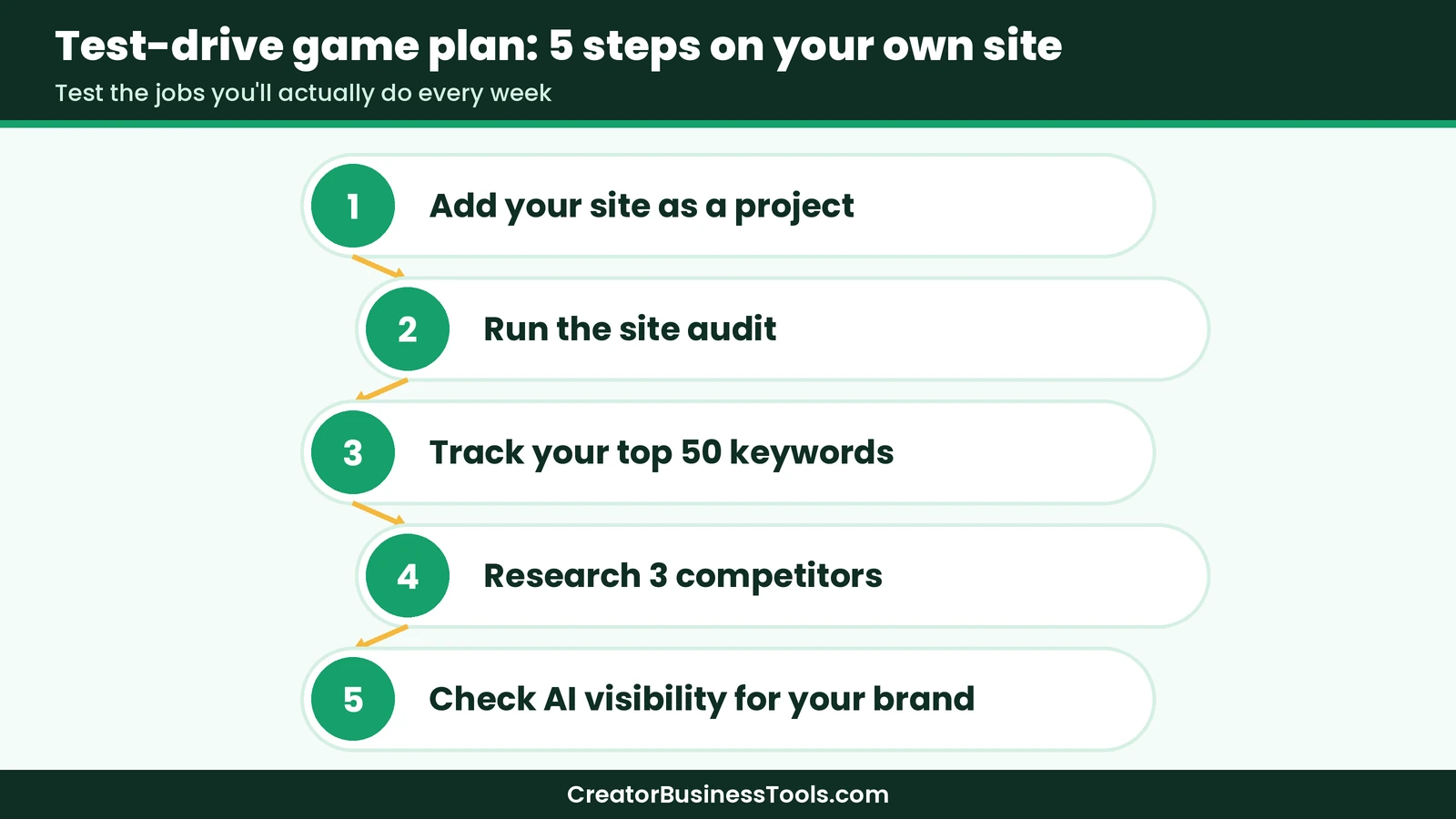
- Add your site as a project. Connect Google Analytics and Search Console if you use them.
- Run the site audit. Fix the top issues it flags, like broken links or missing titles.
- Track your most important keywords. Start with each post’s main keyword.
- Research three competitors. Note the topics that bring them traffic.
- Check your AI visibility. See whether AI answers mention your brand or competitors.
Trial checklist
- ☐ Site added and audit run
- ☐ Top keywords tracked
- ☐ Three competitors researched
- ☐ Ten new topic ideas saved
- ☐ One report built
- ☐ Decision made: Core, Growth, or not yet
A weekly SEO routine with SE Ranking
For faster drafting after research, see our Writesonic review.
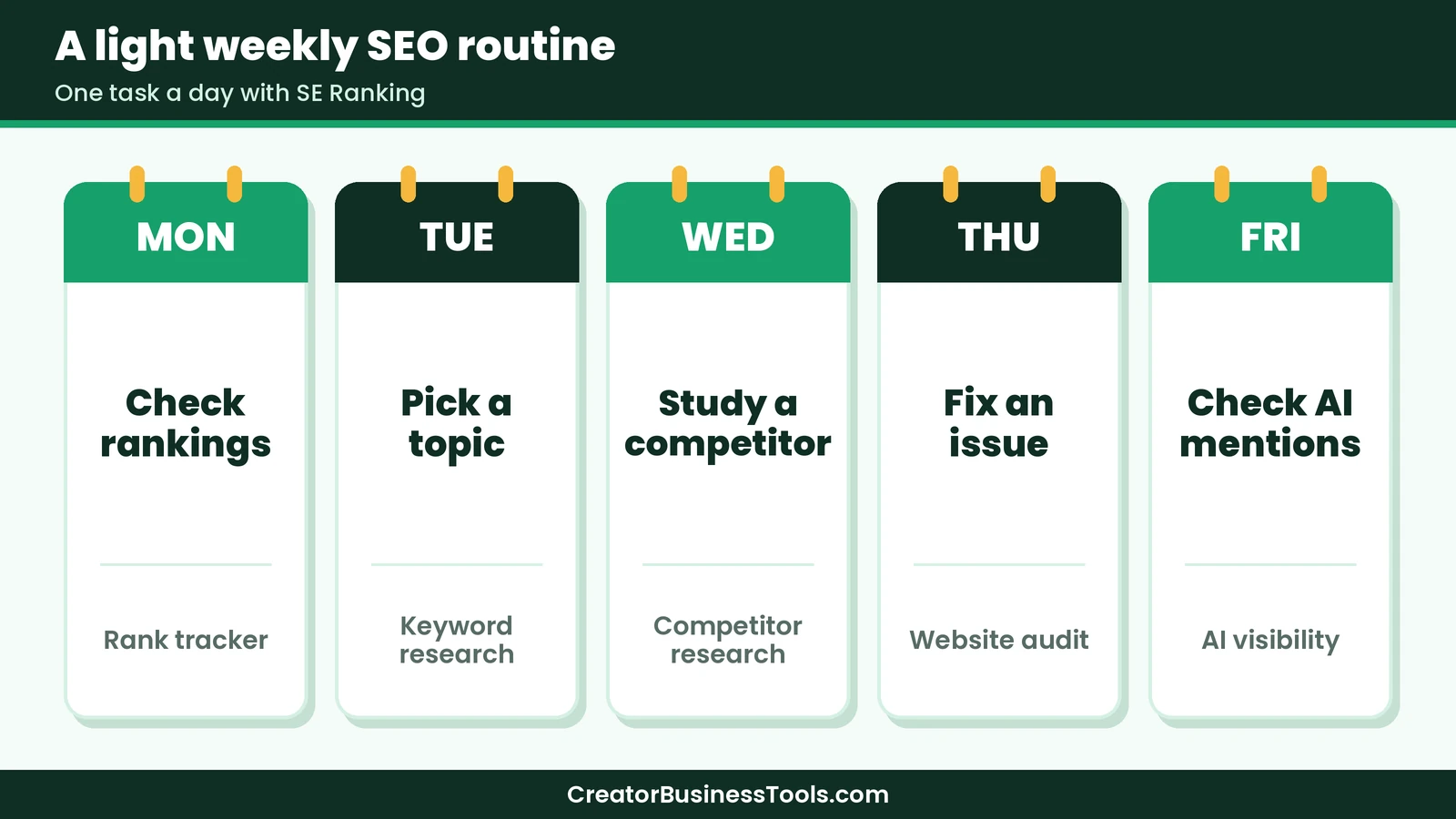
SEO works best as a habit. Here’s a light weekly routine for a solo creator.
| Day | Task | SE Ranking tool |
|---|---|---|
| Monday | Check ranking changes | Rank tracker |
| Tuesday | Pick next post topic | Keyword research |
| Wednesday | Review one competitor | Competitor research |
| Thursday | Fix one audit issue | Website audit |
| Friday | Note AI mentions | AI visibility |
Once Tuesday’s keyword research gives you a topic, an AI writer like Koala can help you draft the post so you spend more time editing and adding internal links.
An example: planning content for a small business blog
Imagine a yoga studio owner who wants more local sign-ups from search. Here’s how SE Ranking could fit into that plan.
- Track local keywords like “beginner yoga classes” plus the city name.
- Research questions beginners search, such as what to wear to a first class.
- Check competitor studios to see which pages bring them traffic.
- Write helpful posts that answer those questions and invite readers to a free class.
- Monitor rankings and listings to see which posts and locations improve.
The tool doesn’t write the posts or guarantee rankings. It helps the owner choose better topics and measure progress.
Who should use SE Ranking?
SE Ranking fits best when these are true:
- ✅ You want one tool for rank tracking, research, and audits.
- ✅ You track more keywords than entry plans elsewhere allow.
- ✅ You care about local search or AI search visibility.
- ✅ You’d like to test everything with a free trial first.
| Reader | Suggested plan | Why |
|---|---|---|
| New blogger testing SEO | Free trial | Learn the tools on your own site |
| Blogger or creator publishing weekly | Core | Plenty of tracking and research |
| Local small business | Core | Local tracking and listing tools included |
| Freelancer with several clients | Growth | More projects, seats, and guest links |
| Agency | Growth plus Agency Pack | White-label reporting and client seats |
How to choose an SEO tool
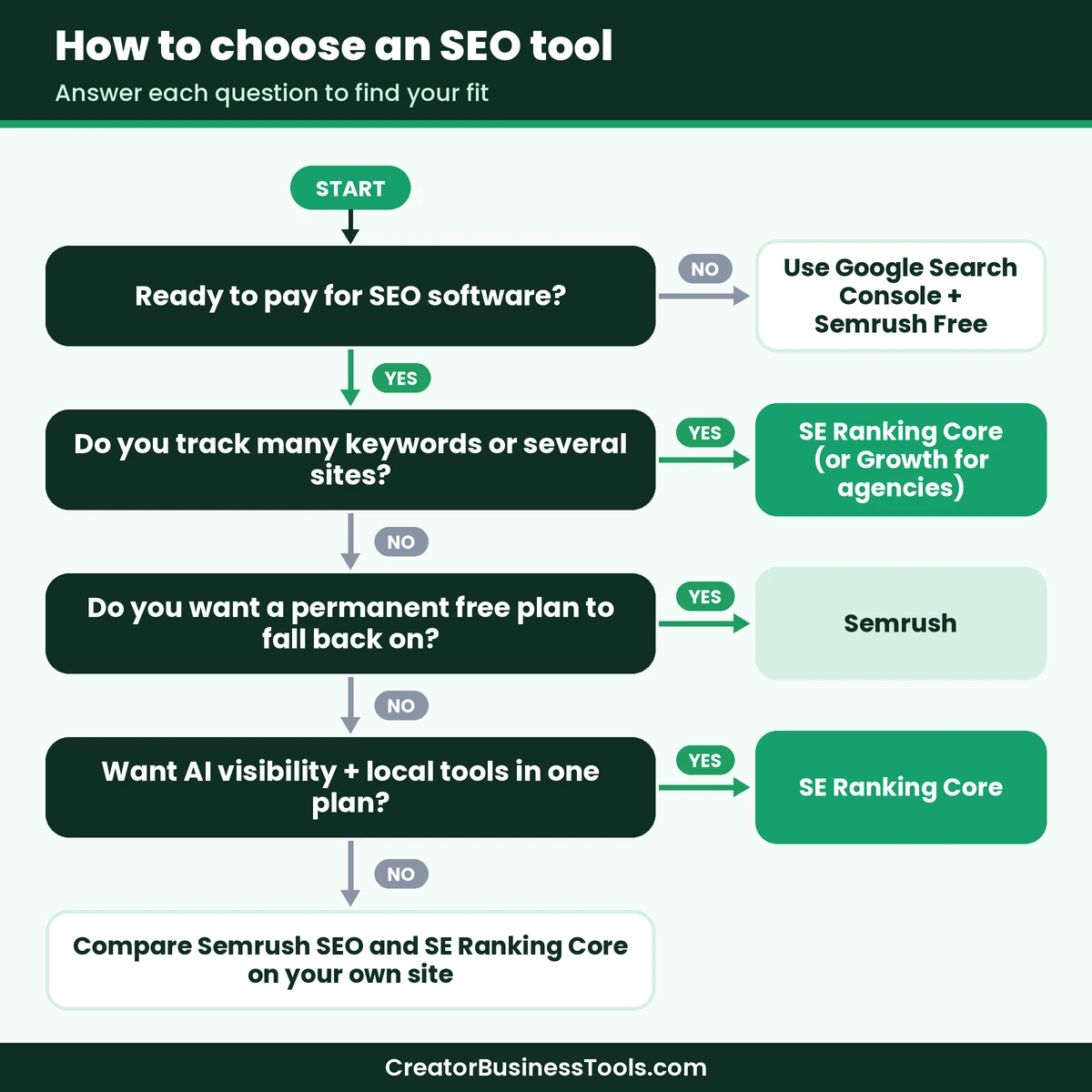
- List your jobs. Rank tracking, topic research, audits, local, or AI visibility.
- Count what you track. Keywords and sites drive which plan fits.
- Check team needs. Count how many people need their own login.
- Compare at the same tier. Look at limits, not just plan names.
- Test before paying. Use free trials and free plans on your real site.
Moving to SE Ranking from another tool
If you already track keywords elsewhere, switching is manageable.
- Export your keyword lists and ranking history from your current tool.
- Use SE Ranking’s import options to bring projects and history over.
- Ask about assisted migration if you choose annual billing, since SE Ranking offers it free on annual plans.
- Run both tools briefly to compare data before you cancel the old one.
What SE Ranking doesn’t do
It helps to be clear about the limits of any SEO tool before you buy.
- It doesn’t write your content. SE Ranking includes content marketing tools, but the ideas, expertise, and voice still have to come from you.
- It doesn’t replace Google Search Console. Search Console shows Google’s own data on clicks and impressions. SE Ranking works best alongside it, which is why it integrates with it.
- It doesn’t guarantee rankings or AI mentions. It shows where you stand and where the opportunities are. Results depend on what you publish.
- It isn’t a free tool. After the trial, you’ll need a paid plan to keep using it.
Support and learning resources
SE Ranking says every customer gets access to its Help Center, its Academy, and chat and email support. Growth customers also get dedicated support through a Customer Success team.
For beginners, the Academy and Help Center are worth a look before and during the trial. They make it easier to understand reports like the audit and keyword research.
If you choose annual billing and you’re moving from another tool, ask support about assisted migration so you don’t lose your keyword history.
Common SEO tool mistakes
- Paying for capacity you won’t use. Start with Core unless you manage many sites.
- Tracking too few keywords. Track each post’s main keyword so you can spot wins.
- Ignoring the audit. Technical fixes are often the quickest improvements.
- Chasing huge keywords. Narrow, specific topics are easier for small sites.
- Not testing first. Use the free trial before committing to annual billing.
FAQ
Is SE Ranking good for beginners?
Yes. It combines the main SEO tools in one place, and the free trial lets beginners learn on their own site before paying.
Does SE Ranking have a free plan?
No permanent free plan is listed on its pricing page. It offers a free trial of the paid plan with starter limits and no credit card required.
What plans does SE Ranking offer?
Core and Growth are the current self-serve plans, plus custom Enterprise. The older Essential, Pro, and Business plans have been retired.
Is SE Ranking cheaper than Semrush?
Core and Semrush’s SEO plan sit in the same broad price tier, but Core includes more tracked keywords and projects. Core also has the lower list price of the two, on both monthly and annual billing.
Does SE Ranking track AI search?
Yes. Both plans track AI prompts daily, and SE Ranking says it covers ChatGPT, Gemini, Perplexity, AI Overviews, and AI Mode.
Can I cancel SE Ranking anytime?
Yes, SE Ranking says you can cancel anytime. Annual plans are billed upfront, so check the terms before choosing annual billing.
Does SE Ranking work with Google Search Console?
Yes. It integrates with Google Search Console, Google Analytics 4, Data Studio, and Matomo.
Can a team share one SE Ranking login?
SE Ranking doesn’t recommend it, because only one session can be active at a time. Add seats or use guest links instead.
Bottom line
SE Ranking is a capable, well-rounded SEO platform that gives small sites a lot of capacity for the price. Core covers rank tracking, research, backlinks, audits, local SEO, and AI visibility in one plan.
If you want a permanent free plan or Semrush’s ecosystem, Semrush is still a solid choice. But if you want the most tracking and the broadest toolkit at an entry price tier, SE Ranking Core is a smart place to start.
Free checklist: Want a head start? Get our free SEO Starter Checklist for Bloggers, a one-page plan for your first audit, keyword list, and weekly routine. Contact us to request a copy.
Pricing and features from official vendor pages, last checked October 19, 2026.