
Hostinger vs SiteGround: Which Host Fits a New WordPress Blog?
Disclosure: This post contains affiliate links. If you buy through them, we may earn a commission at no extra cost to you. How we make money.
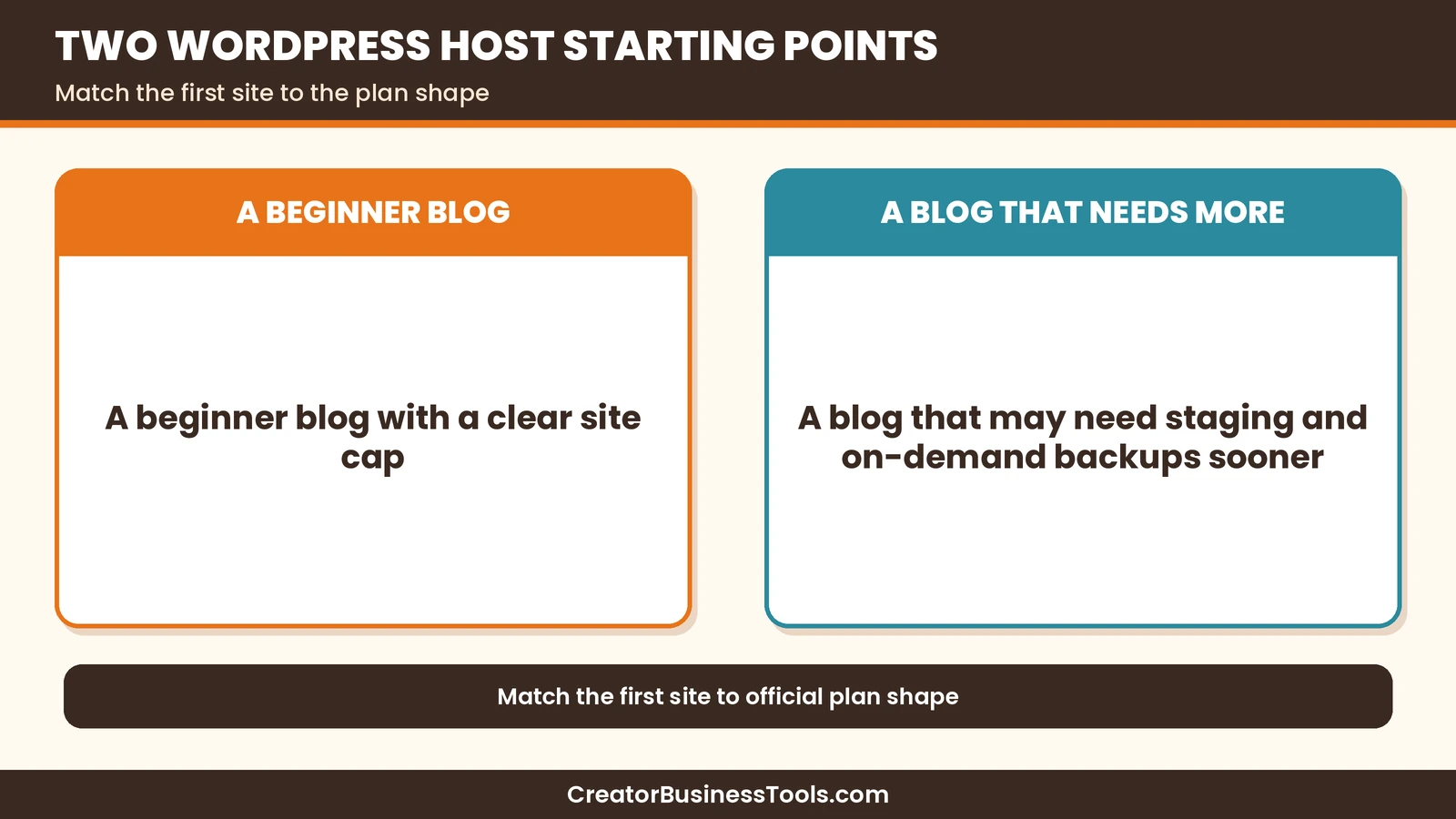
This Hostinger vs SiteGround comparison is for people who want a WordPress blog or a small site and need a clear way to choose a host. Hostinger and SiteGround both sell managed WordPress hosting with prepaid plans, backups, and official support. I am using official product pages and help articles, not a speed test, so you can match plan shape to the site you actually need.
The reader’s problem: two similar desks, different plan stories
A new site owner often sees two hosts that both “run WordPress” and stalls. One page talks about site count and storage. The other talks about staging, support, and higher rungs. The useful question is not “which brand is more famous?” It is “which official plan shape fits this blog?”
Looking at Hostinger vs SiteGround starts with how many sites you will run, how you want backups to work, and whether you need tools such as staging. Then you read official caps and the amount due for the term you pick.
Three criteria for this comparison
Criterion one: site count and storage
Official rungs differ by how many websites you can host and how much storage you get. A single blog and a small collection of sites are not the same job.
Criterion two: backups, staging, and daily work
Backup rhythm, on-demand copies, and staging decide how you can copy a live site before you edit it. Official pages list these tools at different points in each ladder.
Criterion three: plan shape and price tiers
Both companies sell prepaid plans. Official pages show more than one amount for the same rung, depending on the term you pick. I am not restating dollar amounts here. Read the official page when you buy, and think in plan shape: lower, mid, or higher-resource rungs.
Hostinger vs SiteGround, at a glance
| Product | Best for | Key strength | Drawback | Price tier |
|---|---|---|---|---|
| Hostinger | Beginners who want a simple WordPress desk and a few-to-many site ladder | Official rungs for a few sites, unlimited sites, and a cloud step | Official tool-inclusion wording should be confirmed on the current page | Budget to mid-range prepaid rungs |
| SiteGround | Beginners who want official staging and on-demand backups on a mid rung | Official StartUp, GrowBig, and GoGeek ladder, with staging on higher rungs | Sales-page amounts can differ by product page, so confirm official rates | Mid-range to higher prepaid rungs |
| Kinsta (brief third path) | People who already know they want a more managed, higher-tier host | Official managed WordPress with a different plan story | Usually a higher-resource path than a first blog needs | Higher-tier managed hosting |
Hostinger
What it is
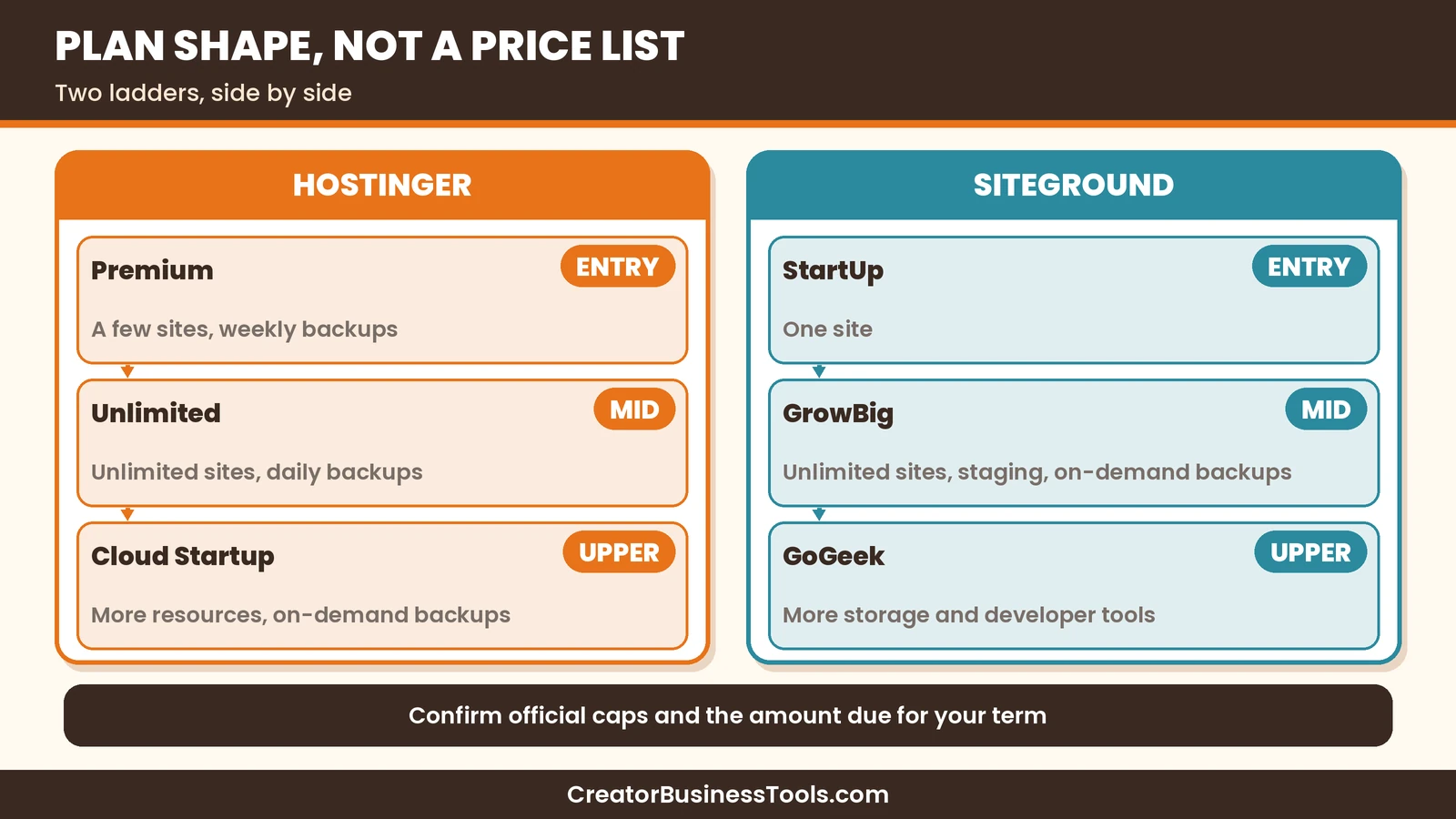
Hostinger is a hosting company with official public rungs that include Premium, Unlimited, and Cloud Startup. Premium is listed for a small set of websites, with SSD storage and a weekly backup rhythm. Unlimited lists unlimited websites, more storage, and daily backups. Cloud Startup lists still more resources, plus on-demand backups. Official pages also describe WordPress hosting, email, a content-delivery network, and builder or AI tools — confirm which tools ship with the rung you pick, because official wording is not identical on every page.
Pros of Hostinger
- A clear official path from a few sites to unlimited sites
- Managed WordPress onboarding
- A cloud step when you need more resources
- Builder and AI-assisted options, once confirmed
Cons of Hostinger
- Official plan names and tool lists should be checked on the current page
- Staging is not the headline tool in the same way as on some competing mid rungs
- I did not run a speed or uptime test for this guide
SiteGround
What it is
SiteGround is a WordPress host with official plan names StartUp, GrowBig, and GoGeek. Official help materials list StartUp for one website and a smaller storage cap, GrowBig for unlimited websites with more storage, on-demand backups, and staging, and GoGeek with still more storage plus tools such as Git, Private DNS, and white-label options. Official pages also list SSL, a content-delivery network, email, migration help, automatic updates, and an AI agent across the hosting story. Public sales pages can show more than one set of amounts for the same names, so confirm the official figure for the term you pick.
Pros of SiteGround
- Official staging and on-demand backups on a mid rung
- A clear one-site versus unlimited-site split
- Migration and automatic-update tools in the official story
- A higher rung for teams that want extra developer tools
Cons of SiteGround
- Official amounts should be confirmed, because public pages can differ
- The lower rung is built around one website
- I did not run a speed or uptime test for this guide
A brief note on Kinsta
If you already know you want a more managed, higher-tier WordPress host, Kinsta is a different path. Our Kinsta vs WP Engine guide covers that comparison. For most first blogs, the Hostinger vs SiteGround choice is the one to finish first.
Best-use-case recommendations
| Situation | Pick | Why |
|---|---|---|
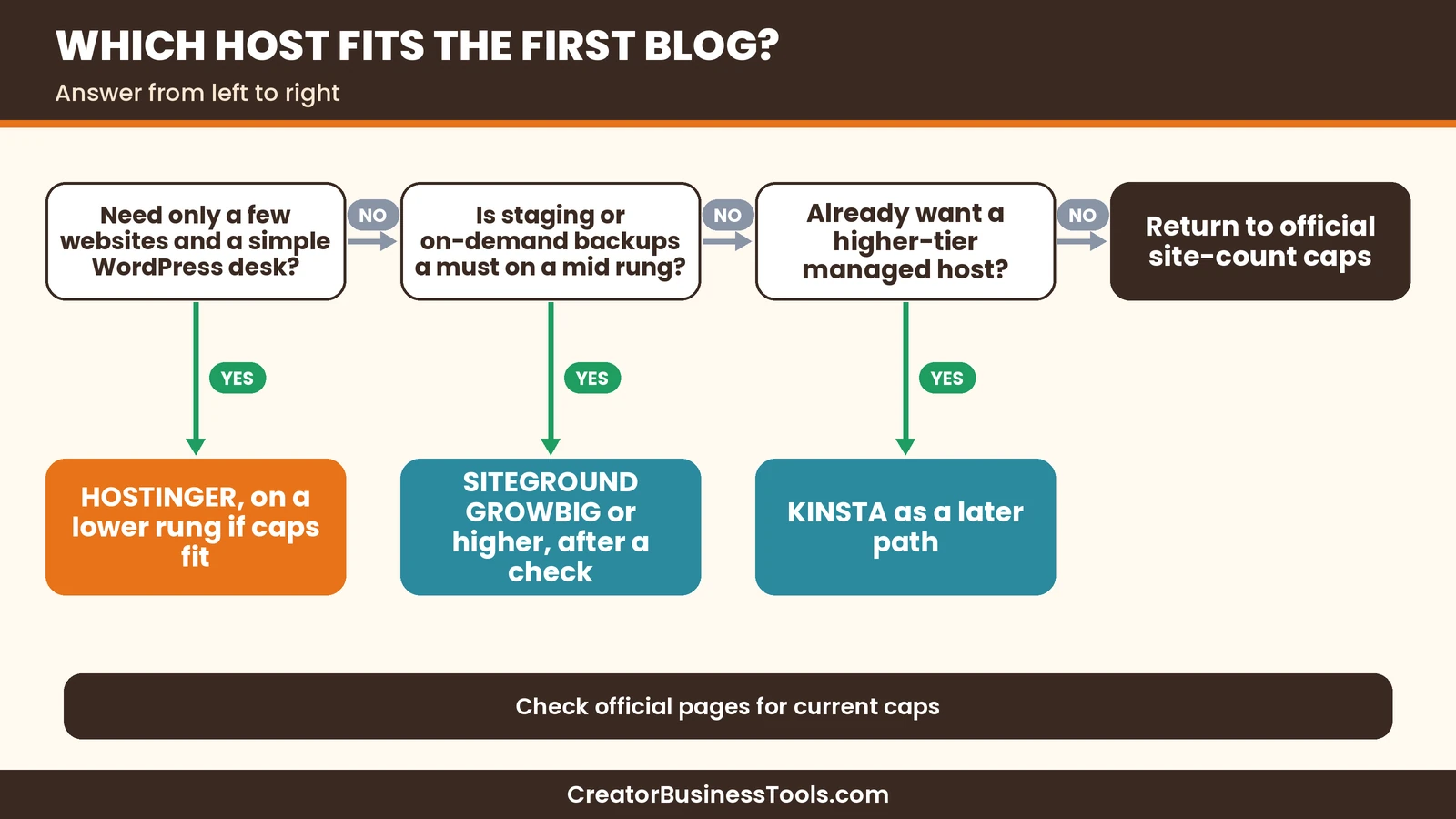
| One new blog, a small site cap is enough | Hostinger Premium, if official caps fit | Official lower rung for a few sites |
| Several sites, daily backups, still on Hostinger | Unlimited or Cloud Startup | Official unlimited-site and higher-resource rungs |
| Staging and on-demand backups on a mid rung | SiteGround GrowBig, after an official check | Official mid-rung tools |
| Developer tools such as Git on the host | SiteGround GoGeek | Official higher-rung tools |
| A more managed, higher-tier host later | Kinsta, after a separate official read | Different plan story |
If you want a fuller SiteGround walkthrough, see our SiteGround review. This article stays with a Hostinger-first pairwise read.
Pricing structure, without the noise
Both Hostinger and SiteGround sell prepaid plans. Official pages show more than one amount for the same rung, depending on the term you pick. Those figures also change, and they can differ from older write-ups or even from a second official page, so the clear next step is to read the official pricing page when you buy.
In relative bands, Hostinger’s official amounts sit in a budget-to-mid range across the public rungs in this guide. SiteGround’s official standard amounts sit in a mid-to-higher range. That is a map, not a shopping pitch. A lower Hostinger rung can still be the wrong desk if you need staging tomorrow. A mid SiteGround rung can still be the wrong desk if you only needed a simple first blog.
A simple way to decide in one sitting
Write down the number of sites you will run in the first season of the blog.
Write down whether you need staging before you edit a live page.
Write down whether weekly backups are enough, or whether you want a daily or on-demand rhythm from day one.
Then open both official plan pages and match those three notes to caps, not to slogans.
When Hostinger is the better first desk
Choose Hostinger if you want a straightforward WordPress onboarding, a plan that can grow from a few sites to unlimited sites, and a cloud step later. It is also a fit if you want official builder or AI-assisted layout options in the same product family, after you confirm inclusion.
When SiteGround is the better first desk
Choose SiteGround if official staging and on-demand backups on a mid rung matter on day one, or if you want the official one-site StartUp shape and a clear step up to GrowBig. It is also a fit if Git, Private DNS, or white-label tools are already on your list.
When to look elsewhere
Look at a higher-tier managed host if you already know this first blog will be a heavy, business-critical site. Look at a simple website builder if you do not want WordPress at all. Do not run two hosts for one blog.
Mistakes I would avoid
- Picking a host from a slogan instead of official site-count caps
- Buying a high-resource rung for an empty first post
- Ignoring staging needs, then editing a live theme with no copy
- Mixing official amounts from two different product pages
- Treating this guide as a speed test; I did not run one
- Moving a live blog twice in the same season
How I would compare them with one real site
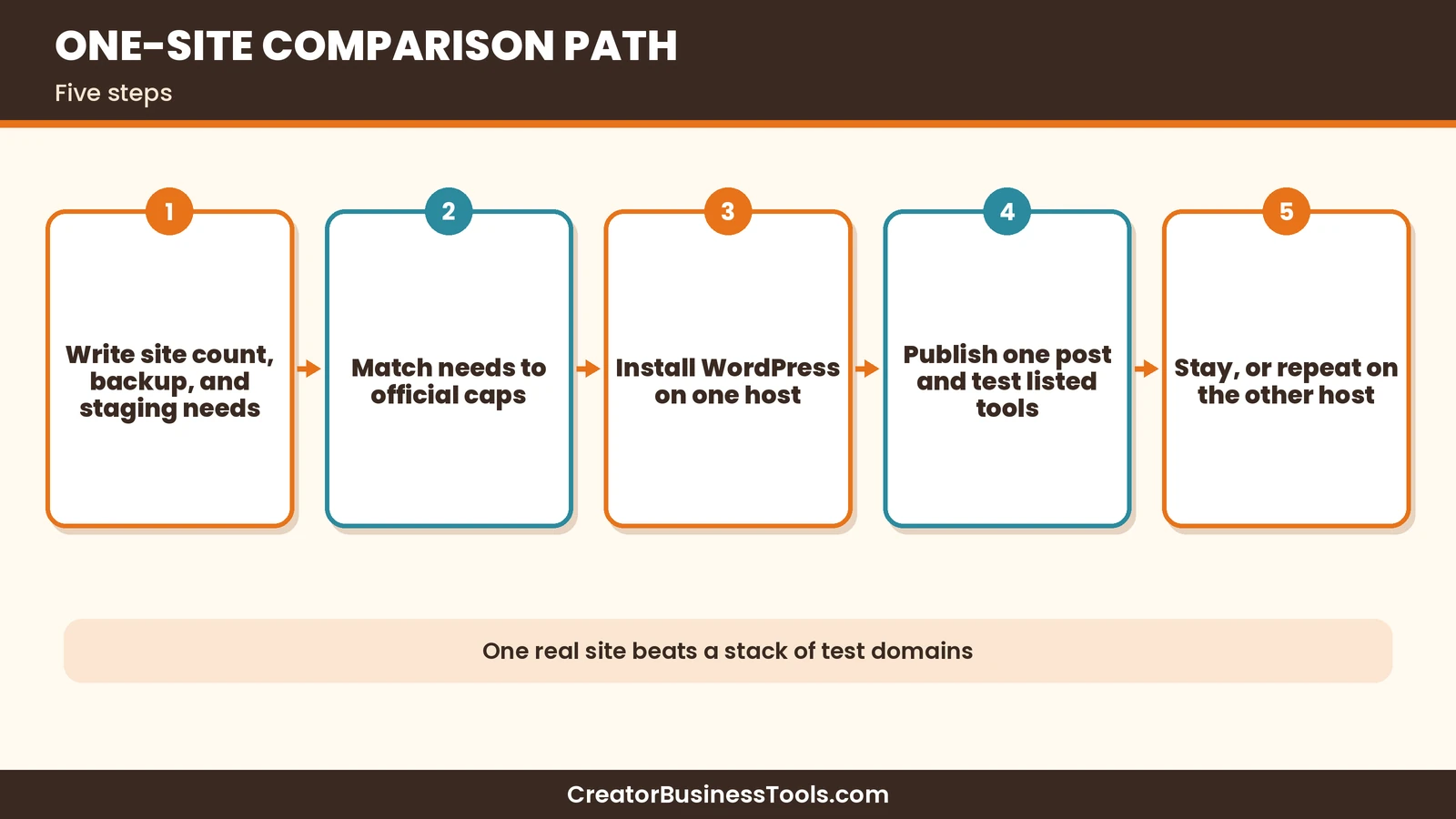
Use one unfinished blog, not a stack of test domains. Install WordPress on the official path for the host you are leaning toward. Publish one post, add an About page, and walk through backup or staging tools that official pages say are included. If a listed tool is missing, stop and confirm the official plan. Then, and only then, decide whether the other host is worth a second look.
Support, email, and daily ownership
Both official stories include support, email, and SSL. The difference is less about whether those tools exist, and more about how you will use them. If you want email on the same domain, confirm mailbox limits. If you want help during a move, confirm official migration tools. If you work with a helper, confirm who can log in.
A host is a desk. The blog still has to be written. Hostinger vs SiteGround is a useful comparison only after you can name the first post.
Migration, email, and keeping one public address
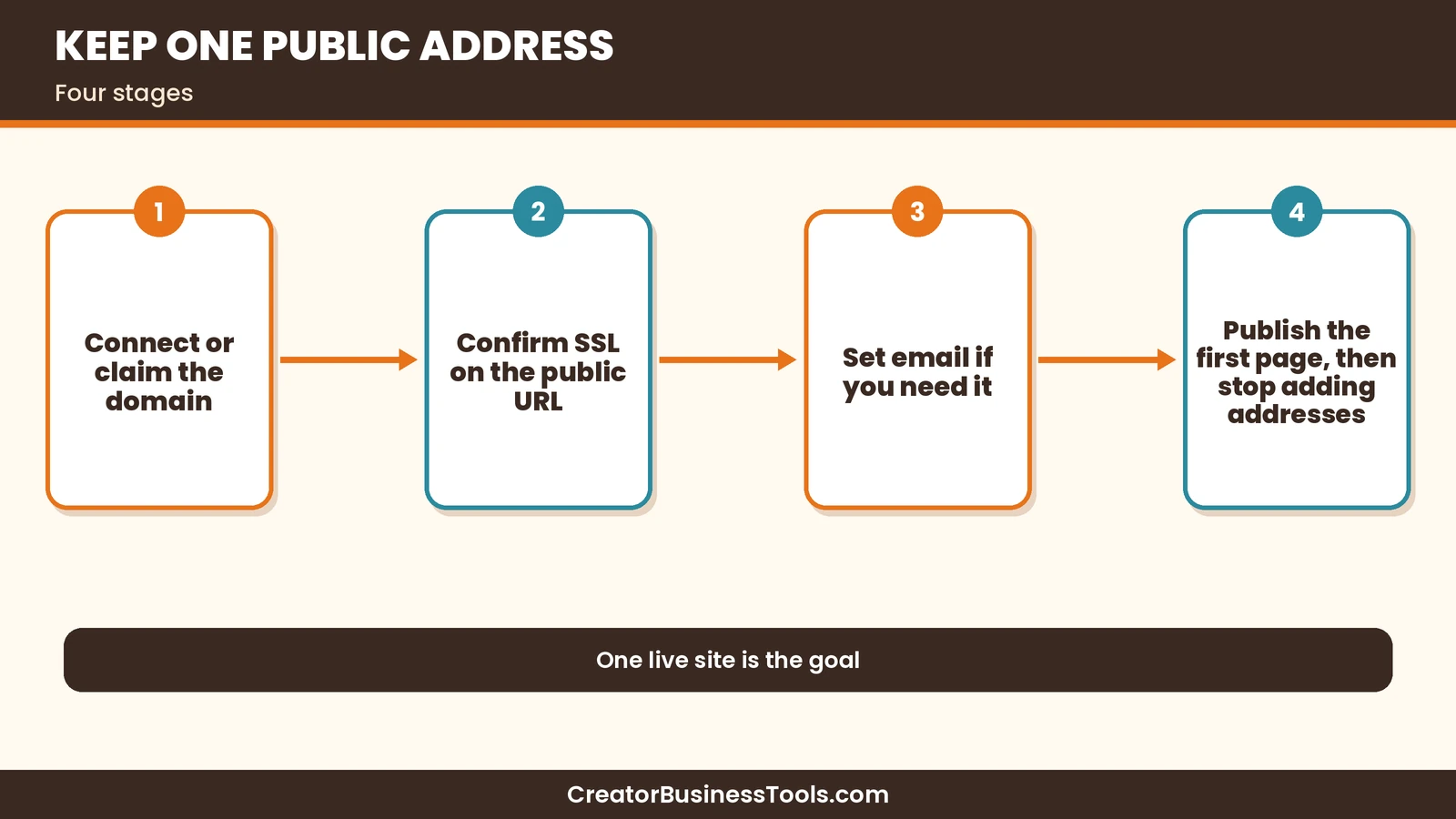
A host comparison is incomplete if you ignore the public address. If you already have a domain, both official stories describe a way to connect it. If you are starting fresh, confirm the official domain rule for the plan and term you pick, and keep that rule in your notes rather than in a slogan.
Email on the same domain is a separate job. Confirm official mailbox limits before you promise a public address to clients or readers. SSL is listed with both hosting stories; still open the public URL in a private window after you publish the first page.
If you already have a site on another desk, official migration tools can help, but a move is still work. I would not plan a move and a redesign in the same stretch. Move the site, confirm the public URL, then edit.
Staging, backups, and how you will edit
The Hostinger vs SiteGround choice often turns on how you will change a live theme. If you like to edit in public, a weekly or daily backup rhythm may be enough, as long as you confirm official backup tools. If you want a copy of the site before you change a template, official staging on a mid SiteGround rung is a strong reason to pick that desk.
Hostinger lists backup rhythm and, on a higher rung, on-demand backups. SiteGround lists on-demand backups and staging on GrowBig and above, according to official help materials. Match that to the way you actually work, not to a feature you might use later.
A staging tool you never open is not a reason to pick a host. A backup you cannot find is a reason to pause and read official help.
How I would write the decision note
Keep one note with four lines: the number of sites, the backup rhythm you need, whether staging is required, and the official amount due for the term you will actually buy. That last line comes from the official page, not from this guide.
Then add a fifth line only if you need email or a move. If those two jobs are empty, leave the line off. A short note is easier to trust than a long comparison grid you will not reread.
What I would not compare in this guide
I would not pick a host from a speed screenshot I did not collect, or from a support wait I did not sit through. Those are real questions, but they are not facts I can state from official pages in this guide, and I did not test them.
I would also not compare pricing slogans across two product pages. Official amounts can differ by term and by page. The useful comparison is plan shape: site count, storage, backup rhythm, staging, and the official amount due for the term you will actually buy.
Hostinger vs SiteGround stays useful when you keep the comparison that small.
Questions to confirm on official pages
- Site, storage, and backup caps
- Staging, on-demand backups, and any developer tools
- Mailbox limits
- The amount due for the term you pick, on the exact product page you are buying from
- Migration steps, if you already have a site
My honest take
The most useful way to read Hostinger vs SiteGround is by official plan shape, not by brand heat. Hostinger is the simpler beginner ladder if a few sites, then unlimited sites, is the story you need. SiteGround is the better first desk if staging and on-demand backups should be on the mid rung from the start. I would write the site-count and staging notes, then read official pages, then install one real site.
I did not test speed or support wait times. Treat those as things you confirm yourself, or skip if official caps already make the choice clear.
If you work with a helper, add a login plan to the same notes. A desk that fits your writing week can still be a poor fit if your helper cannot get in.
Related reading: SiteGround review, Kinsta vs WP Engine, Elementor alternatives.
FAQ
Which is better for a new WordPress blog, Hostinger or SiteGround?
It depends on the first site. Hostinger fits a simple WordPress desk and a few-to-many site ladder. SiteGround fits a path where staging and on-demand backups matter on a mid rung.
How do Hostinger and SiteGround compare on price tiers?
Hostinger’s public rungs sit in a budget-to-mid range, and SiteGround’s in a mid-to-higher range. Both sell prepaid plans, and official amounts can differ by term and by page. Compare official figures for the term you will actually buy.
Can I move later?
Often yes, through official migration tools, but a move is still work. Pick the host you can live with for the first season of the blog.
Do I need the highest rung to start?
Usually no. Start with official caps that fit one blog, then step up if the site outgrows storage, backups, or resources.
Where can I read more about SiteGround on its own?
See our SiteGround review. For a higher-tier path, see Kinsta vs WP Engine.
Get the free host-comparison checklist
Free checklist: Get our free Host-Comparison Checklist — for site count, backups, staging, and official caps before you pick a host. Contact us to request a copy.
Conclusion: choosing between Hostinger and SiteGround
Hostinger vs SiteGround is a plan-shape decision. Choose Hostinger if you want a straightforward WordPress desk and a ladder from a few sites to unlimited sites. Choose SiteGround if official staging and on-demand backups on a mid rung matter from the start. Read official caps and the amount due for your term, install one real site, and let that first blog tell you which desk fits.