
SocialPilot Review: A Multi-Network Scheduler With Official Pinterest Support
Disclosure: This post contains affiliate links. If you buy through them, we may earn a commission at no extra cost to you. How we make money.
This SocialPilot review is for small-business owners, freelancers, and small agencies who want one publishing desk that can also handle Pinterest. I am comparing SocialPilot with Buffer, Tailwind, and Pallyy, using official product, pricing, and help pages. This is a map of plan shape and official limits, not a live publishing test.
The reader’s problem: too many networks, and Pinterest still sits to the side
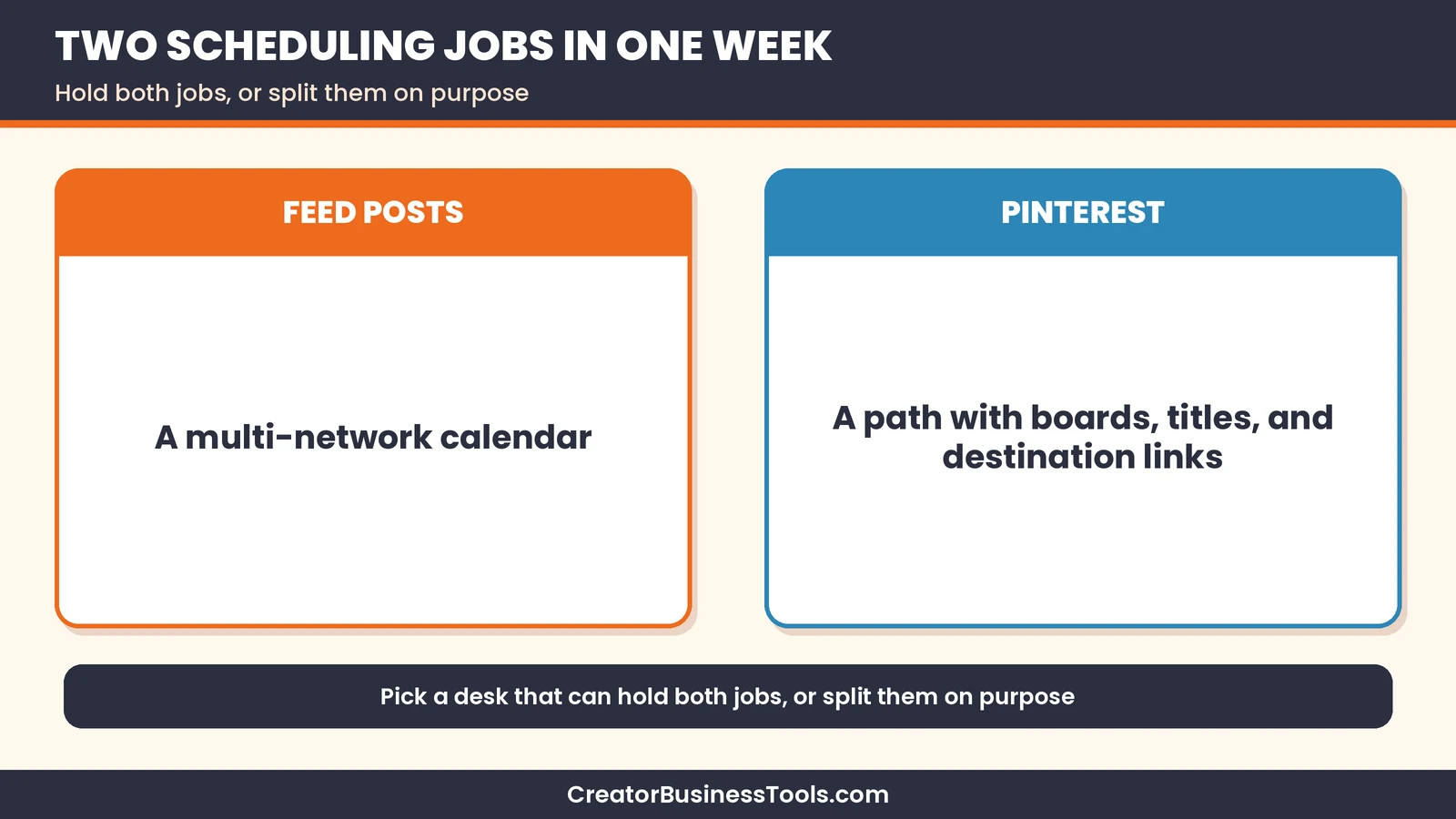
A typical week already has a feed to fill on two or three networks. Pinterest often sits in a second tab, with a different image size, a board choice, and a link field that the other networks do not need. A general scheduler can feel broad, but thin on Pins. A Pinterest-only desk can feel strong for Pins, and weak for the rest of the week.
The useful question is not “which tool lists the most networks?” It is “which desk will I open for the next month of posts, including the Pins?”
Three criteria for this SocialPilot review
Criterion one: account limits you can count
A scheduler is only useful if the official account, user, and client limits fit the desk you already have. Count profiles and people first, then look at the rung names.
Criterion two: a Pinterest path you can follow
Official pages should show how a Pin is composed, how a board is chosen, and which fields (title, description, alt text, destination URL) you can set before the Pin goes out.
Criterion three: the team tools you actually need
Approvals, inbox, analytics, and bulk scheduling often sit on mid or high rungs. A low rung can be enough for a solo publisher. It is a poor fit if those team tools are the reason you are shopping.
SocialPilot review, at a glance
| Product | Best for | Key strength | Drawback | Price tier |
|---|---|---|---|---|
| SocialPilot | Small teams and agencies that want one paid desk for many networks, including Pinterest | Pinterest listed on global public paid plans, with a clear account-and-user ladder | Analytics, inbox, and bulk scheduling sit above the first rung | Budget to premium paid rungs, with a higher agency rung |
| Buffer | Creators who want a simple per-channel desk and a free plan with limits | Official per-channel pricing, plus a free plan with a small queue | You pay for each connected channel on paid rungs, and Pinterest is one of several networks rather than a specialist desk | A free plan with limits, then budget to mid-range per channel |
| Tailwind | People whose main job is Pinterest, not a full social calendar | Official Pinterest-first tools for scheduling, keywords, and engagement | Current official plans are for Pinterest; other networks are not the focus of this desk | Mid-range Pinterest modules, or a mid-range bundle |
| Pallyy | Freelancers and small agencies who think in client sets rather than raw channel counts | Official per-client “social set” ladder, with a free plan with limits | The first paid rung is still one set and one user unless you add sets | A free plan with limits, then budget to premium set-based rungs |
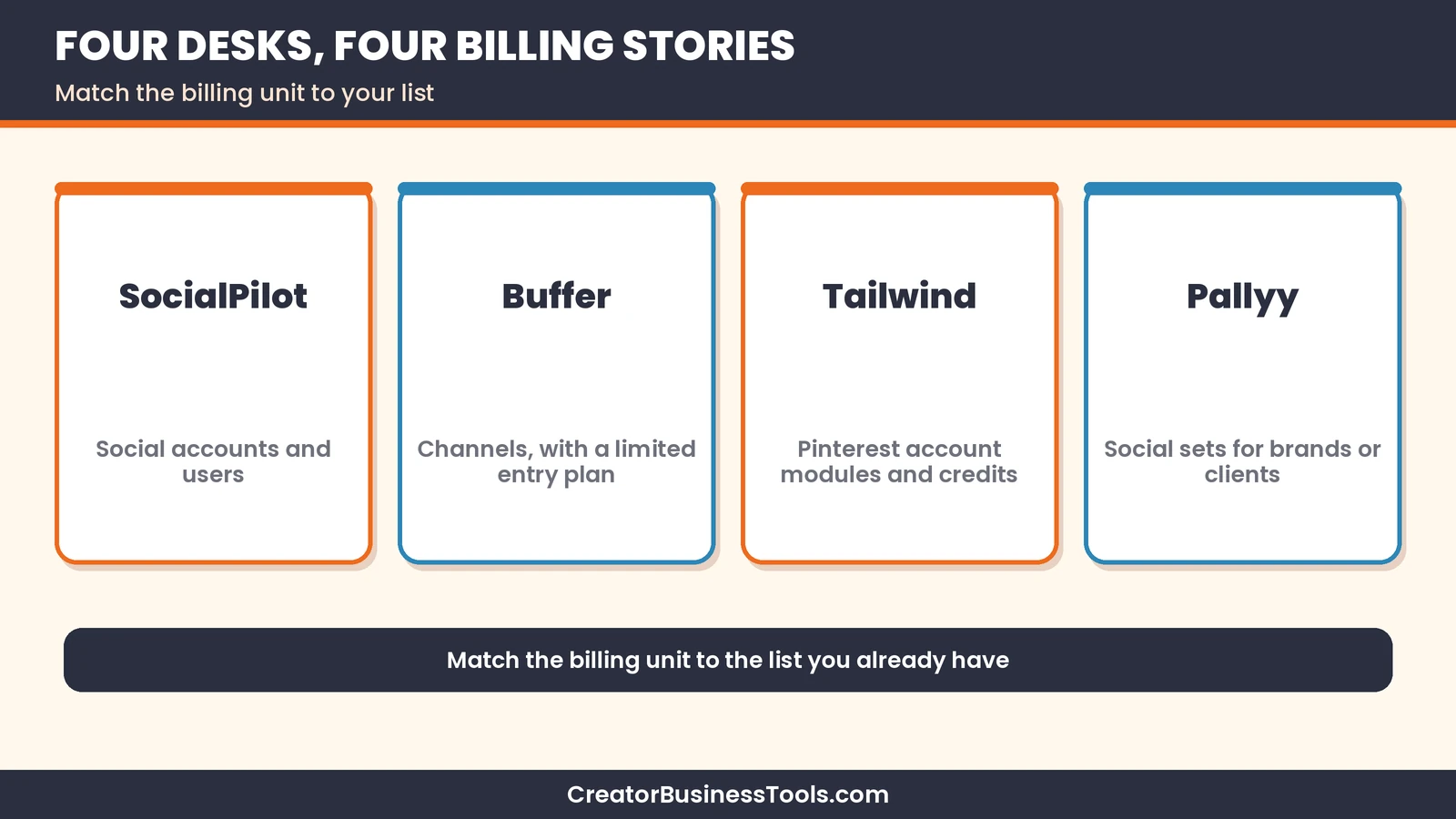
If you already compared Pallyy and Buffer on their own, the published Pallyy vs Buffer guide stays useful. This SocialPilot review adds a fourth desk that bills by social accounts and users, and that lists Pinterest among the supported networks on the global public paid plan table.
SocialPilot
What it is
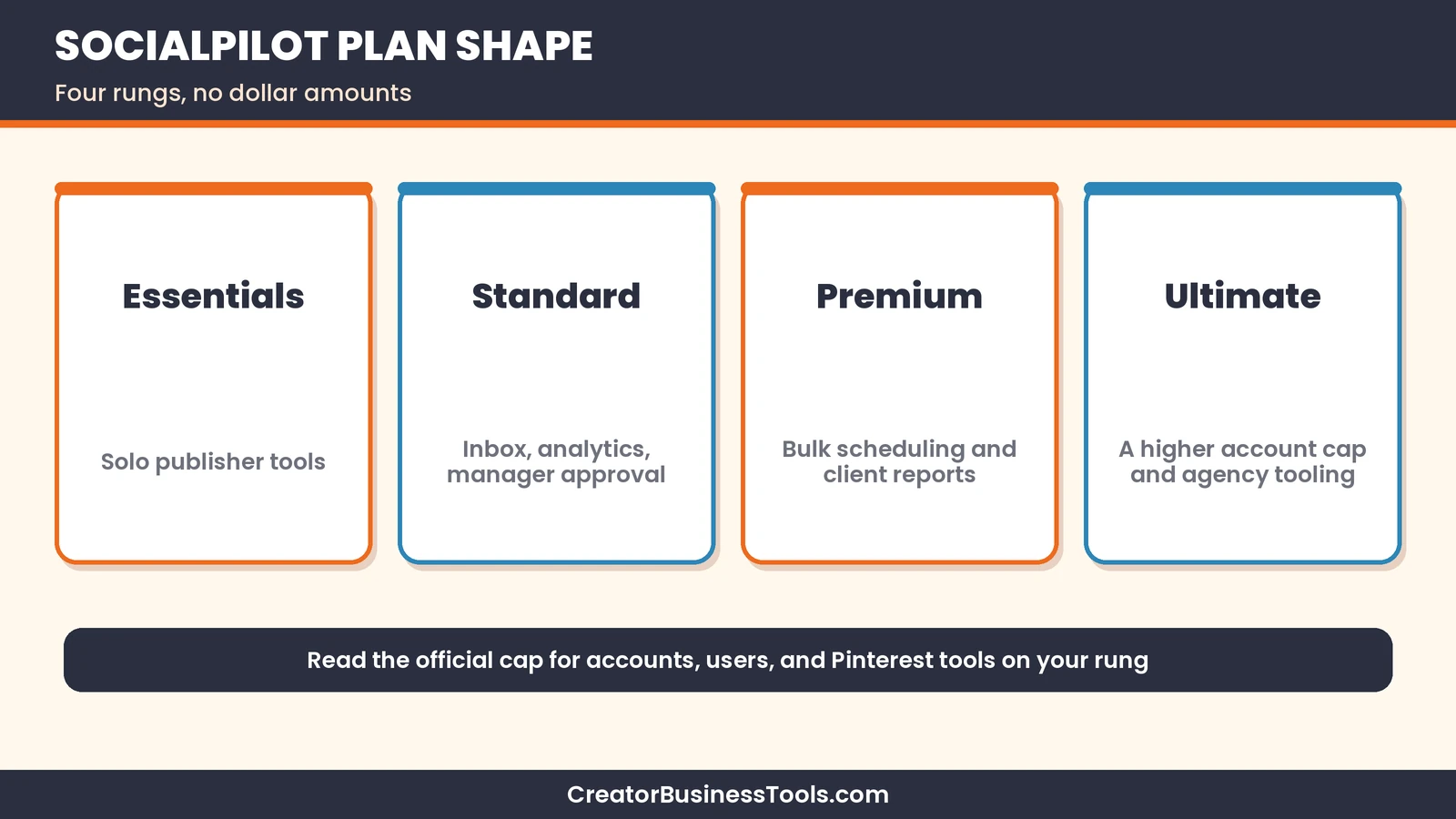
SocialPilot is a social media management platform for publishing, a calendar, a content library, and, on higher rungs, inbox, analytics, approvals, and client tools. Official pricing pages list four paid public rungs — Essentials, Standard, Premium, and Ultimate — plus an enterprise path. Official materials also list Pinterest among the supported networks.
The first rung is built for a solo publisher: a small account cap, one user, a content library, a calendar, and platform-specific posts. Analytics, Social Inbox, and approval workflows begin on the mid rung. Bulk scheduling, CSV upload, client management, and white-label reports begin on the next rung. The high rung raises the account cap again and adds unlimited users, among other agency tools.
Pros of SocialPilot
- Official pages include Pinterest on the paid plan family, not as a later add-on story
- The account-and-user ladder is written in plain numbers
- A content library, calendar, and platform-specific posts are present from the first paid rung
- Higher rungs add the client and report tools agencies usually look for
- Official help describes Pinterest fields such as title, description, alt text, and a destination URL
Cons of SocialPilot
- There is no official lasting free plan to sit on; the public ladder is paid
- Analytics and inbox are not on the first rung
- Bulk scheduling is reserved for higher rungs, even though official Pinterest pages mention a large bulk cap
- I did not run a live Pin through the composer for this review
Buffer
What it is
Buffer is a per-channel scheduler with a free plan and two widely listed paid rungs, Essentials and Team. Official pricing is based on how many channels you connect. The free plan caps both the number of channels and the number of scheduled posts per channel. Paid rungs lift the queue cap and add analytics and, on the Team rung, more collaboration tools.
Official pages list Pinterest among supported channels, including automatic publishing for Pinterest business accounts. Buffer is still a general social desk. If you want a deeper Pinterest-only workflow, a specialist tool may sit beside it. For a broader creator-week comparison of Buffer and Later, the published Best Social Media Scheduler for Creators guide is the closer match.
Pros of Buffer
- A free plan with limits exists for a first, small queue
- You can add or remove channels without buying a large account bundle
- Official pages describe a simple publishing calendar and a per-channel mental model
- Pinterest is a supported channel on the official network list
Cons of Buffer
- Paid rungs bill each channel, which can add up when many profiles are connected
- It is not a Pinterest-specialist desk
- Team approvals sit on the higher paid rung
- I did not test a Buffer Pin publish path for this guide
Tailwind
What it is
Tailwind is a Pinterest-first product family. Official help describes three current tools you can buy on their own or as a bundle: Pin Scheduling and Creation, Pinterest SEO, and Pinterest Engagement. Plans are priced per Pinterest account. Scheduling uses a monthly credit allowance, and scheduling a Pin spends a credit.
This is the opposite shape of SocialPilot. Tailwind goes deep on Pinterest. SocialPilot spreads a calendar across many networks, with Pinterest as one of the official channels. If you want a standalone Tailwind review, the published Tailwind Review is the longer Pinterest-specialist read.
Pros of Tailwind
- Official tools are built around Pins, keywords, and Pinterest engagement
- You can buy only the Pinterest module you need
- Official help states the credit cost of scheduling a Pin in plain language
- A specialist calendar can suit a Pinterest-led content site
Cons of Tailwind
- Current official plans are for Pinterest, not a full multi-network desk
- A credit cap can shape how many Pins you schedule in a billing period
- A one-time try-out path is not the same thing as a lasting free plan
- I did not run Tailwind credits through a live calendar for this review
Pallyy
What it is
Pallyy is a social scheduler organized around “social sets,” which official materials treat as a client or brand grouping. Official pages include a free plan with limits, then Pro, Agency, and Scale rungs. The first paid rung is one set and one user. Agency and Scale rungs raise the number of sets and users, and add tools such as shared sets and custom reports.
Pallyy is a useful contrast in this SocialPilot review because it bills by client-shaped sets, not by a raw social-account cap alone. For a longer look at that model, see the published Pallyy Review.
Pros of Pallyy
- A free plan with limits exists for light use
- The set-based ladder is easy to match to one brand or several clients
- Official paid rungs include a wide publishing set, including video and carousel on paid rungs
- Agency rungs add shared sets and custom reports
Cons of Pallyy
- The free plan is tightly capped, including a modest monthly post limit
- Extra sets or users may be needed sooner than the first paid rung suggests
- It is still a general scheduler, not a Pinterest-only research desk
- I did not test a Pallyy approval path for this guide
Best-use-case recommendations
| Situation | Pick | Why |
|---|---|---|
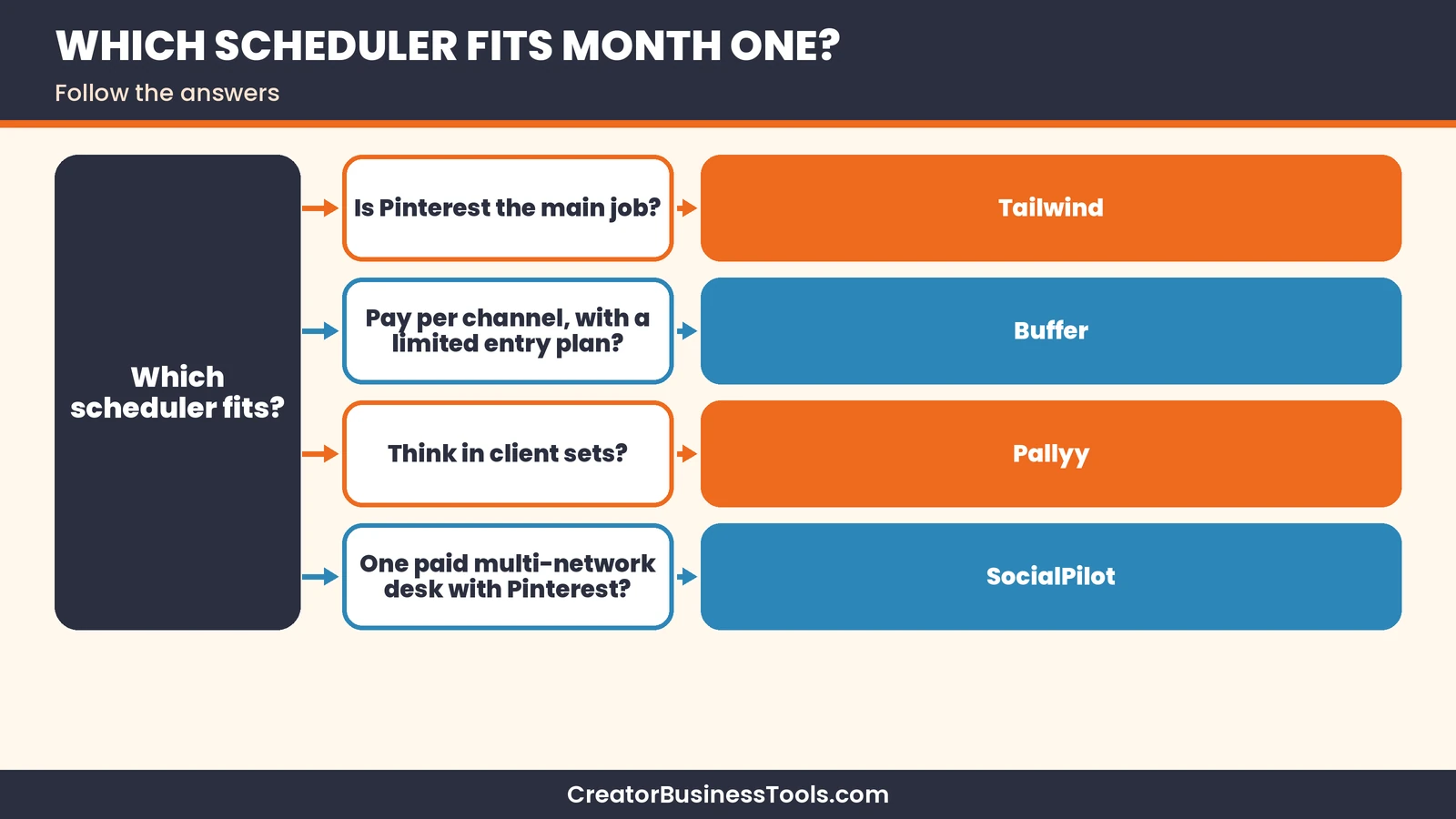
| One paid desk for many networks, including Pinterest | SocialPilot | Official Pinterest support on the paid ladder, with numbered account caps |
| A small channel list and a free plan with limits | Buffer | Official per-channel pricing and a capped free plan |
| Pinterest is the main job | Tailwind | Official Pinterest-first modules |
| You think in clients or brands, not raw account counts | Pallyy | Official social-set ladder |
| You need client approvals and white-label reports | A mid-to-high SocialPilot rung | Official client and report tools begin above the first rungs |
| You only want to connect a few channels and grow one at a time | Buffer on a paid rung | You add channels as the list grows |
Pricing structure, without the noise
SocialPilot uses four public paid rungs plus enterprise. The ladder is based mainly on social accounts, users, and which team tools are unlocked. Buffer uses a free plan, then paid rungs priced per channel. Tailwind sells Pinterest modules, or a bundle, per Pinterest account, with a monthly credit allowance. Pallyy uses a free plan with limits, then set-based paid rungs.
I am not restating dollar amounts here. Billing on these tools may be monthly or on a longer term. Read official pages when you buy, and match the cap to the profiles you already have.
When SocialPilot is a good fit
Choose SocialPilot if you want one paid calendar for several networks, and you need Pinterest to live in that same calendar. It also fits a small agency that can see, on official pages, where approvals, client seats, and reports begin.
It is a better fit when you can name your account count before you pick a rung. If you already know you need inbox or analytics, start your reading on the mid rung, not the first one.
When another desk is a better fit
Choose Buffer if you want a free plan with limits, or you want to add one channel at a time. Choose Tailwind if Pinterest is the work, and the other networks can wait or live elsewhere. Choose Pallyy if your week is organized by client sets, and you like that billing story.
Split the desks only if you have a reason. A Pinterest specialist plus a general scheduler can work. Two general schedulers for the same audience usually create a mess.
Mistakes I would avoid
- Buying a high rung before you have counted accounts and users
- Assuming bulk Pin scheduling exists on every SocialPilot rung
- Treating a Pinterest-only desk as a full-network calendar
- Ignoring official Pin fields such as alt text and the destination URL
- Treating this SocialPilot review as a quality test; I did not run one
- Connecting every network you have before one weekly calendar already works
How I would choose if I were starting from official pages
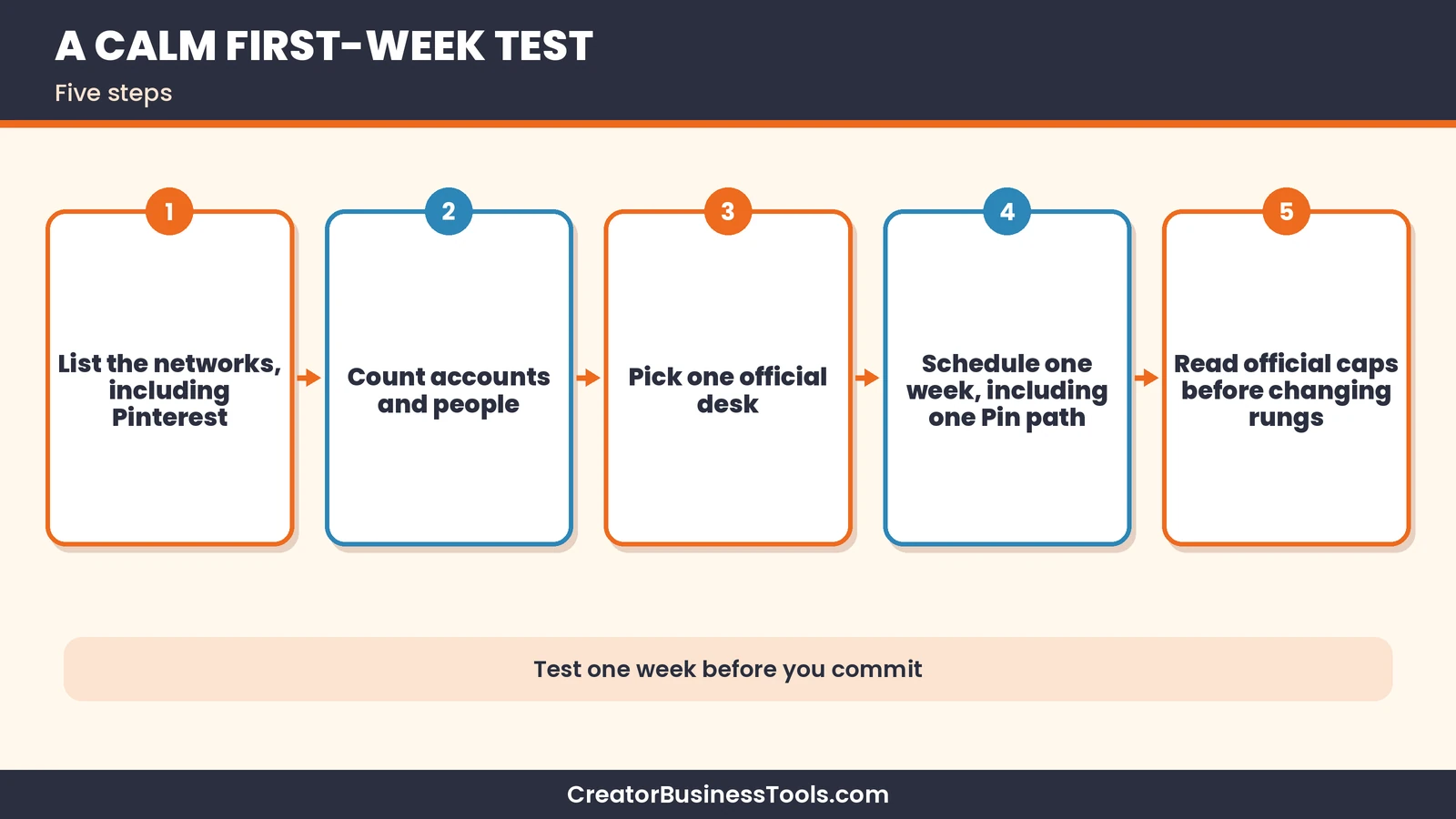
I am writing this SocialPilot review from official product, pricing, and help pages, not from a week of live publishing. If I were choosing a first desk from those pages alone, I would write the networks I need in one list, including Pinterest, then count the profiles and the people who will touch the calendar.
If that list was a mixed social week with Pins included, I would start with SocialPilot and read the official cap for the first rung that also holds any team tools I need. If the list was “a few channels, and I want a free plan with limits,” I would start with Buffer. If the list was “Pinterest first,” I would start with Tailwind. If the list was “one client set at a time,” I would start with Pallyy.
I would not install all four. I would schedule one week of posts, including one Pin path, in a single desk, then decide whether a second specialist tool is still needed.
Pinterest notes that belong in a SocialPilot review
Official SocialPilot help treats a Pin as more than an image in a queue. You pick Pinterest, choose boards, and fill Pin-specific fields. Official guidance also warns against shortened URLs on Pinterest and points you to the full destination link. Image limits are platform-specific; official SocialPilot help lists a small cap for images on a Pinterest post.
Official scheduler pages say you can post to multiple boards inside one Pinterest account without treating each board as an extra paid social account. That is a useful distinction when you compare a tool that bills by social accounts with a tool that bills by channels or by Pinterest accounts.
Bulk scheduling is a separate question. Official marketing mentions a large bulk cap, but official plan tables place bulk scheduling and CSV upload on higher rungs. If a month of Pins is the reason you are looking, confirm that the rung you pick includes that tool.
Team tools, inbox, and reports
A solo publisher can live on a first rung if the official account cap is enough and the calendar is the main job. A small team should look earlier at approvals. Official SocialPilot pages put manager approval on the mid rung, and client approval plus white-label reports higher still.
Inbox and analytics follow the same pattern. They are official reasons to move up, not decorations. If you need them in week one, do not plan to “add them later” without reading the mid-rung list.
Buffer and Pallyy also gate some collaboration tools. Buffer’s Team rung is where official approvals live. Pallyy’s agency-shaped rungs add shared sets and custom reports. The difference is the billing unit: accounts and users, channels, or client sets.
What official pages will not decide for you
Official pages will not tell you whether your Pins will hold attention, or whether your team will actually use an approval queue. They will tell you the cap, the supported network list, and which tools sit on which rung.
This SocialPilot review stays inside that official map on purpose. A feature list is not a performance test. If a vendor page uses strong language about results, treat it as marketing, and go back to the plan table.
Questions to confirm on official pages
- Account, user, and client-seat caps on the rung you may buy
- Whether the Pinterest composer includes the fields you need
- Which Pin types the official help lists for your rung
- Where analytics, inbox, approvals, and bulk scheduling begin
- How Buffer channels, Tailwind credits, or Pallyy social sets would count your real list
- Whether you want one desk or a Pinterest specialist plus a general calendar
My honest take
The most useful way to read this SocialPilot review is by first week, not by trophy. SocialPilot is the multi-network paid desk with Pinterest on the official ladder. Buffer is the per-channel desk with a free plan with limits. Tailwind is the Pinterest specialist. Pallyy is the set-based desk for client-shaped work.
I would match the week, count the profiles, then read official caps. I would not pick a tool because the homepage mentions Pinterest once. I would pick it because the official composer path and the official plan table both hold the job.
Related reading: Best social media scheduler for creators, Tailwind review, Pallyy vs Buffer.
FAQ
Is SocialPilot good for Pinterest scheduling?
Official SocialPilot pages include Pinterest as a supported network and describe a Pin composer with boards, titles, descriptions, alt text, and destination URLs. That makes it a reasonable multi-network option when Pins need to live in the same calendar as other posts. A Pinterest-only desk such as Tailwind may still fit better if Pins are the whole job.
Does SocialPilot have a free plan?
Official public pricing describes paid rungs. I am not treating a short try-out path as a lasting free plan. If you want a free plan with limits, Buffer and Pallyy both describe one on their official pricing pages.
How does SocialPilot compare with Buffer?
SocialPilot bills mainly by social accounts and users, and it groups team tools onto mid and high rungs. Buffer bills by channel and offers a free plan with limits. Both list Pinterest. The better fit depends on whether you want one account-cap ladder or a per-channel list.
Which SocialPilot plan do I need for a small team?
Start by counting profiles and people. If you need inbox, analytics, or manager approval, official pages place those tools above the first rung. If you need bulk scheduling or client reports, official pages place those higher still. Read the official table for the rung that holds the tools you will use in the first month.
Get the free scheduler-comparison checklist
Free checklist: Get our free Scheduler-Comparison Checklist — for counting accounts, checking the official Pinterest path, and comparing SocialPilot with Buffer, Tailwind, and Pallyy before you pick a desk. Contact us to request a copy.
Conclusion: a SocialPilot review verdict
This SocialPilot review comes down to a simple match. If you want one paid, multi-network calendar, and Pinterest has to live in that calendar, SocialPilot is a reasonable desk to read first. If you want a free plan with limits, start with Buffer or Pallyy. If Pinterest is the main job, start with Tailwind. Count your profiles, read official caps, and let one week of scheduled work tell you whether the desk fits.