
Tailwind Review: Is This Pinterest Scheduler Worth It?
Disclosure: This post contains affiliate links. If you buy through them, we may earn a commission at no extra cost to you. How we make money.
Pinterest is one of the few platforms where a pin can keep sending clicks to your blog or shop for months. The catch is consistency: Pinterest rewards accounts that publish fresh pins steadily, and doing that by hand is tedious.
This Tailwind review looks at what the Pinterest-focused tool actually offers, how its pricing works, and how it compares with Buffer, Later, and Pinterest’s own free scheduler. It is based on Tailwind’s official pricing and feature pages and Pinterest’s help center, not on sponsored claims.
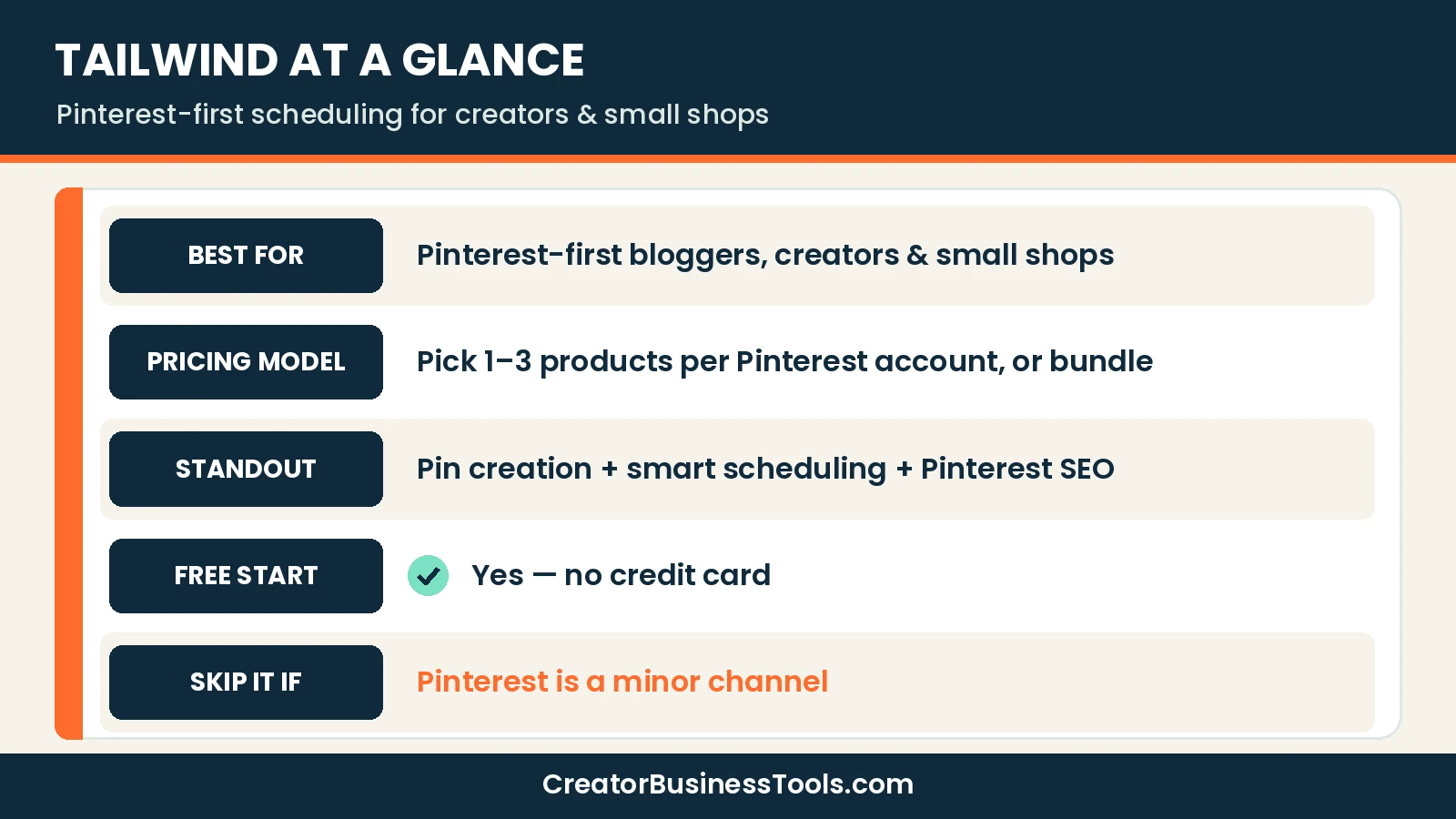
Quick verdict: Tailwind is the strongest choice if Pinterest is your main traffic channel and you want pin creation, smart scheduling, and Pinterest keyword research in one place. If you only post a few pins a week, Pinterest’s free native scheduler may be enough. If Pinterest is just one of many channels, a general scheduler like Buffer or Later is usually the better fit.
Quick picks
- Best for Pinterest-first creators: Tailwind (Pin Scheduling & Creation).
- Best for full Pinterest growth stack: Tailwind Bundle (scheduling + SEO + engagement).
- Best free option for light posting: Pinterest’s native scheduler.
- Best for multi-platform creators: Buffer or Later. See our Buffer vs Later guide.
Tailwind at a glance
| Item | What Tailwind offers |
|---|---|
| Focus | Pinterest only |
| Products | Pin Scheduling & Creation, Pinterest SEO, Pinterest Engagement |
| Pricing model | Per Pinterest account; buy one product or the bundle |
| Price tier | $$ per product; bundle is the best value if you want all three |
| Credits | Each product includes monthly credits; extra credits can be bought |
| Free start | Yes, no credit card required |
| Contract | Monthly (cancel anytime) or annual (billed upfront, cheaper) |
What is Tailwind?
Tailwind is a Pinterest marketing tool. Unlike all-in-one social schedulers, it focuses on one platform and splits its features into three products you can mix and match.
That design matters for small budgets. You can start with scheduling alone, then add keyword research or engagement tools only when your Pinterest strategy needs them.
Tailwind features: the three products
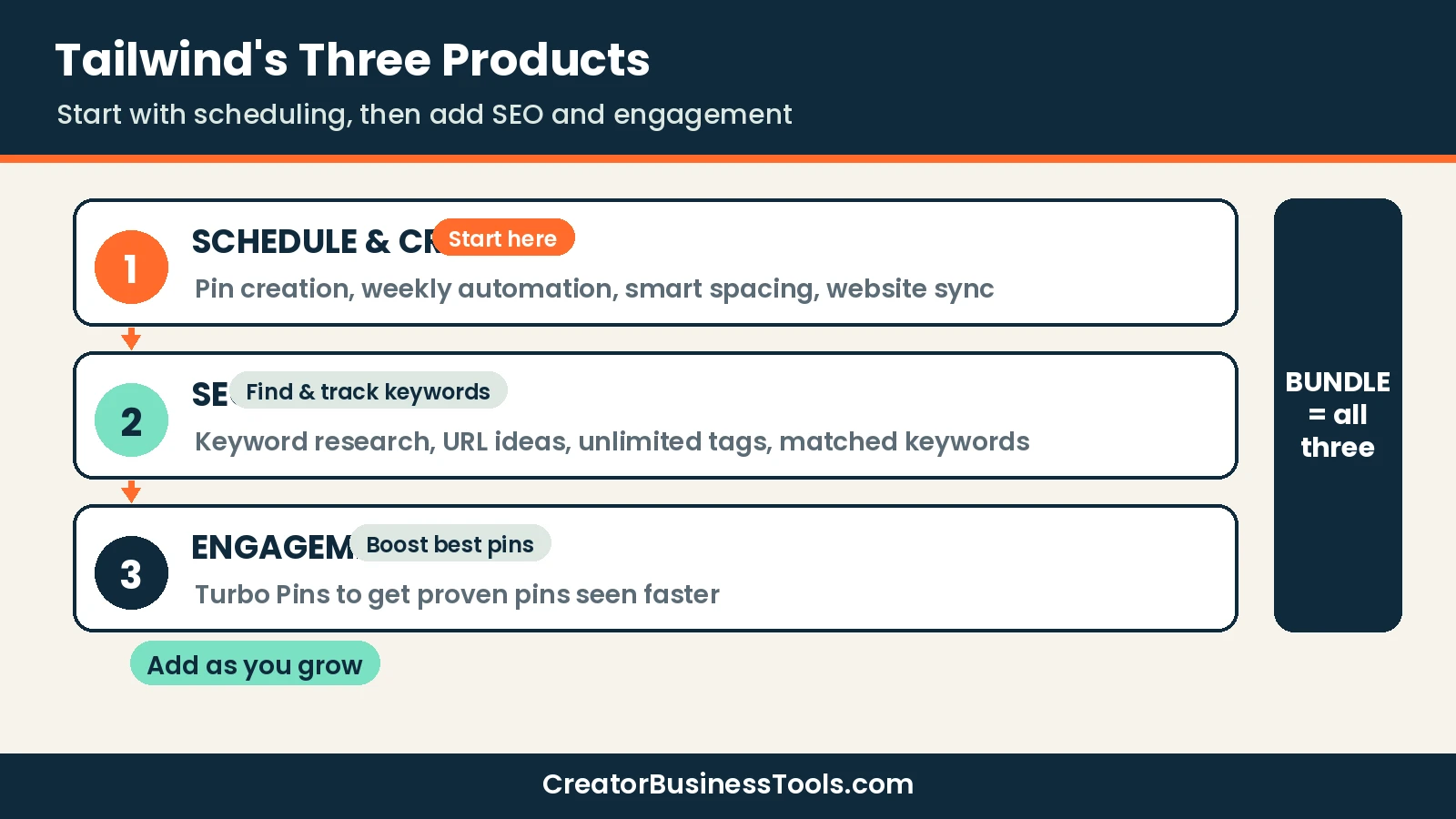
1. Pin Scheduling & Creation
This is the core product and the one most creators start with. According to Tailwind’s pricing page, it includes:
- Pin creation and AI-written pin copy (“creates and writes Pins for you”)
- Automated weekly pin creation
- Smart scheduling and pin spacing
- SEO-optimized pin filenames
- Website sync, so your new posts or products can feed pin ideas
- The largest monthly credit allowance of the three products
The value here is time. Instead of designing, writing, and posting each pin manually, you can batch a week or more of content in one session.
Keep in mind: Credits are a shared currency across Tailwind’s features. Heavy users may need to buy extra credits.
2. Pinterest SEO
Pinterest works like a visual search engine, so keywords in your pin titles, descriptions, and boards matter. Tailwind’s SEO product includes:
- Keyword research with related terms
- Saving and tracking the keywords you want to rank for
- Keyword ideas pulled from a URL or page on your site
- Unlimited keyword tags
- A view of which keywords Pinterest matched to your pins
This is the feature general schedulers don’t have. If you write pin descriptions by guesswork today, it’s the most strategic add-on.
3. Pinterest Engagement
The engagement product centers on “Turbo Pins,” which Tailwind describes as a way to boost your best pins and get them seen faster. Pins can be boosted for up to 90 days.
Keep in mind: This is the least essential product for beginners. Get your publishing rhythm and keywords right first.
Tailwind pricing explained
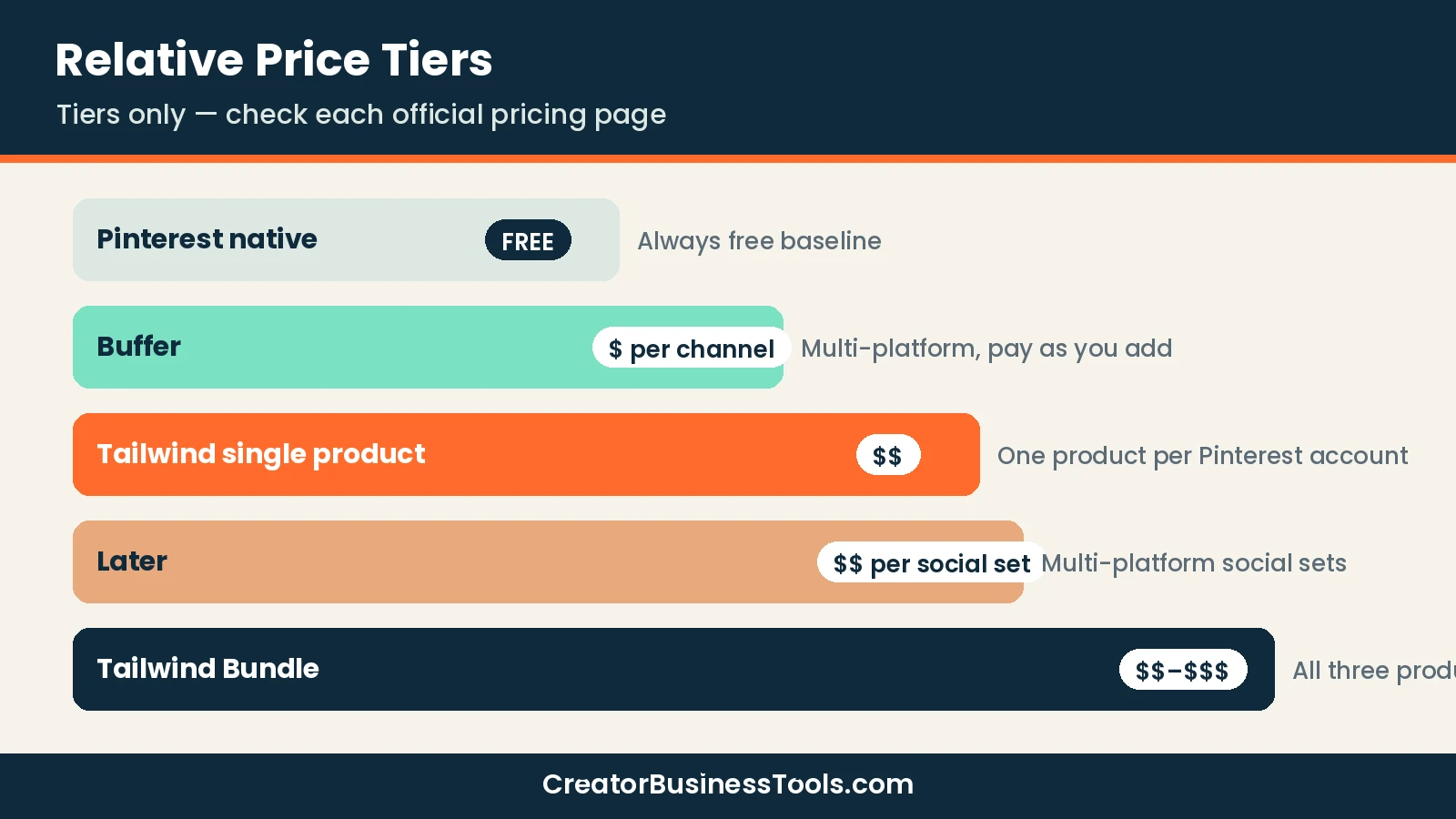
Tailwind prices each product separately, per Pinterest account. You can pay monthly or annually, and annual billing is noticeably cheaper.
| Option | Price tier | Who it’s for |
|---|---|---|
| Free start | Free | Trying the workflow before paying |
| Pin Scheduling & Creation | $$ | Most bloggers and shops |
| Pinterest SEO | $ to $$ | Creators who want keyword data |
| Pinterest Engagement | $ to $$ | Accounts with proven pins to boost |
| Bundle (all three) | $$ to $$$ | Pinterest as a primary traffic source |
Three pricing details are worth knowing before you sign up:
- Per account: each Pinterest account needs its own plan.
- Credits: every product includes a monthly credit allowance, and you can buy more or turn on auto-refill.
- Billing: monthly plans are pay-as-you-go and can be cancelled anytime. Annual plans are billed upfront for the year.
Tailwind vs Buffer vs Later vs Pinterest’s native scheduler
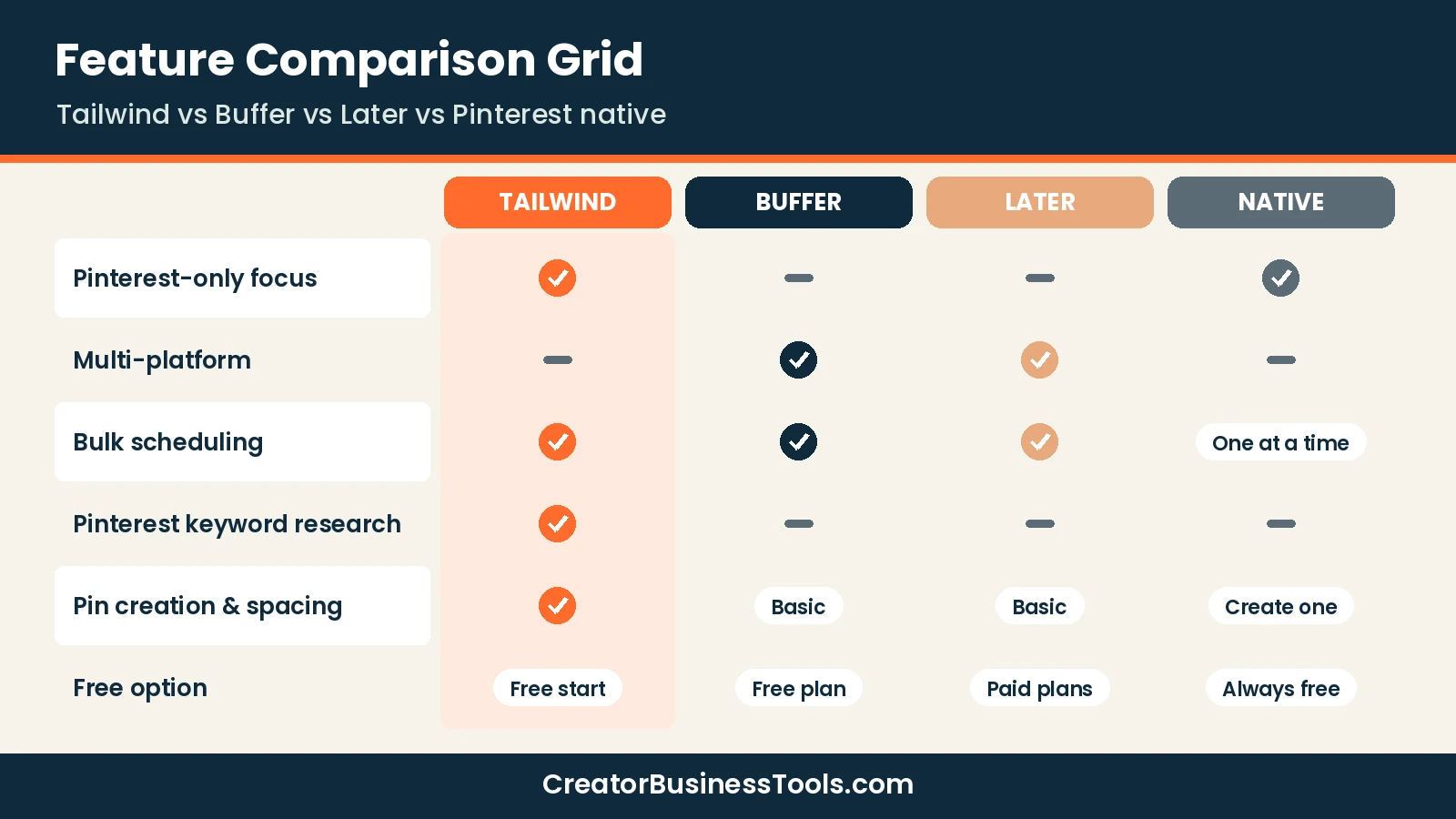
This is the comparison most readers need. Tailwind is a Pinterest specialist; Buffer and Later are multi-platform schedulers that include Pinterest; Pinterest’s own scheduler is free but basic.
| Feature | Tailwind | Buffer | Later | Pinterest native |
|---|---|---|---|---|
| Platforms | Pinterest only | Many, incl. Pinterest | Many, incl. Pinterest | Pinterest only |
| Pricing model | Per product, per account | Per channel | Per social set | Free |
| Price tier | $$ | $ | $$ | Free |
| Free option | Free start | Free plan | Free trial | Always free |
| Bulk scheduling | ✓ | ✓ | ✓ | One pin at a time |
| Scheduling limit | Credit-based | Plan-based | Plan-based | Up to 10 scheduled, 30 days ahead |
| Pinterest keyword research | ✓ (SEO product) | — | — | — |
| Pin creation tools | ✓ | Basic | Basic | Create one pin at a time |
Pinterest’s native scheduler: the free baseline
According to Pinterest’s help center, a business account can schedule standard pins up to 30 days in advance. You schedule one pin at a time and can have up to 10 pins scheduled at once.
After scheduling, you can edit the publish date, title, board, description, and link, but not the image or video. That’s fine for a handful of pins a week, but it won’t support a batch workflow.
Best for: new accounts posting a few pins weekly.
Not ideal for: anyone batching a month of content.
Buffer and Later: when Pinterest is one channel of many
Buffer charges per channel and has a free plan. Later charges per “social set,” which includes one profile each on several platforms, including Pinterest. Both are solid if you also post to Instagram, TikTok, or LinkedIn.
We cover them in depth in our Buffer vs Later comparison, so we’ll keep it short here. The key difference from Tailwind: neither offers Pinterest-specific keyword research.
Tailwind: when Pinterest drives your traffic
If most of your blog visits or shop sales start on Pinterest, a specialist tool earns its cost. Tailwind combines creation, spacing, and keyword work, which are the three jobs that take the most time on the platform.
Tailwind review: pros and cons
| Pros | Cons |
|---|---|
| Built only for Pinterest, with depth general tools lack | No other platforms; you may need a second tool |
| Mix-and-match products keep costs flexible | Credit system adds a layer to budget for |
| Pinterest keyword research and tracking | Bundle costs more than general schedulers |
| Free start, no credit card | Plans are per Pinterest account |
| Monthly plans cancel anytime | Annual savings require paying upfront |
Keep in mind: Tailwind’s value depends on Pinterest being a real traffic source for you. If it isn’t yet, start with the free options.
Best for: food, DIY, home, travel, and craft bloggers, plus small shops with visual products.
Not ideal for: creators who mainly post short video on Instagram or TikTok.
Before you sign up
- Plans are per Pinterest account. Managing several accounts multiplies the cost.
- Credits are included each month, but heavy automation can use them up. Check your usage in the first month.
- Free-plan limits can change. Check the current limits on Tailwind’s pricing page before you rely on them.
- Tailwind is Pinterest-only. If you need Instagram or TikTok scheduling, budget for another tool.
Who should use Tailwind?
Tailwind fits best when three things are true:
- ✅ Pinterest already sends meaningful traffic, or you’re committed to building it.
- ✅ You publish new blog posts or products regularly that can become pins.
- ✅ You want to batch-create pins instead of posting daily by hand.
If you tick only one box, start with Pinterest’s native scheduler or a free Buffer plan. You can always upgrade once the channel proves itself.
Reader profiles
| Reader | Suggested setup | Why |
|---|---|---|
| New blogger, a few pins a week | Pinterest native scheduler | Free and enough for low volume |
| Established blogger, Pinterest is top traffic source | Tailwind Pin Scheduling & Creation | Batch creation and smart spacing save hours |
| Blogger who wants to rank pins in search | Tailwind Scheduling + SEO, or the Bundle | Keyword research guides every description |
| Small shop on Etsy or Shopify | Tailwind Scheduling with website sync | Turn product pages into pins faster |
| Creator on 4+ platforms | Buffer or Later | One dashboard for every channel |
How to choose a Pinterest scheduler
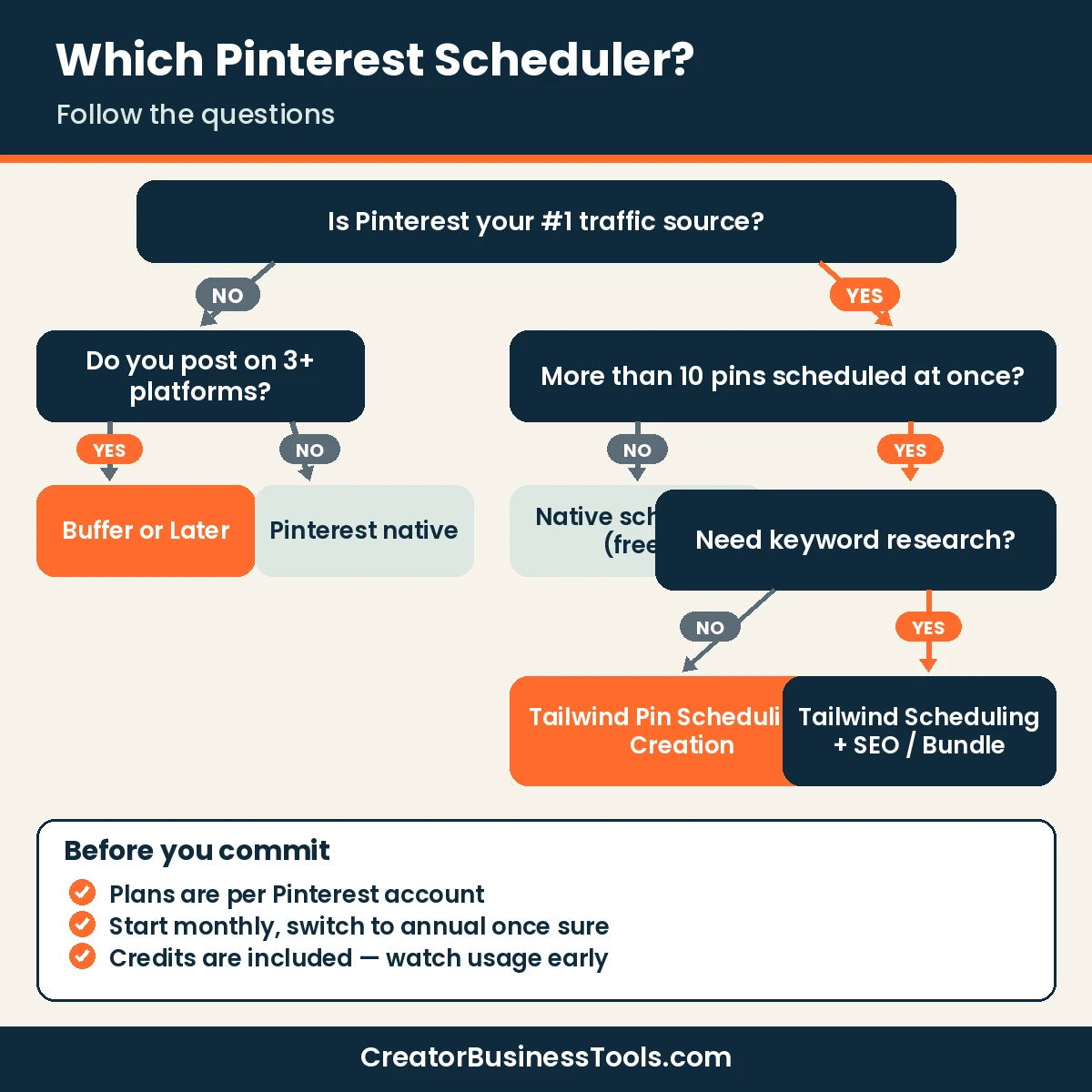
- Rank your channels. If Pinterest is your top source of clicks, a Pinterest specialist makes sense.
- Count your pins. If you need more than 10 pins in the queue at once, the native scheduler won’t keep up.
- Decide on keywords. If you want data behind your pin titles and descriptions, add Tailwind’s SEO product.
- Count accounts. Tailwind plans are per Pinterest account; multi-account owners should price that in.
- Pick billing. Start monthly to test, then switch to annual once you know you’ll stay.
A simple weekly Pinterest workflow with Tailwind
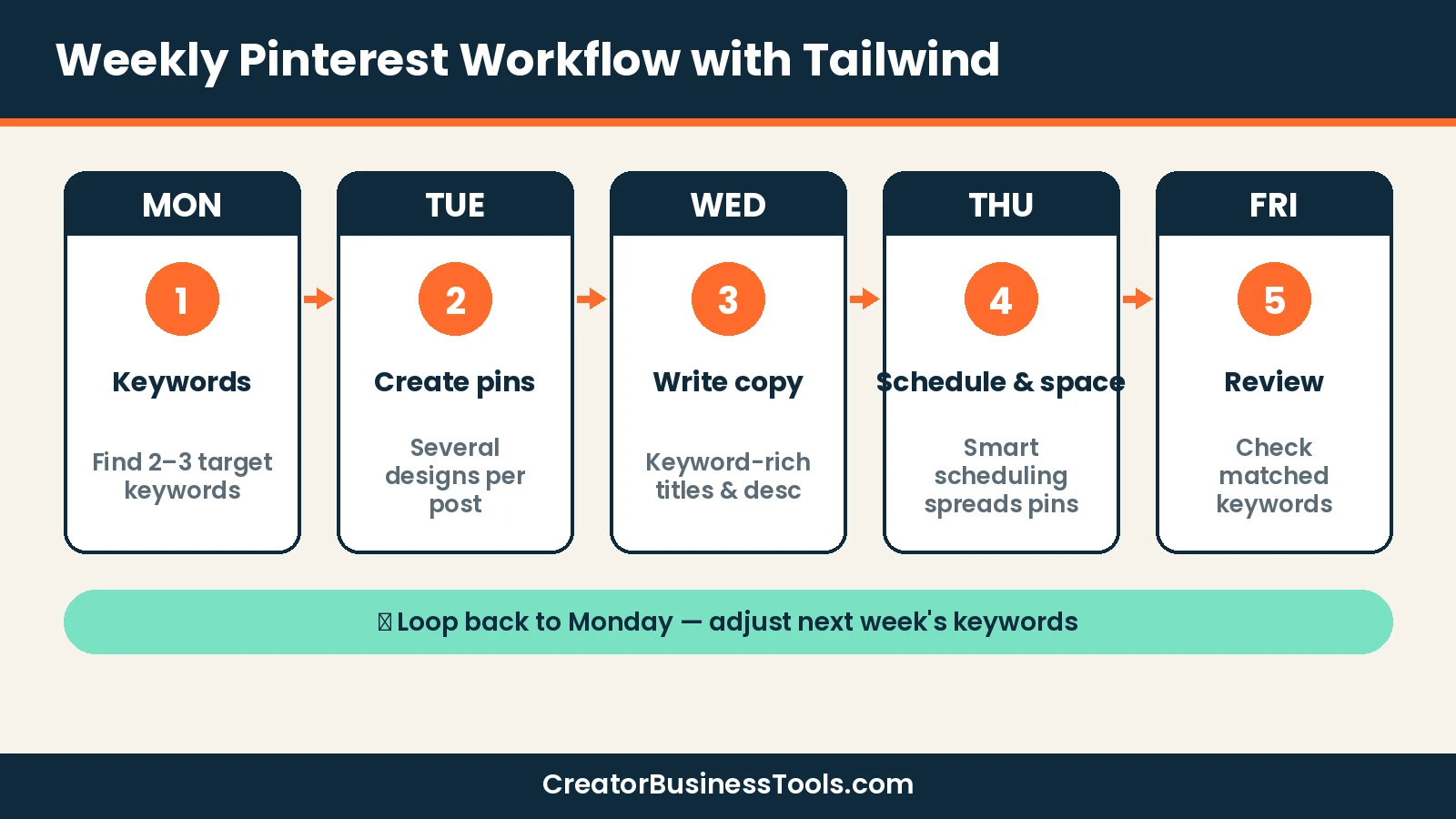
Here is a research-based workflow built around Tailwind’s documented features. Adjust the volume to your own goals.
- Monday — Keywords (SEO product): find two or three target keywords for the week’s content, using related terms or keywords from a URL.
- Tuesday — Create: generate several pin designs per new post or product, using the pin creation tools.
- Wednesday — Write: add keyword-rich titles and descriptions. Tailwind can draft copy; edit it to sound like you.
- Thursday — Schedule: let smart scheduling and pin spacing spread the pins over the coming weeks.
- Friday — Review: check which keywords Pinterest matched to your pins and adjust next week’s plan.
Pin checklist before scheduling
- ☐ Vertical image with readable text overlay
- ☐ Title that includes the main keyword
- ☐ Description written for people, with one or two related keywords
- ☐ Link points to the right post or product page
- ☐ Board chosen to match the topic
- ☐ Spacing set so the same URL isn’t pinned too often in a row
Tailwind for bloggers vs small shops
For bloggers
Bloggers benefit most from website sync and automated weekly pin creation. Every new article can become several fresh pins without opening a design tool.
Pair it with the SEO product if your niche is competitive. Food, home décor, and travel are crowded on Pinterest, and keyword data helps you find gaps.
For small shops
Shops can turn product pages into pins and schedule them around launches or seasonal demand. Because Pinterest users often search with buying intent, keyword-matched product pins are a natural fit.
Keep in mind: if you sell on Etsy or Shopify, also check those platforms’ own Pinterest integrations. Tailwind is about publishing and keyword strategy, not catalog syncing for shopping ads.
Getting started with Tailwind in five steps
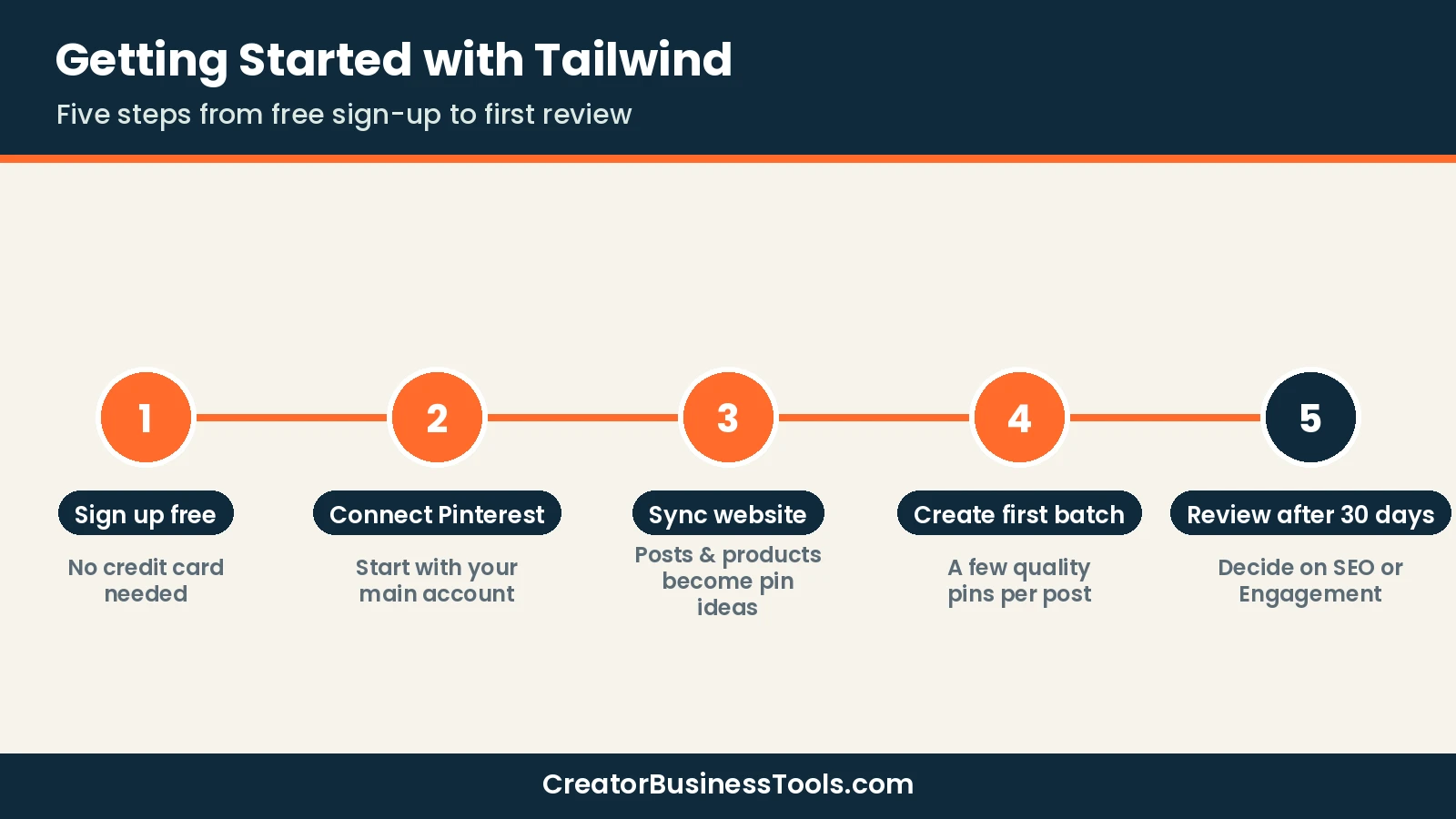
- Sign up free. Tailwind lets you start without a credit card, so you can connect your account and explore before paying.
- Connect your Pinterest account. Remember that plans are per account, so start with your main one.
- Sync your website. This lets Tailwind pull your posts or products as raw material for pins.
- Create your first batch. Aim for a small set of pins per post rather than dozens; quality beats volume when you’re learning.
- Review after a month. Look at which pins earned clicks and which keywords Pinterest matched, then decide whether to add the SEO or Engagement product.
Is a Pinterest-only tool a smart investment?
A specialist tool can feel like a luxury when general schedulers cover several platforms at once. The question is where your results come from.
Pinterest content tends to have a long shelf life compared with fast-moving feeds. A pin that ranks for a search term can keep sending visitors long after it’s published. That makes time spent on keywords and fresh pin designs more valuable than on platforms where a post fades in a day.
On the other hand, a Pinterest-only tool earns nothing on the days you post to Instagram or TikTok. If you split your time evenly across platforms, one general scheduler is likely the better use of a small budget.
A quick cost-of-time check
Before paying, estimate how long you spend each week on Pinterest tasks:
| Task | Done by hand | With Tailwind |
|---|---|---|
| Designing pins | One at a time in a design app | Batch creation from your posts |
| Writing descriptions | From scratch | AI-drafted copy you edit |
| Choosing keywords | Guesswork or manual search | Keyword research and tracking (SEO product) |
| Posting | One pin at a time, 10 in the queue max | Smart scheduling with pin spacing |
If those tasks take several hours a week and Pinterest is a top traffic source, a $$ tool that cuts that time is easy to justify. If they take an hour or less, stay with the free scheduler for now.
Common mistakes to avoid
- Buying the bundle on day one. Start with scheduling; add SEO when you’re ready to act on keyword data.
- Ignoring credits. Check usage after the first few weeks so you don’t run short mid-month.
- Pinning the same image repeatedly. Pinterest favors fresh pins; create new designs for the same URL instead.
- Skipping descriptions. Even the best scheduler can’t rank a pin with no keywords.
- Paying for one tool per platform. If Pinterest is small for you, a multi-platform scheduler is cheaper overall.
FAQ
Is Tailwind free?
You can start using Tailwind for free with no credit card. Paid products unlock the full scheduling, SEO, and engagement features. Check the pricing page for the current free-plan limits.
Is Tailwind worth it?
It’s worth it if Pinterest is a major traffic source and you want to batch your work. If you post only a few pins a week, Pinterest’s native scheduler may be all you need.
Can I schedule pins on Pinterest without Tailwind?
Yes. Pinterest lets business accounts schedule standard pins up to 30 days ahead, with up to 10 pins scheduled at a time, one pin at a time.
Tailwind vs Buffer: which is better for Pinterest?
Tailwind goes deeper on Pinterest with pin creation, spacing, and keyword research. Buffer is simpler and covers many platforms with per-channel pricing. Choose Tailwind for Pinterest depth, Buffer for breadth.
Can I buy only one Tailwind product?
Yes. Each product can be purchased on its own, or you can buy all three as a bundle.
Can I cancel Tailwind anytime?
Yes. Monthly plans can be cancelled anytime, and you keep access until the end of the current billing period. Annual plans are billed upfront.
What are Tailwind credits?
Credits are Tailwind’s usage currency. Each product includes a monthly allowance, with Pin Scheduling & Creation including the most. If you run out, you can buy more credits or turn on auto-refill, so it’s worth watching your balance during the first month.
Does Tailwind work with multiple Pinterest accounts?
Plans are per Pinterest account, so each account needs its own plan.
Bottom line
Tailwind is a focused, flexible tool for creators who treat Pinterest as a serious traffic channel. Its mix-and-match pricing lets you start with scheduling and add keyword research or engagement later.
If Pinterest is a side channel, use Pinterest’s free scheduler or a multi-platform tool like Buffer or Later. But if your blog or shop grows through pins, Tailwind is the specialist worth trying first.
Related guides: Pin Generator Review · Pin Generator vs Tailwind · Pallyy Review