
ActiveCampaign vs Mailchimp: Which Email Tool Fits a Growing Creator Business?
Disclosure: This post contains affiliate links. If you buy through them, we may earn a commission at no extra cost to you. How we make money.
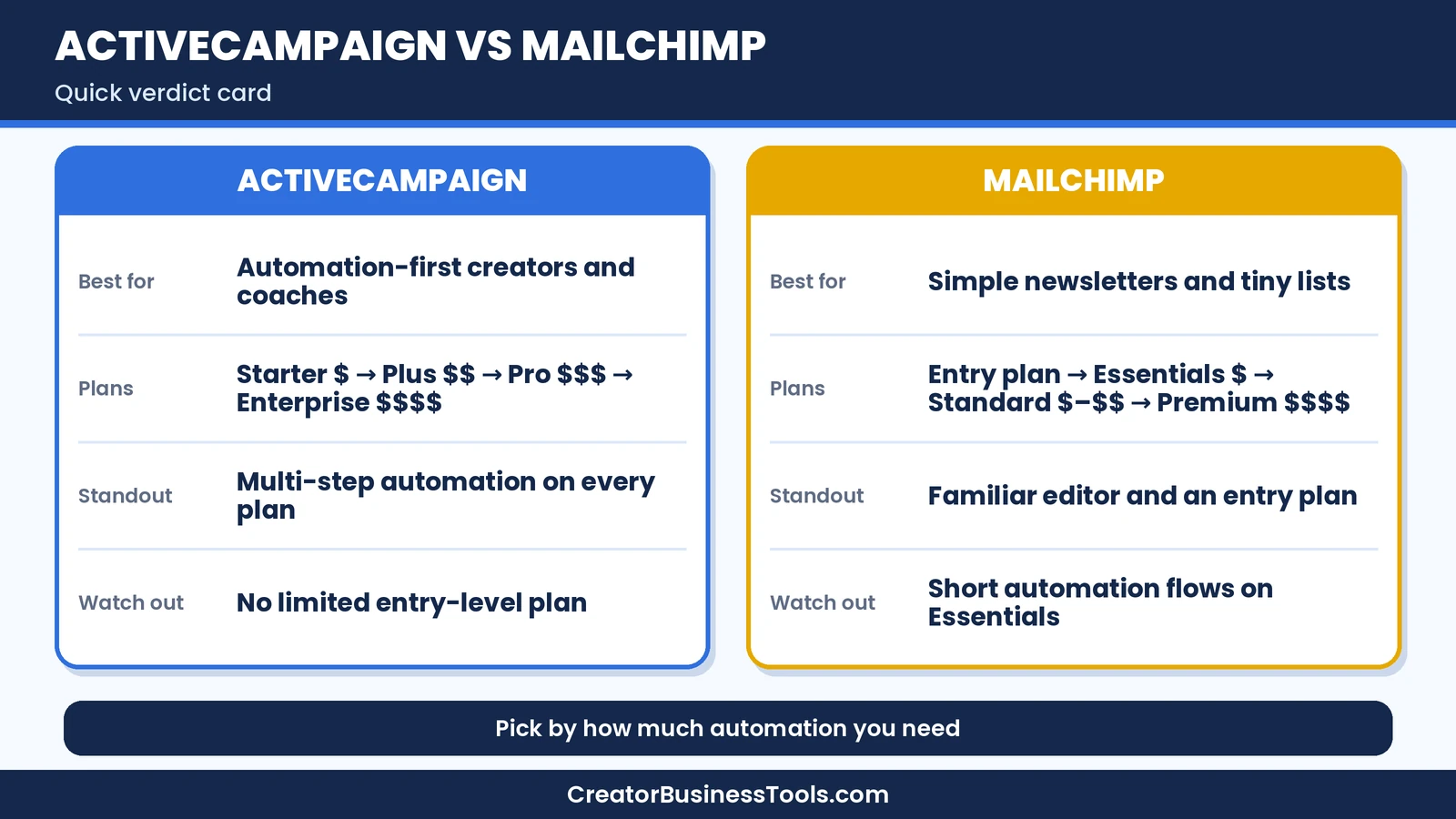
This ActiveCampaign vs Mailchimp comparison is for creators, coaches, and small online businesses deciding which email platform to grow with. Both tools send newsletters, build sign-up forms, and run automations, but they are built around different ideas. Mailchimp starts with an easy campaign editor and a free plan for very small lists. ActiveCampaign starts with automation and puts multi-step workflows on every paid plan.
We compared the two using their official pricing and feature pages, not a deliverability test. Below you’ll find a quick verdict, a plan-by-plan breakdown in price tiers, a feature table, and a simple way to decide.
Quick verdict: Choose ActiveCampaign if automations, tagging, and behavior-based follow-ups are central to how you sell, because even its entry plan includes multi-step automation and hundreds of ready-made recipes. Choose Mailchimp if you want a free plan with limits, a familiar campaign editor, and simple newsletters first, with deeper automation available on its higher plans.
Quick picks
- Best for automation-heavy funnels: ActiveCampaign Plus, with cross-channel automation, landing pages, and generative AI.
- Best low-tier entry for automations: ActiveCampaign Starter, which already includes multi-step automation and automation recipes.
- Best free plan with limits: Mailchimp Free, for a very small list and basic campaigns.
- Best for simple newsletters with light automation: Mailchimp Essentials or Standard.
- Best for teams that want phone support from an email tool: Mailchimp Premium, or compare our AWeber review for a beginner tool with phone help.
ActiveCampaign vs Mailchimp at a glance
| Item | ActiveCampaign | Mailchimp |
| Core idea | Automation-first email marketing and CRM | Campaign-first email marketing |
| Plans | Starter, Plus, Pro, Enterprise | Free, Essentials, Standard, Premium |
| Free plan | No | Yes, for a very small list |
| Pricing model | By contacts, rises with list size | By contacts, rises with list size |
| Entry price tier | \$ | Free, then \$ |
| Automation on entry paid plan | Multi-step automation | Short flows (limited steps) |
| Sending limit | A multiple of your contact limit, higher on upper plans | A multiple of your contact limit, higher on upper plans |
| Landing pages | Plus and above | Available (see plan details) |
| Integrations | 1,000+ apps | 300+ apps |
| Support | Email and chat; priority on Pro and Enterprise | Email and chat on paid plans; phone on Premium |
What is ActiveCampaign?
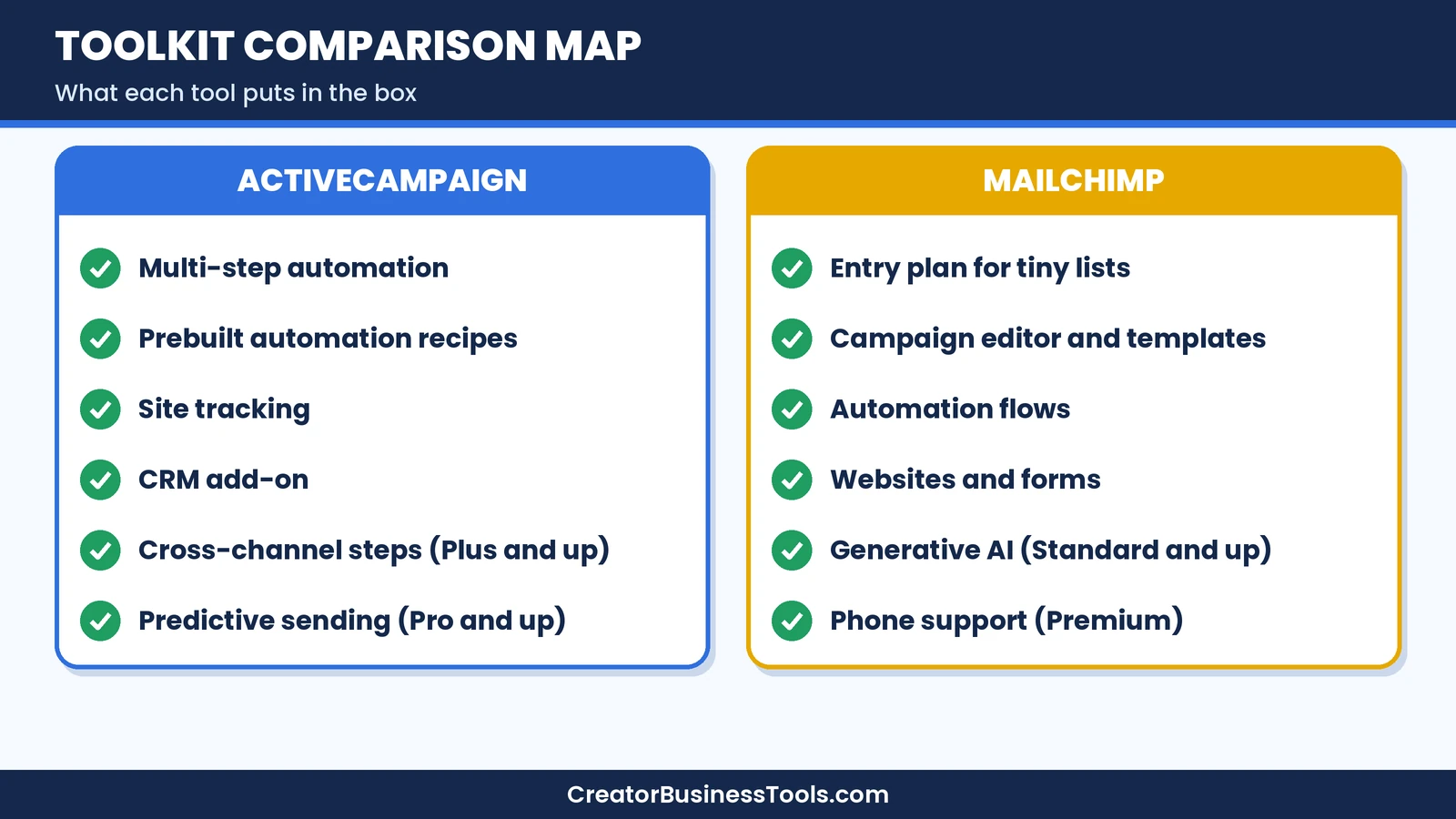
ActiveCampaign is an email marketing and automation platform with built-in CRM features. Its pricing page describes four plans, Starter, Plus, Pro, and Enterprise, all priced by the number of contacts you store.
The difference from many newsletter tools is where automation sits. ActiveCampaign lists multi-step marketing automation and AI-powered automation and campaign builders on its Starter plan, plus 950+ automation recipes you can start from. That means a welcome series, a tag-based follow-up, or an abandoned-cart reminder is part of the toolkit from the first paid rung.
Higher plans add more channels and intelligence. Plus adds cross-channel marketing, landing pages and site messages, and generative AI for content and images. Pro adds predictive sending, conditional content, advanced segmentation, and attribution. Enterprise adds single sign-on, HIPAA support, custom objects, and premium CRM integrations.
What is Mailchimp?
Mailchimp is one of the most familiar email marketing platforms for small businesses. Its marketing plans are Free, Essentials, Standard, and Premium, also priced by contacts.
Mailchimp’s strength is approachability. The Free plan lets you build a small list and send basic campaigns, and paid plans unlock scheduling, the full template library, and removal of Mailchimp branding. Its marketing automation flows start on Essentials with short flows and expand on Standard and Premium to long, branching flows.
Standard also adds generative AI tools (Intuit Assist), custom-coded templates, branded templates, custom reports, dynamic content, and predictive segmentation. Premium adds unlimited seats and audiences, phone and priority support, and dedicated onboarding.
ActiveCampaign vs Mailchimp pricing
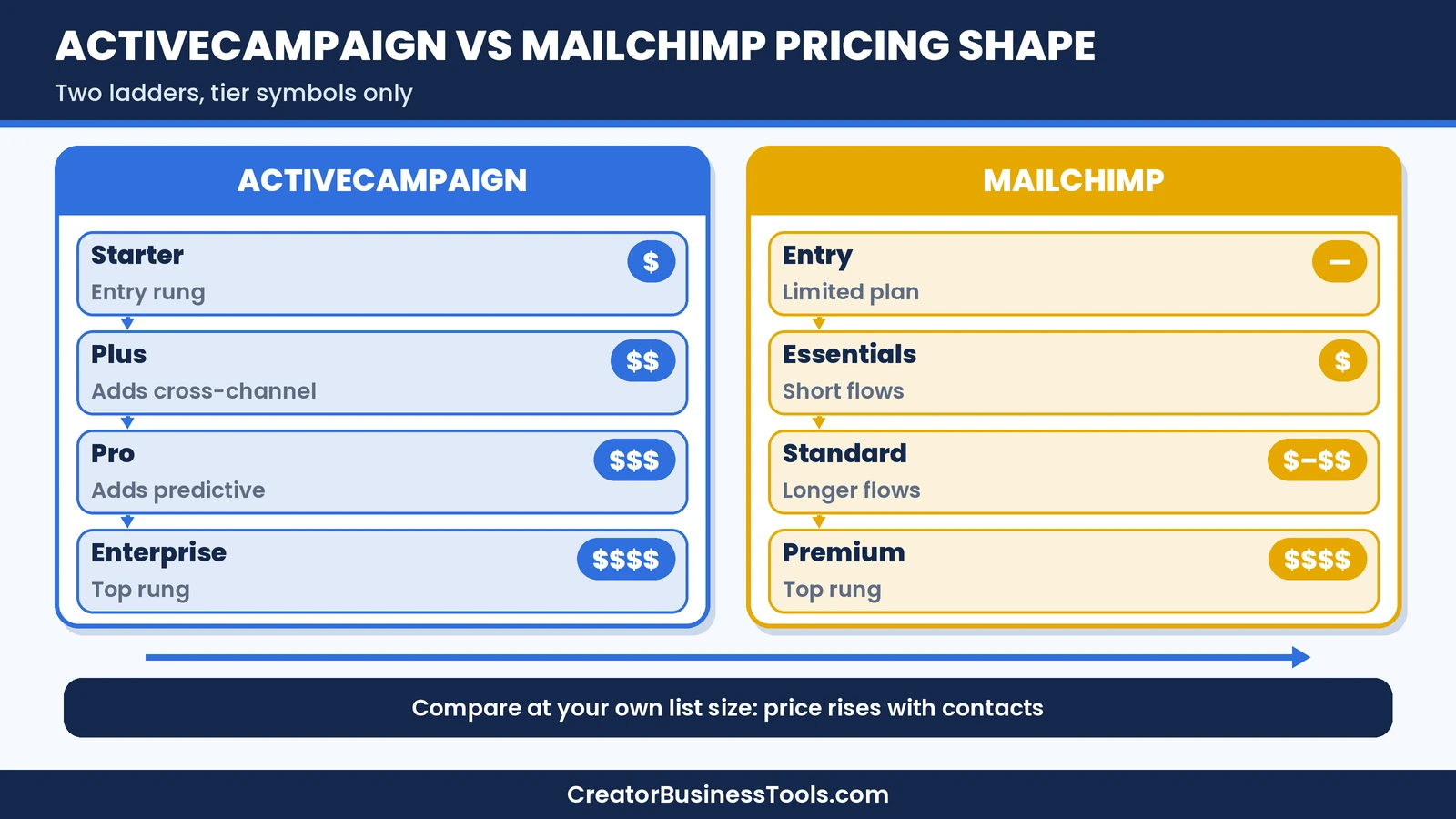
Both platforms price by contacts, so the real comparison depends on your list size. We show price tiers rather than exact figures, because both pricing pages change with contact count, billing period, and region.
| Plan level | ActiveCampaign | Mailchimp |
| Free | Not offered | Free plan for a very small list |
| Entry | Starter: \$ | Essentials: \$ |
| Growth | Plus: \$\$ | Standard: \$–\$\$ |
| Advanced | Pro: \$\$\$ | Premium: \$\$\$\$ |
| Top tier | Enterprise: \$\$\$\$ | Custom high-volume plans via sales |
How the price scales
- Contacts drive the price. Both tools move you to a higher contact tier as your list grows.
- Sending limits follow your contacts. ActiveCampaign lists sends at ten times your contact limit on Starter and Plus, twelve times on Pro, and fifteen times on Enterprise. Mailchimp lists ten times on Essentials, twelve times on Standard, and fifteen times on Premium.
- Audiences can count twice on Mailchimp. Mailchimp’s pricing page notes that a contact added to more than one audience counts toward your plan more than once, so plan your audience structure early.
- Going over a limit: Mailchimp says it bills overages if you pass your contact or sending limit. ActiveCampaign says you can move up to the next contact tier or plan without penalties or feature lockouts.
- Add-ons cost extra on both. SMS, transactional email, and some CRM features are sold separately.
Which one costs less for you?
At a very small list, Mailchimp has a free plan with limits, which no ActiveCampaign plan matches. Once you need automation, the comparison gets closer: ActiveCampaign Starter and Mailchimp Essentials both sit in a low tier, but Starter includes multi-step automation while Essentials limits each flow to a few steps.
If you plan to build several automated sequences, compare ActiveCampaign Starter or Plus against Mailchimp Standard at your own contact count. For a deeper look at ActiveCampaign’s plan ladder, see our ActiveCampaign pricing guide.
Automation: where the two differ most
Automation is the main reason people compare these tools, so it deserves a closer look.
ActiveCampaign automation
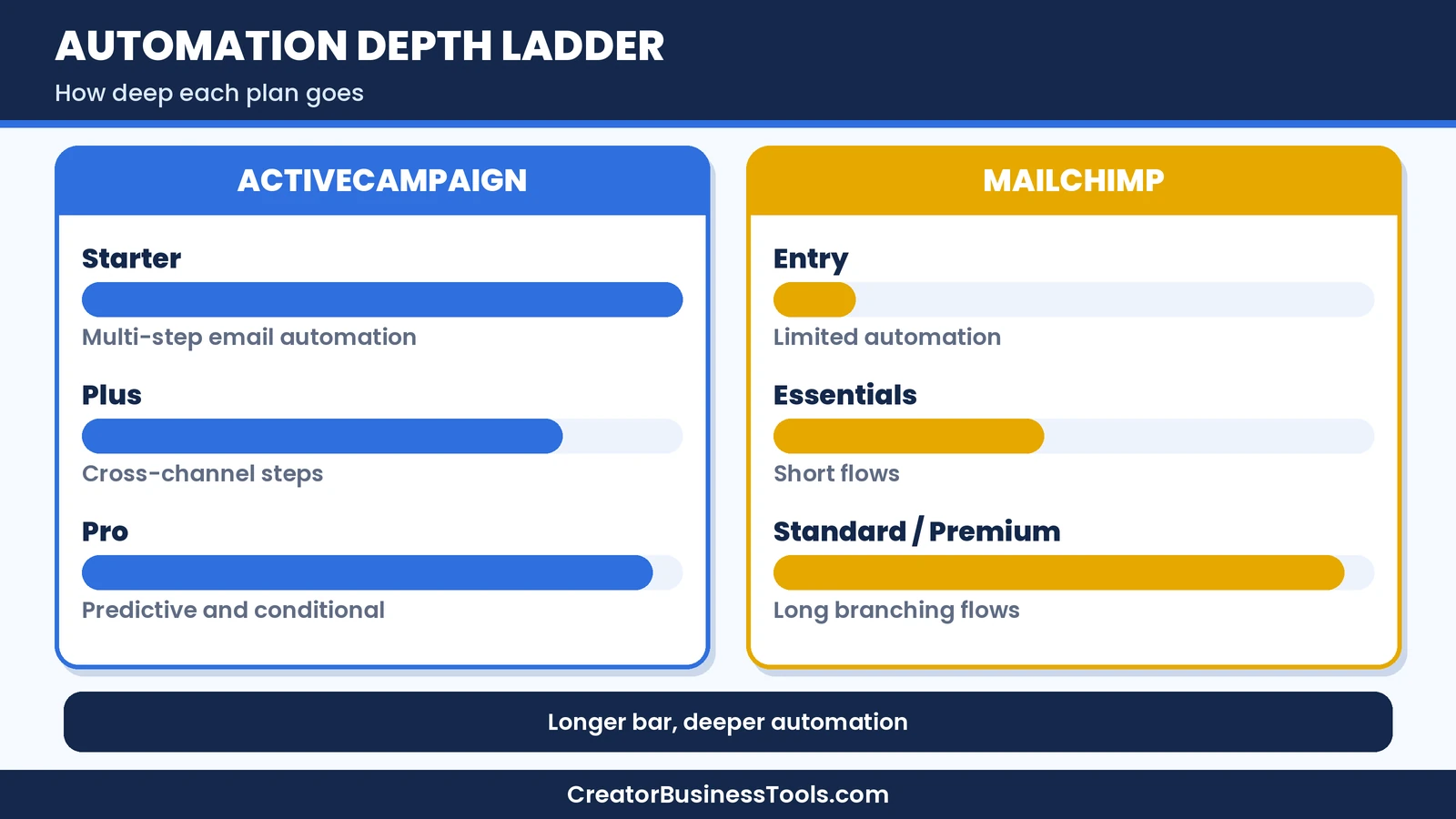
ActiveCampaign builds its product around automation. Every plan lists multi-step automation, an AI-powered automation builder, and 950+ prebuilt recipes. All plans also list site tracking, A/B testing, RSS-triggered and date-based campaigns, and abandoned cart for supported ecommerce platforms.
Starter keeps automations to email and limits the number of actions in each one, so it suits a few focused sequences. Plus opens cross-channel automation, and Pro adds predictive sending and conditional content, which tailors one email to different contacts.
Mailchimp automation
Mailchimp calls its automation feature marketing automation flows. On Essentials, flows are limited to a handful of steps, which is enough for a short welcome email or a simple follow-up. Standard and Premium raise the limit to long flows with multiple branching points, which is where Mailchimp’s automation becomes comparable to ActiveCampaign’s.
The Free plan does not include automation flows, so if automation is your goal, plan on at least a paid Mailchimp plan.
An example automation, side by side
Say a coach wants a free-guide funnel: deliver a guide, send three nurture emails, tag anyone who clicks a booking link, and notify the coach. In ActiveCampaign, that fits on Starter as an email-only sequence, and moves to Plus if you want landing pages or cross-channel steps. In Mailchimp, the short Essentials flows may not hold every step, so Standard is the more realistic plan for that funnel.
This is a hypothetical example to show how plan limits affect a common setup, not a test result.
Feature comparison
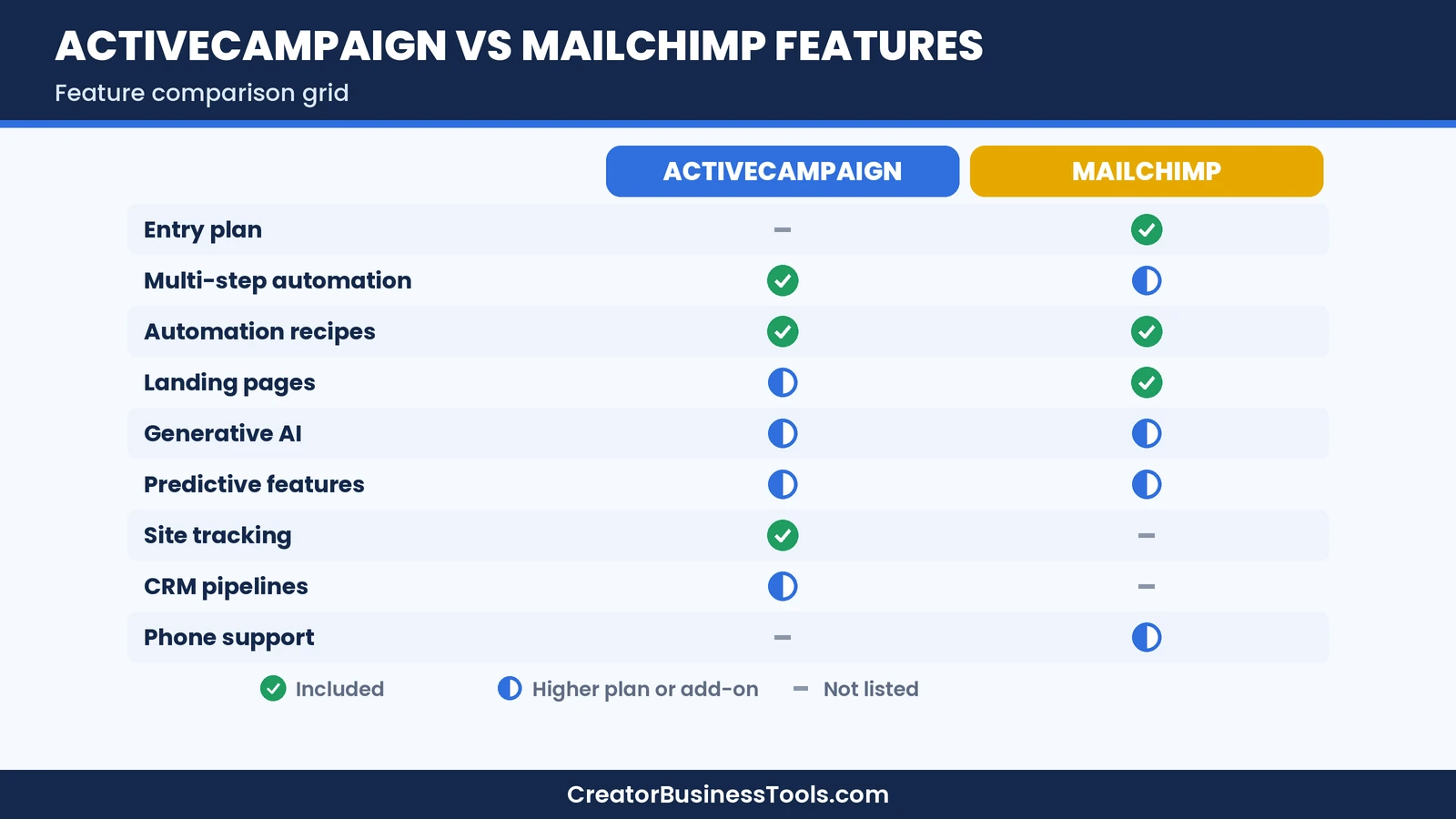
| Feature | ActiveCampaign | Mailchimp |
| Free plan | — | ✓ Very small list |
| Multi-step automation | ✓ All plans | ✓ Longer flows on Standard and Premium |
| Prebuilt automation recipes or templates | ✓ 950+ recipes | ✓ Flow templates |
| Email templates | ✓ 250+ | ✓ 100+ (limited on Free) |
| Landing pages | ✓ Plus and above | ✓ Available |
| Generative AI | ✓ Plus and above | ✓ Standard and Premium |
| Predictive features | ✓ Predictive sending on Pro and above | ✓ Predictive segmentation on Standard and Premium |
| Conditional or dynamic content | ✓ Pro and above | ✓ Standard and Premium |
| Site tracking | ✓ All plans | Not a headline feature |
| CRM pipelines | ✓ Add-on (Plus and above) | Not offered as a sales CRM |
| SMS | ✓ Add-on | ✓ Add-on in select countries |
| Integrations | ✓ 1,000+ | ✓ 300+ |
| Phone support | Not listed | ✓ Premium (English, business hours) |
When ActiveCampaign wins
ActiveCampaign is the stronger fit when your email list is a sales system rather than a newsletter. Automation on every plan, 950+ recipes, site tracking, and an optional CRM add-on make it practical for coaches, course creators, and service businesses who follow up based on what people do.
When Mailchimp wins
Mailchimp is the easier fit when you want a free plan with limits, send a regular newsletter, and grow into automation later. Its free plan with limits, familiar editor, and broad brand recognition are a straightforward fit for beginners, and Premium offers phone support for teams that want it.
For a comparison of creator-focused newsletter tools, see our GetResponse vs Kit vs MailerLite guide.
Pros and cons
| ActiveCampaign pros | ActiveCampaign cons |
| Multi-step automation on every plan | No free plan |
| 950+ automation recipes | Starter is email-only with action limits |
| Site tracking and A/B testing on all plans | Landing pages start on Plus |
| CRM add-on for sales pipelines | More settings to learn at first |
| 1,000+ integrations | Add-ons raise the total cost |
| Mailchimp pros | Mailchimp cons |
| Free plan for a very small list | Free plan has no automation flows or scheduling |
| Familiar, beginner-friendly editor | Essentials flows are short |
| Generative AI and dynamic content on Standard | Contacts in several audiences count more than once |
| Phone support on Premium | Overage billing if you pass limits |
| 300+ integrations | Price climbs steeply on Premium |
Before you sign up
- Prices depend on your contact count, billing period, and region. Check each pricing page at your own list size.
- Map your automations before choosing a plan. Step limits and channel limits differ by plan on both tools.
- On Mailchimp, keep one main audience and use tags or segments, so contacts don’t count twice.
- Add-ons such as SMS and transactional email are billed separately on both platforms.
- Only email people who opted in. Bought lists hurt deliverability on any platform.
How to choose between ActiveCampaign and Mailchimp
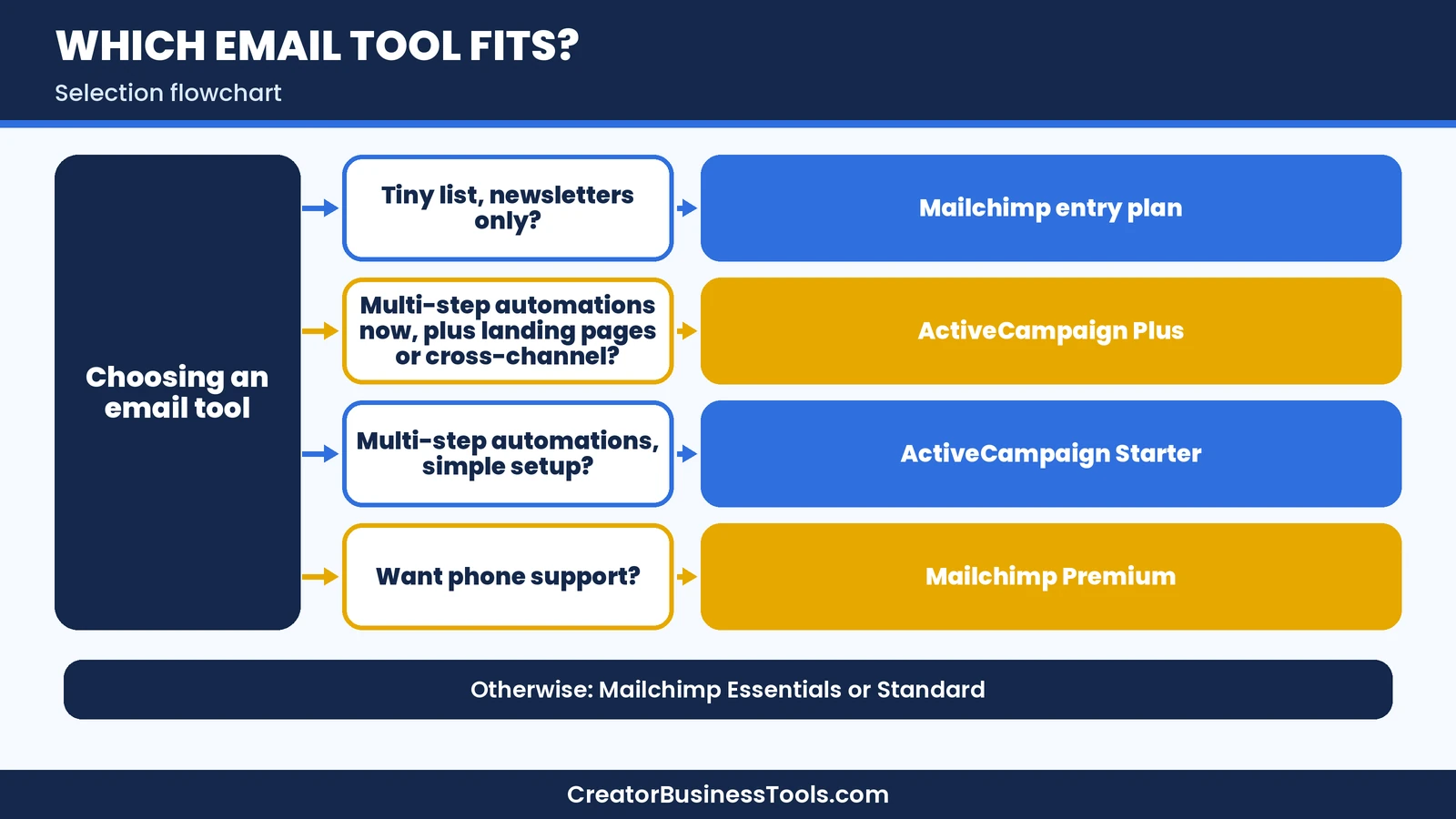
- Estimate your list in six months. Both tools price by contacts, so compare at the size you expect, not just the size you have.
- Write down your automations. Count the sequences you need and the steps in each. Long, branching sequences point to ActiveCampaign or Mailchimp Standard.
- Decide whether you need a CRM. If you track leads and deals, ActiveCampaign’s CRM add-on is a practical advantage.
- Check your other channels. SMS and other channels are add-ons on both, with country limits.
- Start small. Build one real welcome sequence before committing to a higher plan.
Who should use each tool?
| Reader | Suggested pick | Why |
| New blogger with a tiny list | Mailchimp Free | Start at no cost and learn the basics |
| Newsletter writer who wants simple scheduling | Mailchimp Essentials | Scheduling and full templates in a low tier |
| Coach with a lead magnet and follow-ups | ActiveCampaign Starter or Plus | Multi-step automation from the first paid plan |
| Course creator with several funnels | ActiveCampaign Plus | Landing pages, cross-channel, and generative AI |
| Shop owner who wants predictive features | ActiveCampaign Pro or Mailchimp Standard | Predictive sending or predictive segments |
| Team that wants phone support | Mailchimp Premium | Phone and priority support listed |
Course creators can also compare tools in our guide to the best email marketing for course creators.
Switching from Mailchimp to ActiveCampaign
Many creators start on Mailchimp and move once automation becomes the priority. ActiveCampaign lists contact migration and onboarding help among the services included with its plans. A calm switch usually looks like this:
- Export your contacts with their opt-in status and tags.
- List your automations and forms so you know what needs rebuilding.
- Ask about migration help before importing anything yourself.
- Rebuild your welcome sequence first, then the rest.
- Swap the forms on your site once the new ones work, and send yourself a test.
If you also connect your email tool to other apps, our Make vs Zapier comparison explains how no-code automation tools fit alongside either platform.
Reporting and testing
Good reports tell you which emails move people toward a sale, not just which ones were opened.
- ActiveCampaign lists A/B testing on every plan, ecommerce and revenue reporting from Plus, and attribution with conversion tracking on Pro and above. That suits creators who want to see which sequence led to a booking or a purchase.
- Mailchimp lists A/B testing and multivariate testing among its plan features, with custom reports on Standard and Premium. Its audience insights help newsletter writers understand growth and engagement.
If you only need opens, clicks, and unsubscribes, both tools cover the basics. If you want to connect emails to revenue, ActiveCampaign Pro or Mailchimp Standard are the plans to compare.
Deliverability habits that matter on either tool
No platform can rescue a list of people who did not ask to hear from you. These habits help whichever tool you pick:
| Habit | Why it helps |
| Use confirmed, opt-in sign-ups | Fewer complaints and bounces |
| Authenticate your sending domain (SPF, DKIM, DMARC) | Mailbox providers can confirm the email is yours |
| Send on a steady schedule | Sudden bursts after long gaps can look suspicious |
| Clean out long-inactive contacts | Engaged lists tend to reach the inbox more often, and you stop paying for silent contacts |
| Write clear, honest subject lines | Specific subjects get opened without looking like spam |
Because both tools price by contacts, cleaning inactive subscribers also keeps you in a lower contact tier for longer.
Common mistakes when comparing email tools
- Comparing at the wrong list size. Prices change by contact tier, so compare at your expected size.
- Ignoring step limits. A plan can include automation and still be too short for your funnel.
- Splitting contacts into many audiences. On Mailchimp, this can increase your contact count.
- Forgetting add-ons. SMS and transactional email change the total.
- Choosing on brand alone. Pick the tool that matches the way you sell.
FAQ
Is ActiveCampaign better than Mailchimp?
It depends on your goal. ActiveCampaign is usually the stronger fit for automation-heavy funnels and CRM needs. Mailchimp is often the easier fit for beginners who want a free plan and simple newsletters.
Does ActiveCampaign have a free plan?
No. ActiveCampaign’s pricing page lists four paid plans, starting with Starter in a low price tier.
Does Mailchimp have a free plan?
Yes. Mailchimp Free supports a very small list with one seat and one audience, a monthly sending cap, and Mailchimp branding. It does not include automation flows or email scheduling.
Which is easier for beginners?
Mailchimp is often easier on day one because of its campaign-first editor. ActiveCampaign takes a little longer to learn, but its automation recipes give beginners a head start on sequences.
Can Mailchimp do the same automations as ActiveCampaign?
For many common sequences, yes, on Standard or Premium, which allow long flows with branching. Essentials limits each flow to a few steps.
Which has more integrations?
ActiveCampaign lists 1,000+ integrations, and Mailchimp lists 300+, including Shopify, WordPress, and Canva.
Does either tool include a CRM?
ActiveCampaign offers an Enhanced CRM add-on with pipelines and sales engagement on Plus and above. Mailchimp focuses on marketing audiences rather than a sales pipeline.
Which offers phone support?
Mailchimp lists phone support on Premium, in English during business hours. ActiveCampaign lists email and chat support, with priority support on Pro and Enterprise.
Can I move my list from Mailchimp to ActiveCampaign?
Yes. ActiveCampaign lists contact migration among the services included with its plans. Export your contacts with opt-in details first.
Is ActiveCampaign vs Mailchimp a good comparison for ecommerce?
Both connect to Shopify. ActiveCampaign lists abandoned cart on all plans and premium ecommerce integrations on Pro and above, while Mailchimp highlights predictive segments for connected stores on Standard and Premium.
Bottom line
In the ActiveCampaign vs Mailchimp decision, the deciding question is how much of your business runs on automation. If your list is a sales engine with tags, follow-ups, and lead tracking, ActiveCampaign gives you multi-step automation from its first plan and grows into CRM and predictive tools. If you want a free plan with limits, simple newsletters, and automation later, Mailchimp is a straightforward fit.
Compare both at your own contact count, map one real welcome sequence, and choose the tool that fits the way you sell.
Free checklist: Want a head start? Get our free Email Automation Starter Map, a one-page plan for your lead magnet, welcome sequence, and first follow-up automation. Contact us to request a copy.