
ActiveCampaign Pricing Explained: Starter vs Plus vs Pro vs Enterprise for Creators
Disclosure: This post contains affiliate links. If you buy through them, we may earn a commission at no extra cost to you. How we make money.
ActiveCampaign pricing can look simple at first glance: four plans, one price each. But the number you actually pay depends on how many contacts you have, which plan features you need, and whether you add extras such as the Enhanced CRM, SMS, or WhatsApp. This guide walks creators, coaches, and small online businesses through every rung of the ladder so you can pick a plan with confidence.
We built this breakdown from ActiveCampaign’s official pricing page and its plan comparison table. We have not run paid accounts for this article, and we don’t share invented test results. Where something isn’t shown on the official page, we say so.
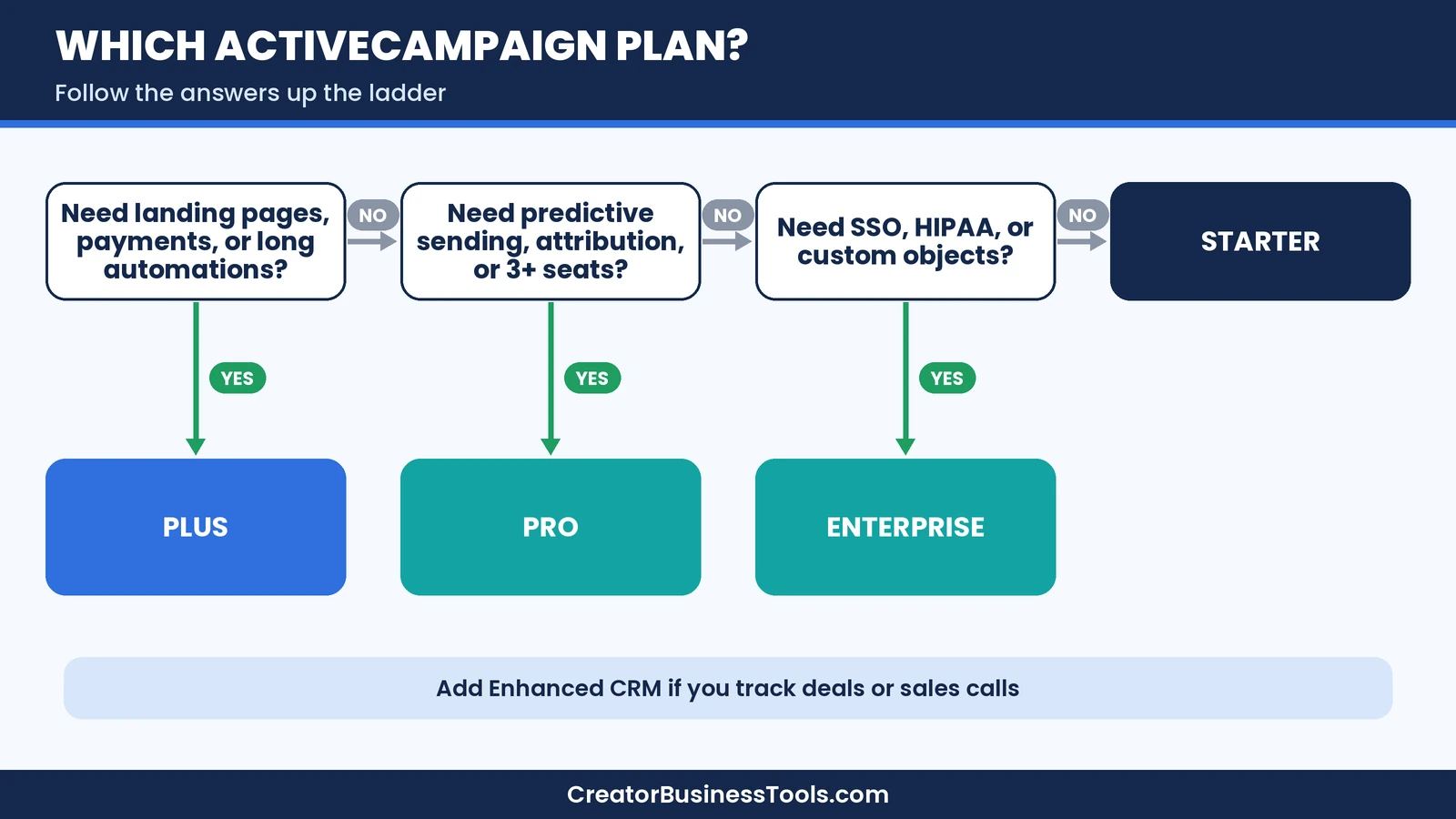
Quick verdict: For most creators who sell courses, coaching, or digital products through email funnels, ActiveCampaign Plus is the plan to start with. It adds landing pages, payment integrations, generative AI, and cross-channel tools on top of the automation core. Starter is a low-cost way to test automations, but its limits show up quickly. Pro makes sense once you want predictive sending, conditional content, and revenue attribution, and Enterprise is for teams with complex data, compliance, or CRM needs. Whatever you choose, expect the bill to rise as your list grows.
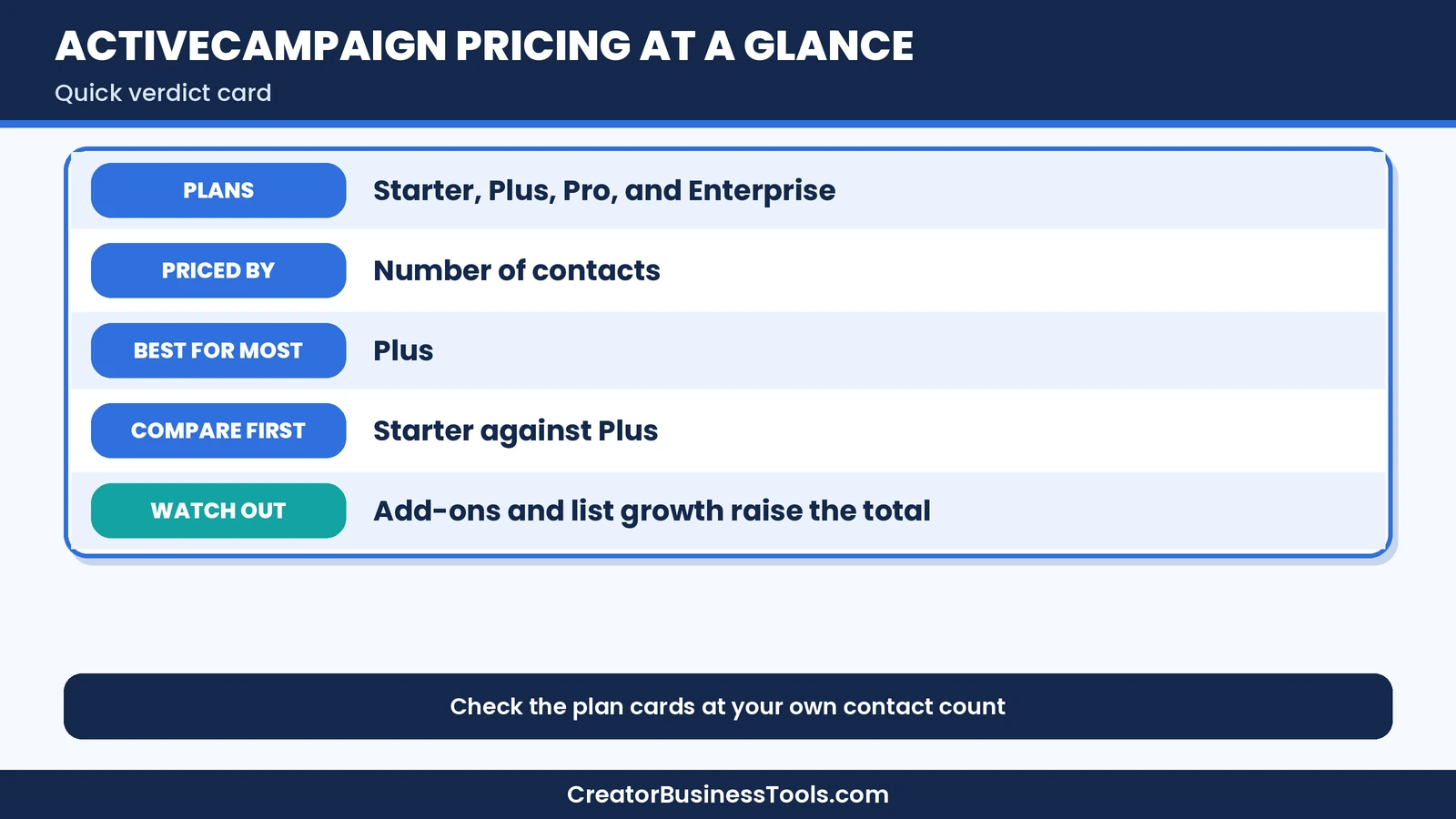
Quick picks
- Best plan for most creators: ActiveCampaign Plus, for landing pages, Stripe and PayPal integrations, generative AI, and cross-channel marketing.
- Best for testing automations on a small budget: ActiveCampaign Starter, if email-only automations with a few steps are enough for now.
- Best for data-driven launches: ActiveCampaign Pro, with predictive sending, conditional content, conversion tracking, and revenue attribution.
- Best for larger teams with compliance needs: ActiveCampaign Enterprise, with single sign-on, HIPAA support, custom objects, and a dedicated account team.
- Best free alternative for newsletter-first creators: Kit. See our GetResponse vs Kit vs MailerLite comparison.
ActiveCampaign pricing at a glance
The table below summarizes the four plans at the smallest contact band on the pricing page. Price tiers are relative: one symbol is the lowest-priced rung, four symbols the highest.
| Plan | Price tier (smallest band) | Users | Email sends | Best for |
| Starter | \$ | 1 | 10x your contact limit per month | First automations, email only |
| Plus | \$\$ | 1 | 10x your contact limit per month | Creators selling through funnels and landing pages |
| Pro | \$\$\$ | 3 | 12x your contact limit per month | Marketers who want AI-optimized sends and attribution |
| Enterprise | \$\$\$\$ | 5 | 15x your contact limit per month | Larger teams with complex data and support needs |
ActiveCampaign does not list a free plan. Read the official pricing page for sign-up and billing terms before you buy.
How ActiveCampaign pricing works
Three things drive your ActiveCampaign bill: your contact count, your plan, and any add-ons. Understanding each one makes the pricing page much easier to read.
1. Contacts set the starting point
Every plan is priced by contact band. The pricing page lets you pick a list size, from the smallest band up to large lists, and every plan’s price updates as you move the selector. A contact is a person in your account, so subscribers, leads, and customers all count toward the band.
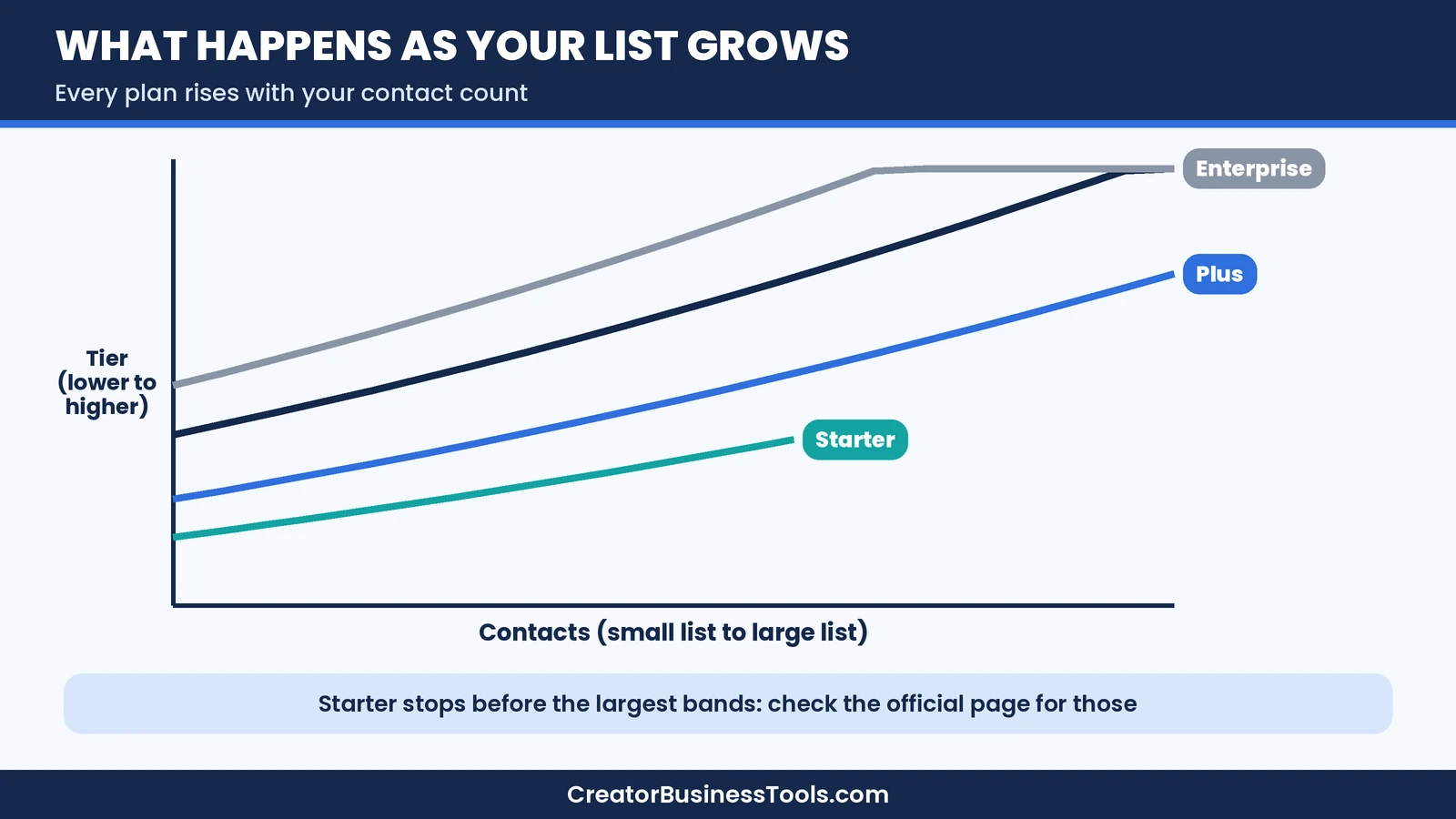
The pricing page states that the monthly price scales with contact list size. In practice, this means the gap between plans can change as you grow. At small list sizes, the step from Starter to Plus is modest. At larger list sizes, each plan climbs into a higher price tier.
2. The plan sets your features and limits
Each plan unlocks a set of features. Starter covers email marketing and multi-step automation with tight limits. Plus adds the tools most creators use to sell. Pro adds optimization and attribution. Enterprise adds compliance, custom data, and dedicated support.
Plans also differ in users, email sending limits, business goals, and segmentation depth. If you work with a virtual assistant or a small team, the user count alone can push you up a rung.
3. Add-ons raise the total
Some capabilities are sold separately on top of your plan. The pricing page lists the Enhanced CRM (Pipelines and Sales Engagement), SMS, WhatsApp messaging, transactional email, and extra Active Intelligence credits as add-ons. Add-on prices are not shown in the main plan cards, so check them at checkout before you commit.
What the pricing page shows about billing
The plan cards show a “starts at” price for the selected contact band. Confirm the billing term, and the month-to-month figure if you need one, on the official pricing page or with ActiveCampaign’s team before you sign up.
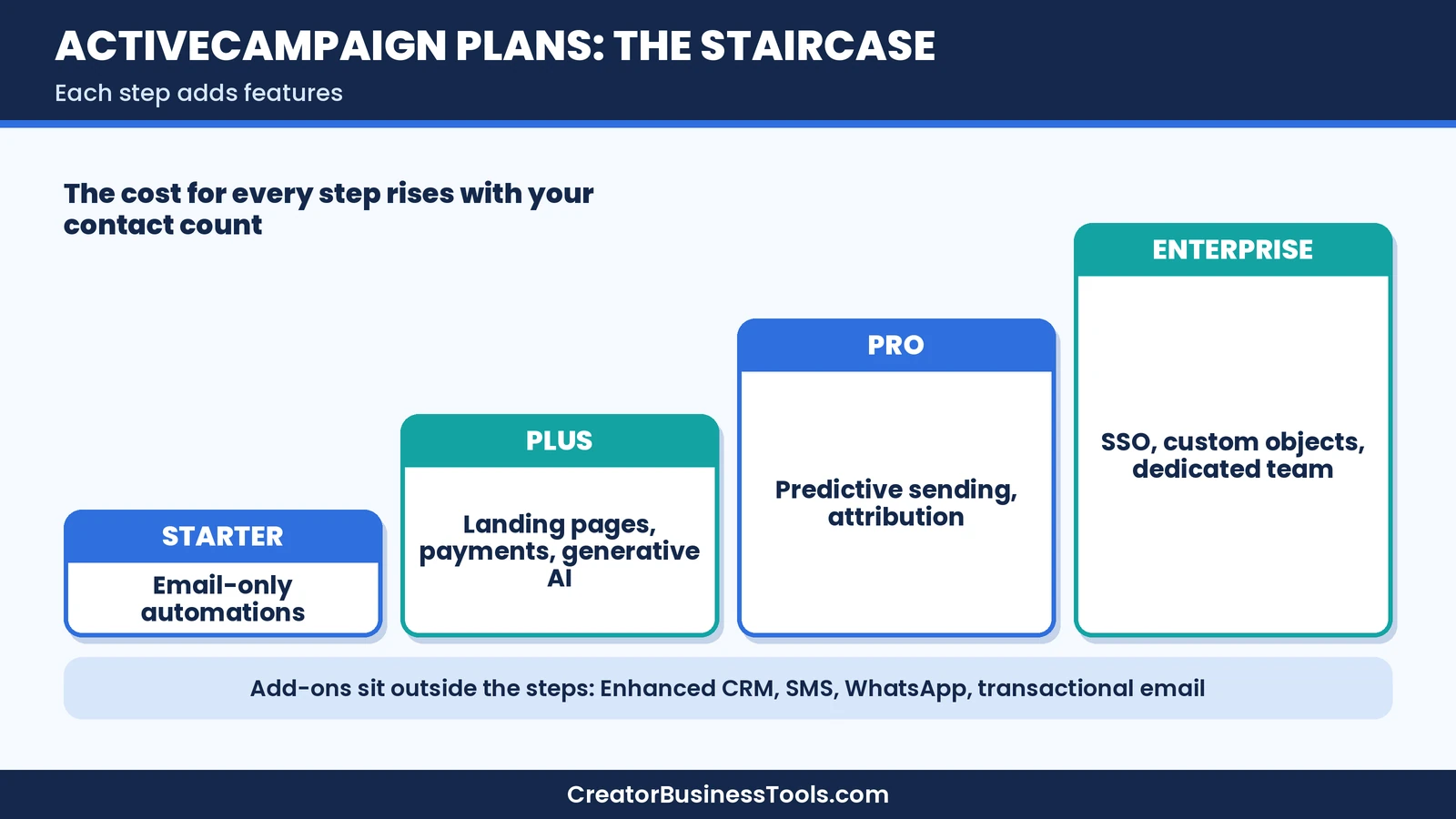
ActiveCampaign plans explained
Starter: a low-cost entry for first automations
Starter is described on the pricing page as the plan “for getting your first automations live.” It includes multi-step marketing automation, AI-powered automation and campaign builders, email campaigns with 250+ pre-built templates, and 15 active business goals.
The limits are what you need to watch:
- Five actions per automation. A welcome series with a tag, a wait, and a couple of emails fits. A full launch sequence with branching probably won’t.
- Email only. Cross-channel marketing, landing pages, and site messages are not included.
- Up to five lists and standard or inline forms only.
- No generative AI for content and images, and no Calendly, Eventbrite, PayPal, Stripe, or Slack integrations.
- One user and basic email and chat support.
Starter still includes the 950+ automation recipes, A/B testing for email, abandoned cart flows, RSS-triggered campaigns, the Shopify, Square, and WooCommerce integrations, Zapier, and API access. So it can work for a blogger who wants a simple welcome sequence and RSS emails, or for a shop owner testing a basic cart recovery flow.
Plus: the plan most creators should compare first
Plus is aimed at “growing teams that want more personal messages.” Compared with Starter, it removes the five-action cap on automations and adds:
- Cross-channel marketing, landing pages, and site messages
- Generative AI for content and images
- Product catalog blocks for ecommerce emails
- PayPal, Stripe, Calendly, Eventbrite, and Slack integrations
- Google, Facebook, and LinkedIn ad audiences
- Sales, revenue, and ecommerce reporting, plus custom event tracking
- Custom branded forms and landing pages, a custom account domain, and custom user permissions
- 25 active business goals and access to the Enhanced CRM add-on
For a course creator or coach, this is the rung where ActiveCampaign starts to feel like a sales system. You can build an opt-in page, connect your checkout, tag buyers, and branch follow-ups based on what each person did. Plus still includes one user, so a team may need Pro.
Pro: optimization, attribution, and more seats
Pro is for “marketers who want AI to optimize every send.” On top of Plus, it adds predictive sending at each contact’s likely best time, conditional content inside a single email, advanced segmentation, conversion tracking and revenue attribution, BotSense, and 200 active business goals.
Pro also includes recurring payments, premium ecommerce integrations such as BigCommerce, Magento, and Shopify Plus, Docusign, an automations map, and A/B testing in both emails and automations. It comes with three users and priority email and chat support, plus priority onboarding and migration help.
Pro fits creators who run regular launches and want to know which emails and automations drive sales. If you mostly send one weekly newsletter, it’s likely more than you need.
Enterprise: compliance, custom data, and a dedicated team
Enterprise is for “larger teams with complex data and support needs.” It includes everything in Pro, plus single sign-on, HIPAA support, premium segmentation, custom objects, premium CRM integrations such as Salesforce and Microsoft Dynamics, Zendesk, custom reporting, a dedicated account team, and an uptime SLA. It includes five users and the highest sending multiplier.
Most solo creators won’t need Enterprise. It’s built for organizations with security reviews, regulated data, or a sales team that lives in a separate CRM.
Feature comparison by plan
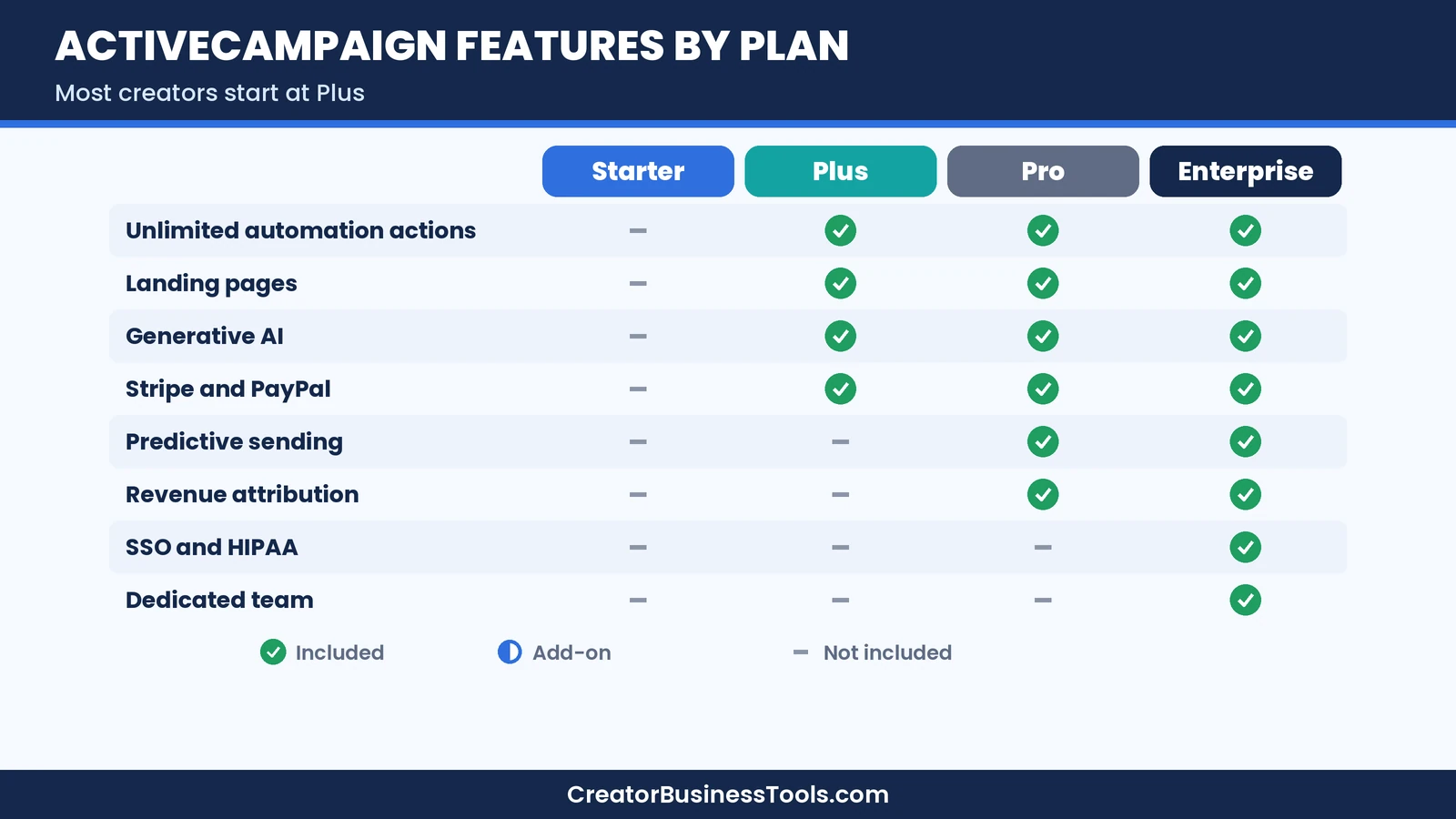
This table pulls the differences that matter most for creators from the official comparison table.
| Feature | Starter | Plus | Pro | Enterprise |
| Multi-step automation | ✓ (5 actions per automation) | ✓ Unlimited actions | ✓ Unlimited actions | ✓ Unlimited actions |
| Cross-channel marketing | Email only | ✓ | ✓ | ✓ |
| Landing pages and site messages | — | ✓ | ✓ | ✓ |
| Generative AI (content and images) | — | ✓ | ✓ | ✓ |
| Stripe, PayPal, Calendly | — | ✓ | ✓ | ✓ |
| Predictive sending | — | — | ✓ | ✓ |
| Conditional content | — | — | ✓ | ✓ |
| Revenue attribution | — | — | ✓ | ✓ |
| Recurring payments | — | — | ✓ | ✓ |
| Enhanced CRM | — | Add-on | Add-on | Add-on |
| Users | 1 | 1 | 3 | 5 |
| Support | Basic email and chat | Basic email and chat | Priority email and chat | Priority, plus dedicated team |
Add-ons that change your ActiveCampaign bill
Add-ons are where a budget can drift. Here’s what the pricing page lists as sold separately, and who tends to need each one.
- Enhanced CRM (Pipelines). Adds pipeline management, deal and account records, and lead scoring. Available on Plus and higher. Useful for coaches and consultants who track discovery calls and proposals.
- Enhanced CRM (Sales Engagement). Includes everything in Pipelines, plus automated one-to-one emails and win probability. Better suited to businesses with a dedicated sales process.
- SMS. Adds opt-in management, two-way messaging, automated SMS sends, and AI reply suggestions on Plus and higher. The page notes that personalized broadcast campaigns are limited to the US, UK, and Australia, and MMS to the US and Australia.
- WhatsApp messaging. Adds a shared team inbox, broadcast messaging, and flows on Plus and higher.
- Transactional email. For password resets, notifications, and confirmations, and available as an add-on on every plan.
- Extra Active Intelligence credits. Every plan includes a monthly allotment of AI credits. Advanced AI actions, such as image generation or translated campaigns, use credits. The FAQ says core AI features keep working if your credits run out, and only advanced actions pause.
Before you add anything, ask a simple question: will this replace a tool you already pay for? A CRM add-on that replaces a separate CRM can make sense. An SMS add-on for an audience that never asked for texts probably won’t.
What happens to the price as your list grows
Because every plan is priced by contacts, the biggest long-term factor in ActiveCampaign pricing is list growth. Here’s how to think about it.
- The price steps up by contact band. When your list moves into a larger band, your plan price moves with it.
- Sending limits scale too. Email sends are a multiple of your contact limit, so a larger band also raises how many emails you can send each month.
- Upgrades are built in. The FAQ says that if your list grows beyond your plan’s limit, you can move to the next contact band or plan without penalties and without being locked out of features.
- Large lists change the math. At the biggest bands, the pricing page no longer shows a Starter price, so larger lists point you toward Plus or higher.
The practical takeaway: a list that doubles can raise your bill by more than you expect, so plan your budget around the list size you expect to reach, not just the size you have now.
Which ActiveCampaign plan should you choose?
Use these scenarios as a starting point, then check the plan cards at your own contact count.
You’re a blogger starting your first list
Starter can be enough if you want a welcome sequence and RSS emails for new posts. If you want a landing page for your lead magnet inside the same tool, Plus is the better fit. If you mostly need a free plan and a simple newsletter, also compare Kit or AWeber.
You sell a course or coaching program
Plus is the most likely fit. You get landing pages, Stripe and PayPal integrations, Calendly for discovery calls, and automations without the five-action cap. Add the Pipelines add-on if you want to track applications or sales calls.
You run frequent launches and want attribution
Pro is worth a look. Predictive sending, conditional content, and revenue attribution help you see which emails and automations bring in sales. The three included seats also help if you work with a launch manager or VA.
You sell physical or print products through a store
Starter already connects to Shopify, Square, and WooCommerce and includes abandoned cart flows. Plus adds product catalog blocks. Pro adds premium ecommerce integrations and recurring payments.
You’re a team with security reviews
Enterprise is built for single sign-on, HIPAA support, custom objects, and a dedicated account team.
ActiveCampaign pricing vs Kit and AWeber
ActiveCampaign isn’t the only option, and other tools may sit in a lower price tier. Here’s how its pricing structure compares with two tools creators often shortlist. We cover both in more depth in our GetResponse vs Kit vs MailerLite guide and AWeber review.
| Item | ActiveCampaign | Kit | AWeber |
| Free plan | No | ✓ Generous | ✓ Small list |
| Entry paid tier | \$ (Starter) | \$\$ (Creator) | \$ (Lite) |
| Priced by | Contacts | Subscribers | Subscribers |
| Automation depth | Deep, with branching and goals | Visual automations on paid plans | Behavioral automations |
| CRM options | Enhanced CRM add-on | Tagging and segments | Tagging and segments |
| Best for | Funnel-driven sellers | Newsletter-first creators | Beginners who want support |
If your business runs on automated funnels and segmentation, ActiveCampaign’s pricing buys more depth. If you mostly send a weekly newsletter, Kit’s free plan or AWeber’s entry rung may cover you at a lower price tier.
For a head-to-head look at the platform, see our ActiveCampaign vs Mailchimp comparison and our ActiveCampaign vs HubSpot comparison.
How to keep your ActiveCampaign bill under control
A few habits help you pay for the contacts and features you actually use.
- Clean your list regularly. Since contacts drive the price, removing long-inactive or bounced contacts can keep you in a lower band.
- Start on the lowest plan that fits your first funnel. The FAQ says you can move up without penalties, so you don’t have to buy for a future you haven’t reached.
- Map your automations before you choose. Count the steps in your welcome and sales sequences. If any of them need more than five actions, Starter won’t fit.
- Count your users. Plus includes one user. If a VA or partner needs their own login, Pro’s three seats may be the simpler route.
- Price add-ons at checkout. Add-on prices aren’t on the plan cards, so check them before you assume a total.
- Test the plan with a real task. Build one actual automation and one landing page in the official product, rather than only browsing the feature list.
- Watch your AI credit use. Core AI features keep running without credits, so you may not need to buy more unless you rely on advanced actions such as image generation.
Common ActiveCampaign pricing mistakes
- Comparing only the smallest band. The gap between plans can change at larger list sizes, so compare at the size you expect to reach.
- Forgetting that every contact counts. Leads, customers, and subscribers all count, not just people on your newsletter.
- Buying Pro for features you won’t use. Predictive sending and attribution are powerful, but only if you plan to act on the data.
- Skipping the add-on line items. SMS, WhatsApp, and the Enhanced CRM are separate from the plan price.
- Assuming the card price is the only billing term. Confirm the billing term on the official pricing page before you budget.
FAQ
How much does ActiveCampaign cost?
ActiveCampaign has four plans: Starter, Plus, Pro, and Enterprise. Starter sits in the lowest price tier and Enterprise in the highest, and every plan’s price rises with your contact count. Check the official pricing page at your own list size for exact figures.
Does ActiveCampaign have a free plan?
No. ActiveCampaign does not list a free plan. If a lasting free plan is a requirement, compare tools that list one on their official pricing pages, such as Kit or AWeber.
What’s the difference between ActiveCampaign Starter and Plus?
Starter limits each automation to five actions, is email only, and doesn’t include landing pages, generative AI, or payment integrations. Plus removes the action cap and adds landing pages, site messages, cross-channel marketing, generative AI, Stripe and PayPal integrations, and access to the Enhanced CRM add-on.
Is ActiveCampaign Pro worth it for creators?
It can be if you run regular launches and want predictive sending, conditional content, and revenue attribution, or if you need three users. If you mostly send newsletters and a few automations, Plus is usually enough.
Does ActiveCampaign charge by contacts or emails sent?
By contacts. Your sending limit is a multiple of your contact limit: ten times on Starter and Plus, twelve times on Pro, and fifteen times on Enterprise.
What happens if I go over my contact limit?
According to ActiveCampaign’s FAQ, you can move to the next contact band or plan without penalties, and you won’t be locked out of features.
Can I pay for ActiveCampaign monthly?
The plan cards on the pricing page show a “starts at” price for a selected contact band. Confirm the billing term, including any month-to-month option, on the official page or with ActiveCampaign’s team.
Are there setup fees?
The official pricing FAQ discusses setup charges and add-ons. Add-ons such as SMS or the Enhanced CRM are priced separately. Confirm the official details on the pricing page.
Is the CRM included in every plan?
Every plan includes contact profiles, custom fields, and tags. The Enhanced CRM, with pipelines and deal records, is an add-on for Plus and higher.
Does ActiveCampaign work with Stripe and Calendly?
Yes, on Plus and higher. The official comparison table lists PayPal, Stripe, Calendly, and Eventbrite integrations from Plus upward. Starter includes Zapier and the API, which can connect other tools.
Can I connect ActiveCampaign to my other tools without code?
Yes. Every plan includes Zapier and 1,000+ integrations. If you want visual multi-step workflows across many apps, see our Make vs Zapier comparison.
Which ActiveCampaign plan is best for course creators?
Plus is the most common fit for course creators, because it adds landing pages and payment integrations. See our best email marketing for course creators guide for more options.
Bottom line
ActiveCampaign pricing rewards a clear plan. Starter is an affordable way to try automations, but most creators who sell through email will want Plus for landing pages, payments, and unlimited automation steps. Pro justifies its higher price tier only when you’ll use predictive sending, attribution, or extra seats, and Enterprise is for teams with compliance and custom-data needs.
Before you buy, check the price at the list size you expect to reach, count your users, and price any add-ons. If a free plan matters more than automation depth, compare Kit or AWeber first.
Free worksheet: Not sure which plan you need? Get our free Email Platform Budget Worksheet, a one-page sheet to estimate your contacts, users, automations, and add-ons before you pick a plan. Contact us to request a copy.